Smart Farming Retrofits: A 2025 Strategic Guide to Integrating Sensor Systems with Existing Farm Infrastructure
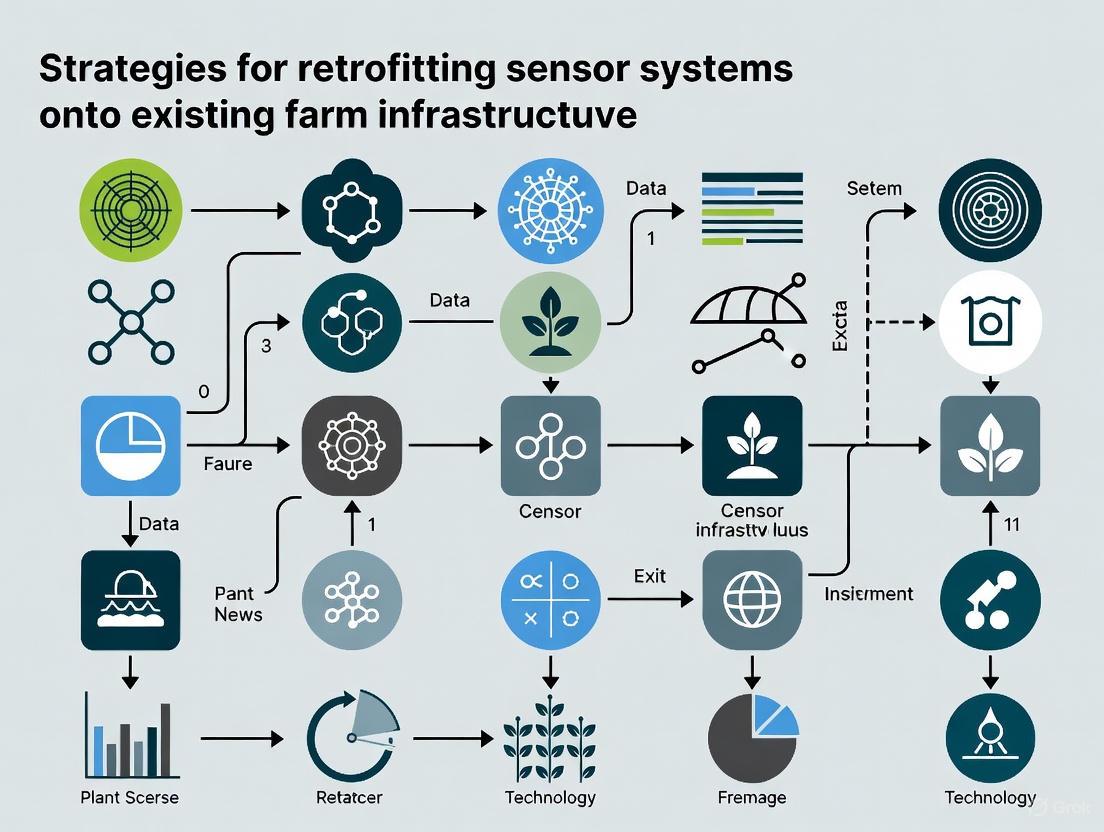
This article provides a comprehensive framework for retrofitting smart sensor systems onto established agricultural infrastructure.
Smart Farming Retrofits: A 2025 Strategic Guide to Integrating Sensor Systems with Existing Farm Infrastructure
Abstract
This article provides a comprehensive framework for retrofitting smart sensor systems onto established agricultural infrastructure. Aimed at farm operators, agronomists, and agricultural engineers, it details the strategic shift from new construction to optimizing existing facilities. The guide covers foundational knowledge of core sensor technologies, practical methodologies for deployment and integration, advanced troubleshooting and data optimization techniques, and rigorous validation and comparative analysis of different solutions. The objective is to empower stakeholders with actionable strategies to enhance productivity, sustainability, and ROI through precision agriculture, without the prohibitive costs of building anew.
The Why and What: Core Principles and Sensor Technologies for Retrofitting
Facing the need to feed a global population projected to reach 9.7 billion by 2050, agricultural production must increase significantly [1]. This challenge, compounded by labor shortages and environmental concerns, necessitates a transformation in farming practices [1] [2]. For researchers and agricultural professionals, a complete overhaul of existing farm infrastructure is often economically unfeasible. Retrofitting—the process of upgrading existing machinery and infrastructure with modern digital technologies—presents a strategically vital and economically rational pathway to precision agriculture [3]. This approach allows for the gradual integration of smart technologies such as optical sensors, AI-based evaluation software, and automated control systems into existing equipment, transforming conventional farms into digitally networked production environments without the prohibitive cost of new investments [3]. This technical support center outlines the core economic drivers behind this market shift and provides essential guidance for overcoming key research challenges in sensor retrofit projects.
Economic Drivers and Market Data
The economic case for retrofitting is compelling, driven by clear market trends and quantifiable benefits. The global market for agricultural IoT solutions is expected to exceed $33 billion by 2032, signaling robust growth and widespread adoption [4]. The related "Agriculture Technology-as-a-Service" (Agri-TaaS) model, which allows farmers to access advanced technologies via subscription, is projected to surpass $3 billion by 2025, making advanced solutions accessible without large capital expenditures [2].
Table 1: Key Economic Drivers for Farm Retrofitting in 2025
| Driver | Market Data & Impact | Research Implication |
|---|---|---|
| Market Growth | Agricultural IoT market to exceed $33B by 2032 [4]. | Justifies significant R&D investment in scalable, interoperable sensor platforms. |
| Cost Efficiency | Agri-TaaS model democratizes access for small/medium farms [2]. | Research should focus on modular, cost-effective sensor kits that minimize physical integration. |
| Productivity Gains | AI in agriculture market to grow from $1.7B (2023) to ~$4.7B by 2028 [2]. | Retrofitting experiments must prioritize AI-driven data analytics for yield prediction and resource optimization. |
| Resource Optimization | Automated systems can reduce water usage by up to 50% and pesticide application by up to 90% [1] [4]. | Sensor calibration and placement studies are critical for validating these efficiency claims in real-world settings. |
Frequently Asked Questions (FAQs)
Q1: What are the primary economic advantages of retrofitting sensors onto existing farm equipment versus purchasing new smart machinery?
Retrofitting offers a technically and economically sensible pathway to modernize existing production facilities without the high investment of complete renewal or fundamental restructuring [3]. The primary advantage is significant capital cost avoidance. Furthermore, the rise of Agriculture Technology-as-a-Service (Agri-TaaS) models allows farmers and researchers to access advanced technology through subscriptions, converting high upfront costs into manageable operational expenditures and making innovation accessible to smaller operations [2].
Q2: From a research perspective, what are the most critical technical challenges in sensor retrofit projects?
The most critical challenges are:
- Integration Complexity: Retrofitting involves adding optical measuring systems, vision AI, or digital evaluation modules to machinery with conventional sensors or purely mechanical controls [3]. This requires a modular approach that can be implemented regardless of machine type or age.
- Data Management: The volume of data generated requires robust edge computing capabilities, storage solutions, and advanced analytics to be actionable and secure [4].
- Connectivity: Many farms are in rural areas with limited or unreliable internet, which can restrict the real-time data transmission essential for many IoT functions [4].
Q3: How does retrofitting impact the workload and skill requirements for farm operators and researchers?
Implementation often creates a dual effect. While smart farming technologies can reduce physical work duration and manual labor, this benefit is frequently counteracted by the time spent on computer setup and data work [5]. This can increase the cognitive and affective dimensions of workload. The organization of work also influences skill requirements; larger entities tend to outsource technical needs to advisers, while smaller operations use technology to augment their existing knowledge [5].
Troubleshooting Guides
Guide: Resolving Data Inaccuracy in Retrofit Sensor Systems
Inaccurate data from newly installed retrofit sensors is a common issue in research prototypes. Follow this systematic protocol to identify and resolve the root cause.
Experimental Workflow for Diagnosis and Resolution:
Methodology and Protocols:
Verify Wiring and Power Supply
- Issue: Incorrect wiring, wrong voltage (e.g., supplying 5V to a 3.3V sensor), or a missing ground connection are frequent errors that cause unstable readings or permanent sensor damage [6].
- Protocol: Before powering the system, double-check all connections against the manufacturer's datasheet. Use a multimeter to verify stable voltage and current at the sensor's input pins. For extended use, employ high-quality materials and consider a voltage regulator or level shifter if the microcontroller output does not match the sensor's requirement [6].
Check Sensor Placement
- Issue: The best sensor will yield disappointing results if installed incorrectly. For example, a temperature sensor mounted near a heat source or in a "dead air" space will not report the ambient temperature of the area of interest [7]. Magmeters require placement in straight pipe sections to avoid turbulent flow that generates signal noise [7].
- Protocol: Install sensors in environmentally favorable locations where they can detect the desired variable without obstruction. Shield them from dust, moisture, accidental contact, and electromagnetic interference [6]. Ensure the sensor is positioned to be representative of the process or environment being measured.
Perform Calibration
- Issue: Sensors often require calibration out of the box, and using values without applying calibration curves leads to systematic errors [6].
- Protocol: Always read the sensor documentation for specific calibration procedures. Use certified reference devices to validate sensor readings. Implement calibration routines in your data acquisition code and establish a regular recalibration schedule, as sensor drift over time is expected [6].
Assess Signal Noise
- Issue: Sensors are sensitive instruments, and electrical noise from power fluctuations, long unshielded wires, or proximity to high-power components (like motors) can corrupt signals [6].
- Protocol: To stabilize voltage, add small capacitors across the sensor's power supply pins. Use twisted-pair or shielded cables for analog signals and keep these cables as short as possible. For sensitive applications, use a separate power supply for sensors to avoid noise from motors or other inductive loads [6].
Validate Environmental Operating Range
- Issue: Using a sensor outside its specified environmental range leads to failure or inaccurate data. This includes exposing a humidity sensor to condensation levels beyond its tolerance or using a consumer-grade sensor in an industrial setting with corrosive gases [6].
- Protocol: Always confirm that the sensor is rated for your intended environment, especially for outdoor or harsh industrial applications. Select sensors with appropriate IP (Ingress Protection) ratings for dust and water resistance, and choose chemically resistant materials for challenging environments [6].
Guide: Addressing System Integration and Ground Loops
Successfully integrating retrofit sensors into existing farm machinery and data networks often introduces challenges related to control and electrical interference.
Key Considerations and Solutions:
- Poor Control Performance: A sensor installed too far from its associated actuator can create a significant "dead time." The controller may not see the effects of its last action in time to make an educated next move, leading to overcompensation and unstable, oscillating control loops [7]. During experimental design, place sensors as close as possible to the control point to minimize this lag.
- Ground Loops:
- Issue: This common electrical problem occurs when an extraneous current flows through instrumentation wiring between two points supposed to be at the same voltage but aren't [7]. This interference causes random signal fluctuations and can damage sensors.
- Solution: The best practice is to connect all instruments together at a single master grounding point. If a grid of grounding points is necessary, ensure all points on the grid are at the same electrical potential using adequate wiring and secure connections [7]. Proper electrical isolation is critical.
The Scientist's Toolkit: Research Reagent Solutions
For researchers designing experiments in agricultural sensor retrofitting, a core set of "reagents" or essential components is required.
Table 2: Essential Research Components for Sensor Retrofit Experiments
| Research Component | Function & Explanation | Experimental Consideration |
|---|---|---|
| 2D/3D Camera Systems | For retrofitting vision-based inspection (e.g., fruit ripeness, pest detection). 2D systems are suitable for color and contour checks; 3D systems handle complex measurement tasks [3]. | Selection depends on the required data: 2D for visual attributes, 3D for dimensional accuracy and surface topography. |
| AI for Image Evaluation | Deep learning models trained on image data can detect difficult-to-define defects like scratches, contamination, or assembly errors [3]. | Requires a curated dataset of images for training. Analysis is typically performed on edge systems or industrial PCs for real-time integration. |
| Modular Enclosures | Protect sensitive electronic components from harsh environmental factors like weather, dust, and chemicals [6] [7]. | Critical for outdoor deployment. Must provide adequate protection (IP rating) without acting as a heat sink that affects temperature sensor readings [7]. |
| Edge Computing Units | Process data locally at the source, reducing latency and bandwidth requirements for real-time insights [8] [4]. | Essential for applications requiring immediate action (e.g., automated weeding) and for farms with poor connectivity. |
| Calibration Reference Kits | Certified devices (e.g., precision thermometers, pH solutions) used to validate and calibrate sensor readings [6]. | The foundation of data accuracy. Regular calibration against references is non-negotiable for rigorous experimental results. |
| Wireless IoT Kits | Modular sensor kits for parameters like pH, conductivity, temperature, and humidity that enable remote data transmission to cloud platforms [1]. | Enables rapid prototyping and data collection across wide areas. Must account for power management and network range. |
Retrofit Project Integration and Workflow
Implementing a successful retrofit project requires a methodical approach from initial assessment to final integration. The following diagram outlines the core workflow, highlighting critical decision points and technical actions.
Key Protocol Steps:
- Assessment: Begin by thoroughly evaluating the existing machinery to identify retrofit opportunities for inline inspection, traceability, and process monitoring [3].
- Technology Selection: Choose modular retrofit solutions (e.g., camera-based inspection, AI software) that can be implemented regardless of machine age or type [3].
- Regulatory Compliance (CE Conformity): A critical and often overlooked step. If a retrofit involves significant modification to the machine's control system, it may require a full reassessment under the Machinery Directive. To avoid this, use encapsulated integration—installing cameras, evaluation units, and control in separate cabinets connected via defined interfaces. This leaves the original machine untouched and is considered a stand-alone system [3].
- System Integration: Technically integrate the retrofit solution into the existing production landscape. This includes connection to Programmable Logic Controllers (PLC), Manufacturing Execution Systems (MES), or ERP systems, as well as aspects of visualization and user guidance [3].
Core Smart Sensor Technologies for Comprehensive Farm Monitoring
Smart sensors form the backbone of modern precision agriculture, enabling data-driven decision-making by collecting real-time data on critical environmental and biological parameters [9] [10]. The following table summarizes the primary sensor categories and their functions for retrofitting existing farm infrastructure.
Table 1: Core Agricultural Sensor Technologies and Functions
| Sensor Category | Measured Parameters | Primary Function in Farm Monitoring |
|---|---|---|
| Soil Moisture Sensors [9] | Soil water content | Optimizes irrigation timing and volume to prevent over/under-watering |
| Soil Nutrient & pH Sensors [9] | Nutrient levels (N,P,K), soil acidity/alkalinity | Informs precision fertilization strategies and prevents nutrient lockout |
| Weather & Climate Sensors [9] | Temperature, humidity, precipitation, wind speed | Provides microclimate data for forecasting and operational planning |
| Optical/Light (PAR) Sensors [9] | Photosynthetically Active Radiation (PAR) light intensity | Monitors light availability for photosynthesis in open fields or greenhouses |
| Livestock Monitoring Sensors [9] [10] | Animal location, temperature, activity, behavior | Enables early disease detection, optimizes feeding, and tracks location |
| Pest & Disease Detection Sensors [9] | Environmental factors favoring outbreaks, visual/biological signals | Provides early warning for pest and disease infestations |
| Water Quality Sensors [9] | pH, salinity, pollutant levels in irrigation water | Protects crops from harmful substances and prevents soil degradation |
| CO₂ & Air Quality Sensors [9] | CO₂ concentration, air pollutants | Optimizes greenhouse environments and monitors for growth-inhibiting factors |
Troubleshooting Common Sensor Issues
Implementing sensor technology in dynamic agricultural environments presents unique challenges. This section provides a systematic guide for diagnosing and resolving common problems.
Systematic Troubleshooting Workflow
A logical, step-by-step approach is the most effective method for isolating and resolving sensor faults. The following diagram outlines this core troubleshooting logic.
Frequently Asked Questions (FAQs) and Solutions
Q1: My soil moisture sensor is providing inconsistent or erratic readings. What are the primary causes? [11] [12]
- Check Sensor Placement and Environment: Ensure the sensor is placed in soil that is representative of the field and has adequate contact. Avoid areas with poor airflow, excessive roots, or rocks that create air gaps. Shield the sensor from direct heat sources that can cause evaporation and skew readings [11].
- Inspect for Physical Damage or Interference: Examine the sensor and its wiring for any physical damage, corrosion, or loose connections. A common issue, especially in new installations, is sensor cables running parallel to high-voltage cables, which can induce electromagnetic noise and interfere with the signal [12].
- Clean and Recalibrate: Dirt, debris, or salt buildup on the sensor probe can disrupt measurements. Carefully clean the sensor according to the manufacturer's instructions and perform a recalibration against known standards [12].
Q2: Temperature sensors in my greenhouse/livestock facility are drifting from known values. How can I correct this? [11]
- Perform Regular Calibration: Drift is a common issue. Regularly calibrate the sensor against a trusted reference according to the manufacturer's guidelines to restore accuracy [11].
- Verify Placement and Shielding: Incorrect placement is a leading cause of inaccurate readings. Ensure the sensor is not too close to heat sources like electronics, motors, or direct sunlight. It should be in a location with proper airflow that is representative of the general environment you wish to measure [11].
- Check Power Supply and Wiring: An inadequate or unstable power supply can lead to erroneous readings. Verify that the sensor is receiving stable, clean power within its specified voltage range. Also, inspect wiring for damage or poor connections that can introduce resistance [11].
Q3: My automated system is not responding to a sensor's signal. How do I determine if the sensor has failed? [12]
- Isolate and Test the Sensor: Disconnect the sensor from the control system. Use a multimeter to check for proper voltage at the sensor itself. Then, simulate a trigger event (e.g., bring a magnet near a proximity sensor, apply a known test condition) and use the multimeter to see if the output signal changes state as expected. Comparing it with a known good sensor is highly effective [12].
- Inspect and Validate the Entire Signal Path: The problem may not be the sensor itself. Check the entire circuit back to the PLC (Programmable Logic Controller) or data logger. Look for damaged wires, faulty connectors, or issues at the input module. Use the PLC's indicator lights or software to confirm if the input signal is being received [12].
- Review Sensor Settings and Configuration: For configurable sensors, verify that the settings (e.g., sensing range, output type [digital/analog], communication address) are correct for the application. A misconfiguration can make a functional sensor appear faulty [12].
Q4: What is the most critical but often overlooked aspect of maintaining a retrofitted sensor network? [13]
- Scheduled Sensor Calibration and Validation: Beyond basic functional checks, sensors require regular, scheduled calibration to ensure the data they provide remains accurate. Over time, all sensors can drift. A structured schedule, managed via a logbook or a Computerized Maintenance Management System (CMMS), is crucial for data integrity [13].
- Preventive Maintenance of Infrastructure: Proactively checking and cleaning sensor fixtures, cables, and connections prevents failures. For example, dirty light fixtures on environmental sensors can block sensing elements, and clogged irrigation nozzles can affect water pressure readings for flow sensors [13].
Experimental Protocols for Sensor System Validation
Before full-scale deployment, validating sensor performance and integration is a critical step. The following protocols provide a framework for this process.
Protocol A: In-Field Sensor Calibration and Data Accuracy Verification
Objective: To establish and verify the accuracy of a newly installed or retrofitted sensor against a calibrated reference standard within the actual field environment.
Workflow: The multi-stage process for field validation is detailed below.
Materials:
- Unit Under Test (UUT): The new or retrofitted sensor.
- Reference Instrument: A recently calibrated, high-accuracy sensor or data logger.
- Data Logging System: To record simultaneous measurements from both UUT and reference.
- Statistical Analysis Software (e.g., R, Python).
Methodology:
- Pre-Deployment Check: Confirm basic operation of the UUT in a lab setting.
- Field Co-location: Install the UUT and the reference instrument in the same representative microclimate, ensuring they are measuring the same volume of air, soil, etc.
- Simultaneous Data Collection: Log data from both devices for a sufficient period to capture a range of environmental conditions (e.g., minimum 24-72 hours).
- Data Analysis & Model Fitting: Download data and use statistical software to perform a linear regression (Reference vs. UUT). Calculate the Root Mean Square Error (RMSE) and derive a calibration function (e.g.,
Y_corrected = mX_raw + b). - Validation: Apply the calibration function to the UUT's data stream (either in firmware or during data processing) and conduct a short follow-up test to validate improved accuracy.
- Documentation: Produce a calibration report including the raw data, regression analysis, final calibration coefficients, and statement of achieved accuracy.
Protocol B: System Integration and Data Pipeline Testing
Objective: To verify the complete data flow from a retrofitted sensor, through the network and gateway, to its final destination (e.g., cloud dashboard, farm management software), ensuring data integrity and timestamp accuracy.
Materials:
- Retrofitted sensor node.
- Network gateway (e.g., LoRaWAN, cellular).
- Central data management platform (e.g., cloud API, database).
- Network debugging tools (e.g., packet sniffer, gateway logs).
Methodology:
- Baseline Connectivity Test: Power on the sensor node and confirm it successfully connects to the network gateway. Verify signal strength (RSSI/SNR).
- Trigger Data Transmission: Physically trigger a sensor reading (e.g., change soil moisture, change temperature).
- Monitor Data Flow:
- At the Gateway: Use gateway logs to confirm the data packet was received.
- In Transit: Use tools like MQTT explorers or API monitors to confirm the message was relayed by the network server.
- At the Endpoint: Query the central database or cloud platform API to confirm the data packet was received and stored.
- Validate Data Integrity and Latency: Compare the value and timestamp of the data point at the final destination with the known triggered event at the sensor. Check for data corruption and measure total system latency.
- Stress Test: Simulate multiple sensor nodes transmitting data simultaneously to test the robustness of the gateway and network infrastructure.
The Researcher's Toolkit: Essential Reagents and Materials
Table 2: Key Research Reagents and Materials for Sensor Validation
| Item Name | Function/Application |
|---|---|
| Calibrated Reference Instrument [11] | Provides "ground truth" measurements for in-field calibration and accuracy verification of deployed sensors. |
| Data Logging System | Records simultaneous, time-synchronized data from multiple sensors (Unit Under Test and reference) for analysis. |
| Signal Simulator / Calibrator | Generates precise, known electrical or physical signals to test sensor response and diagnose faults without environmental variables. |
| Multimeter / Oscilloscope [12] | Essential for checking power supply integrity, signal output, continuity, and resistance in sensor circuits during troubleshooting. |
| Statistical Analysis Software (R, Python) | Used for performing regression analysis, calculating error metrics (RMSE), and generating calibration models from validation data. |
| Computerized Maintenance Management System (CMMS) [13] | Software platform for scheduling preventive maintenance, tracking sensor calibration dates, and logging equipment history. |
For researchers retrofitting sensor systems onto existing farm infrastructure, selecting the right connectivity backbone is a critical first-step challenge. Rural agricultural environments present unique obstacles: vast geographical areas, limited or non-existent traditional network infrastructure, and the need for solutions that are both low-power and cost-effective. The evolution of Internet of Things (IoT) technologies, alongside advancements in wireless and 5G, offers a suite of potential solutions, each with distinct trade-offs in coverage, power consumption, data rate, and cost. This technical support center provides a structured framework for assessing these options, with practical troubleshooting guides and FAQs to support your experimental deployments. The goal is to enable reliable data transmission from field sensors to analytical platforms, forming the foundation for research in precision agriculture and sustainable farming [14] [15].
The table below summarizes the key technical characteristics of the most relevant connectivity options for rural agricultural research. This comparison is essential for selecting the appropriate protocol based on your experimental requirements.
Table 1: Comparison of Rural Connectivity Technologies for Agricultural Research
| Technology | Typical Range | Data Rate | Power Consumption | Key Strengths | Ideal Research Use Cases |
|---|---|---|---|---|---|
| LoRaWAN [16] | 2–15 km (varies with environment) | 0.3-50 kbps | Very Low | Long-range, excellent battery life, flexible private networks | Low-frequency soil moisture sensing, climate station data, livestock location tracking |
| NB-IoT [16] | ~10–15 km (high indoor penetration) | ~20–250 kbps | Low | Leverages cellular infrastructure, deep signal penetration | Subsurface sensor data, smart meter readings, asset monitoring in remote sheds |
| LTE-M [16] | Similar to NB-IoT | ~200 kbps - 1 Mbps | Low to Moderate | Higher data rates, mobility, voice support | Mobile asset tracking (e.g., livestock, machinery), veterinary health wearables |
| 5G (including LPWA/RedCap) [17] [18] | Site-specific (dependent on tower density) | 100+ Mbps (broadband); Low for LPWA | Variable (High for broadband; Low for LPWA) | Ultra-low latency, very high bandwidth, network slicing | Real-time drone-based crop scouting, AI-driven video analytics for pest detection, high-resolution automation |
| Satellite (NTN) [18] | Global | Low to Moderate | Low (for IoT) | True global coverage, independent of terrestrial infrastructure | Environmental monitoring in extremely remote areas, global asset tracking for logistics |
The Researcher's Toolkit: Essential Connectivity Components
When designing a retrofitted sensor system, the core hardware and network components form the essential toolkit for any field experiment.
Table 2: Key Research Reagent Solutions for Sensor Connectivity
| Item | Function | Research Application Notes |
|---|---|---|
| LPWAN Sensors (e.g., LoRaWAN, NB-IoT) [16] | Measure parameters (soil moisture, temperature, pH) and transmit data long-distance with minimal power. | Select based on required battery life and data update frequency. Ideal for long-term, large-scale environmental transects. |
| IoT Gateway / Router (e.g., Industrial 5G/LTE) [19] | Aggregates data from multiple field sensors and provides backhaul to the cloud via cellular or satellite networks. | Essential for creating a local private network (e.g., using CBRS). Ensure it is ruggedized for harsh field conditions. |
| eSIM / Multi-IMSI SIM [20] [21] | Provides cellular connectivity with the ability to switch between network operators remotely. | Critical for ensuring connectivity resilience in areas with weak or single-operator coverage; enables global deployments. |
| Edge Computing Module [18] | Provides on-device data processing and intelligence, reducing latency and bandwidth needs. | Use for pre-processing sensor data (e.g., filtering, running simple AI models) before transmission to the cloud. |
| Energy Harvesting System | Powers sensors and communication modules using solar, kinetic, or thermal energy. | Extends operational life in remote locations, reducing the need for battery replacement and maintenance visits. |
| Connectivity Management Platform (CMP) [20] | A centralized cloud platform for monitoring, managing, and securing all connected devices and data flows. | Provides a "single pane of glass" to manage device fleets, update firmware, and monitor data usage and network health. |
Experimental Protocol: Deploying a Hybrid Sensor Network
This methodology provides a step-by-step guide for retrofitting a multi-technology sensor network to monitor soil conditions and microclimate in a rural setting.
Aim: To establish a robust, low-power connectivity backbone for collecting high-fidelity soil and environmental data from a 50-hectare test field.
Materials:
- LPWAN sensor nodes (e.g., LoRaWAN) with soil moisture, temperature, and EC sensors.
- A central 5G/LTE industrial gateway router (e.g., Horizon IR2005G [19]).
- Solar panels and battery packs for power.
- eSIMs with multi-carrier profiles [21].
- A cloud-based Connectivity Management Platform (CMP) [20].
Procedure:
- Network Design and Simulation:
- Use RF planning tools to model signal propagation for the proposed sensor and gateway locations.
- Finalize the placement of the central gateway at a location with reliable power (or solar) and a usable cellular signal from at least one operator.
Hardware Deployment:
- Deploy the LPWAN sensor nodes at predetermined GPS coordinates across the field. Bury sensors at specified root-zone depths.
- Install the central 5G/LTE gateway. Connect it to power and ensure its external antenna is optimally positioned.
- Activate all eSIMs and register them on the CMP.
Network Configuration:
- Configure the LPWAN sensors to connect to the gateway.
- Set up the gateway to use its cellular connection as backhaul. Configure failover rules to switch between cellular carriers if the primary connection is lost [19] [21].
- On the CMP, define data plans, set up security policies, and establish data routing to your research data lake or analysis platform (e.g., AWS, Azure).
Validation and Calibration:
- Initiate a test transmission from each sensor node. Verify successful data receipt and integrity at the cloud endpoint.
- Manually collect soil samples from sensor locations for lab analysis to calibrate sensor readings.
Monitoring and Maintenance:
- Use the CMP dashboard to continuously monitor device connectivity status, data usage, and signal strength.
- Set up automated alerts for events such as device disconnect, low battery, or data usage anomalies.
The logical workflow for this deployment protocol is visualized below.
Troubleshooting Common Connectivity Issues
Problem: Intermittent or Complete Loss of Data from Field Sensors
Guide 1: Diagnosing Sensor-to-Gateway Link Failure
- Verify Sensor Status: Check the CMP to see if the sensor is listed as "online." If offline, physically inspect the sensor for power failure (e.g., depleted battery), physical damage, or environmental obstruction.
- Check Gateway Connectivity: Ensure the central gateway has power and an active cellular connection. The gateway's status LEDs and the CMP will indicate if it has lost its backhaul link.
- Investigate RF Interference: Use a spectrum analyzer to check for unexpected noise in the LoRaWAN or other LPWAN frequencies. Temporarily repositioning a sensor can help determine if the issue is local interference.
- Review Configuration: Confirm that the sensor's join credentials (e.g., AppEUI, DevEUI for LoRaWAN) are correctly registered on the network server.
Guide 2: Resolving Cellular Backhaul Instability
- Confirm Network Coverage: Use the CMP or a field-strength meter to verify the signal strength (RSRP/RSRQ) of the primary cellular provider at the gateway location.
- Initiate Failover: If the signal is weak, the CMP or gateway should be configured to automatically switch to a secondary carrier profile on the eSIM [21]. This can often be triggered manually for testing.
- Inspect Hardware: Check all cellular antennas for secure connections and proper orientation. Look for cable damage or corrosion.
- Check for Network Outages: Consult your connectivity provider's status page for any reported outages in your area.
Problem: Abnormally High Power Drain on Sensor Nodes
- Guide 1: Optimizing Data Transmission Schedule
- Reduce Transmission Frequency: Increase the interval between data transmissions. For many environmental metrics, reporting every 30 minutes instead of every 5 can drastically extend battery life.
- Enable Adaptive Data Rates (ADR): If supported by the protocol (e.g., LoRaWAN), ensure ADR is active. This allows the network to optimize the transmission power and data rate for each sensor, minimizing on-air time and power use [16].
- Implement Deep Sleep Modes: Configure the sensor's firmware to enter the deepest possible sleep mode between transmission and sensing cycles.
Frequently Asked Questions (FAQs)
Q1: We are deploying sensors in a valley with no cellular coverage. What is the best connectivity option? For areas with zero cellular coverage, your best options are LoRaWAN for a privately deployed network or Satellite (Non-Terrestrial Networks - NTN). LoRaWAN requires you to set up your own gateways at the edge of the coverage area but offers a very low-cost, long-range solution for sensor data. Satellite IoT modules provide true global coverage but currently at a higher cost per megabyte and with lower data rates, making them suitable for small, infrequent data packets from critical sensors [16] [18].
Q2: What is an eSIM and why is it important for our global research deployments? An eSIM is an embedded, programmable SIM card. Unlike physical SIMs that are locked to a single carrier, an eSIM can store multiple carrier profiles and be reprogrammed over-the-air. For global research, this is critical for ensuring connectivity resilience. Your devices can automatically switch to the local cellular network with the best signal when deployed in a new country or if the primary network fails, without requiring a physical SIM swap [20] [21].
Q3: How do we secure the data transmitted from our field sensors? A multi-layered security approach is essential:
- Hardware Level: Use devices with secure boot and hardware-based trust anchors.
- Network Level: Ensure all data transmission is encrypted using standard protocols (e.g., TLS for cellular, AES for LoRaWAN).
- Platform Level: Implement strict access controls and authentication on your Connectivity Management Platform (CMP). A solution with a distributed core network and local data breakout can also help comply with data sovereignty regulations [20].
Q4: Our agricultural drones require real-time HD video streaming for AI-based crop analysis. Which technology is suitable? This use case demands the high bandwidth and low latency of 5G. Technologies like 5G RedCap (Reduced Capability) are emerging as a balanced solution, offering high data rates suitable for video with better power efficiency and lower cost than full 5G broadband modules. This enables real-time data upload and AI-optimized flight path adjustments [17] [21].
Q5: What are the key trade-offs between using a licensed spectrum (NB-IoT, LTE-M) vs. an unlicensed spectrum (LoRaWAN) technology?
- Licensed (NB-IoT/LTE-M): Operates on cellular carrier networks. Offers high reliability, security, and deep indoor penetration but typically involves ongoing subscription costs and dependency on carrier coverage maps.
- Unlicensed (LoRaWAN): Operates in free spectrum bands. Offers maximum flexibility for private network deployment, very low device cost, and no ongoing subscription fees, but requires you to manage your own gateway infrastructure and can be subject to interference from other devices in the same band [16]. The choice hinges on your budget, technical expertise, and the specific reliability requirements of your application.
The following diagram illustrates the core architecture of a resilient hybrid network, integrating the technologies discussed to address these common challenges.
Troubleshooting Guides
Sensor Communication Failure
Problem: New sensors are installed but are not communicating data to the existing farm infrastructure or control system. The sensor status is shown as 'offline' or 'inactive' [22].
Diagnosis and Resolution:
1. Check Network Connectivity: Verify that the sensors and gateways have a stable connection to the network. For remote agricultural settings, this is a common hurdle [23].
- Action: Use tools to test the network connection to your cloud services or central control system. Look for firewall rule changes, proxy settings, or new security software like zero-trust solutions that might be blocking traffic [22].
- Action: Consider modern satellite technology (e.g., Starlink) or Low-Power Wide-Area Networks (LoRaWAN, NB-IoT) to provide stable internet in rural areas [23].
2. Inspect Physical Connections and Power: Physical defects and loose connections are a frequent cause of failure, especially in environments with vibration from machinery [24].
3. Verify Sensor Data and Calibration: The sensor may be connected but providing erroneous data due to calibration drift or internal defects [24] [25].
- Action: Review the sensor's data trends in your Building Automation System (BAS) or control software for abnormal or unexpected readings [24].
- Action: Use a known input source or a reference sensor to test the output. Recalibrate the sensor according to the manufacturer's guidelines to correct for offset or drift [25].
4. Review System Logs: Log files can provide specific error messages and clues about the failure [22].
- Action: Check the system or sensor-specific log files (e.g.,
confer.login Carbon Black Cloud sensors) for error entries around the time of the communication failure. Look for messages related to connection attempts, DNS issues, or cloud service communication [22].
- Action: Check the system or sensor-specific log files (e.g.,
Inaccurate or Erratic Data Readings
Problem: Sensors are online but are reporting data that is noisy, drifting, nonlinear, or has a consistent offset, making it unreliable for decision-making [25].
Diagnosis and Resolution:
1. Identify the Type of Inaccuracy: Determine the exact nature of the data problem to guide the solution.
- Drift: A slow change in output over time without a change in input, often caused by aging, temperature changes, or humidity [25].
- Noise: Unwanted fluctuations in the signal, often caused by electromagnetic interference, vibration, or poor wiring [25].
- Offset: A consistent difference between the sensor reading and the expected value for a known input, often due to calibration errors [25].
2. Isolate and Mitigate Environmental Interference: Agricultural environments are harsh [26].
- Action: For noisy signals, check for sources of electromagnetic interference and ensure sensor wiring is properly shielded and routed away from power lines. Verify that connections are secure to prevent vibration-induced noise [25].
3. Perform Field Calibration: On-site calibration can correct for offset and some drift.
- Action: Using a trusted reference instrument (e.g., a handheld thermometer or manometer), provide a known input to the sensor and adjust its output to match. Follow the manufacturer's calibration procedures [25].
4. Check for Sensor Degradation: Sensors can wear out or become contaminated.
- Action: Physically inspect the sensor for damage, cracks, or chemical contamination (e.g., from fertilizers or pesticides). Clean the sensor if possible, or replace it if degraded [25].
Incompatibility with Legacy Control Systems
Problem: A new sensor is functionally sound but cannot exchange data with the existing farm control system due to protocol or data format mismatches.
Diagnosis and Resolution:
1. Audit Communication Protocols: Legacy systems may not support modern IoT protocols [27].
2. Ensure Data Format Interoperability: Data from different sources often has different formats, making consolidation challenging [23].
3. Leverage Middleware and Platforms: Centralized platforms can bridge the gap between old and new systems [27].
- Action: Implement a centralized cloud-based platform (e.g., AWS IoT Core, Azure IoT) or a specialized agri-tech platform (e.g., Climate FieldView). These platforms can unify data from various sources and standardize it for use by legacy systems [23].
Frequently Asked Questions (FAQs)
Q1: What are the most common points of failure when integrating new sensors into old farm infrastructure? The most common points of failure are often not the sensors themselves, but the interfaces between the new and old systems. This includes physical connections (loose or corroded wiring), network connectivity (especially in remote areas), communication protocol mismatches, and data format incompatibilities. Environmental factors like vibration from machinery and exposure to moisture/chemicals also frequently cause issues [27] [24] [23].
Q2: How can we secure new IoT sensors on a legacy network that wasn't designed with cybersecurity in mind? Securing legacy networks requires a multi-layered approach:
- Network Segmentation: Isolate IoT devices on a separate network from critical systems to limit the impact of a breach [28].
- Strong Authentication: Implement multi-factor authentication (MFA) and strong passwords [28].
- Encryption: Use robust encryption protocols (like AES) for data both in transit and at rest [27] [28].
- Regular Updates: Consistently update and patch IoT devices and systems to protect against emerging threats [27] [23].
- Monitoring: Implement intrusion detection systems (IDS) to monitor for abnormal network activity [28].
Q3: Our agricultural research station has unstable internet. How can we ensure reliable data collection from field sensors? You can reduce dependence on a constant cloud connection by adopting edge computing. This technology allows data to be processed and stored locally on a device or gateway at the edge of the network, instead of sending all data to the cloud immediately. This ensures data collection continues during internet outages and provides faster access to real-time data for control decisions [23].
Q4: Are there standardized cables and connectors for agricultural sensor systems to ensure reliability? Yes, standards exist to ensure reliability in harsh farm environments. ISOBUS (ISO 11783) is a standardized communication protocol widely used in agriculture. ISOBUS cables combine power and data transmission into a single, robust cable, ensuring interoperability between different manufacturers' equipment [26]. For pure power supply, there are ongoing work on medium-voltage DC systems (e.g., 48 V DC) to support the increased electrification of modern agricultural machinery [26].
Experimental Protocols & Data Presentation
Protocol for Assessing Sensor-Infrastructure Integration Success
1. Pre-Integration Baseline Measurement:
- Document the performance and data outputs of the legacy system before new sensor installation.
- Manually collect control data (e.g., soil moisture with a handheld device) to establish ground truth.
2. Physical Layer Integration:
- Install new sensors using appropriate agricultural-grade cables (e.g., ISOBUS for implements, ruggedized sensor cables for soil monitoring) [26].
- Ensure all connections are secure and protected from environmental hazards like moisture and UV radiation [26].
3. Network and Communication Setup:
- Configure sensors to transmit data to a local edge gateway using a specified protocol (e.g., LoRaWAN, Wi-Fi) [23].
- The edge gateway should be configured with necessary protocol translators to communicate with the legacy system.
4. Data Validation and Calibration:
- Simultaneously log data from the new sensor system and the legacy/control measurements for a defined period (e.g., 72-168 hours).
- Statistically compare the datasets to identify offset, drift, or noise. Calibrate new sensors based on this analysis [25].
5. System Stress Testing:
- Simulate failure conditions (e.g., network dropout, power fluctuation) to test system resilience and data recovery procedures.
- Monitor the system for several weeks to capture long-term drift and environmental effects.
Table 1: Comparison of Connectivity Solutions for Remote Agricultural Sites
| Solution Type | Max Data Range | Power Consumption | Relative Cost | Best Use Case |
|---|---|---|---|---|
| LoRaWAN | Long (10+ km) | Very Low | Low | Low-bandwidth sensor data (soil moisture, temperature) |
| Satellite (e.g., Starlink) | Global | High | High | Bandwidth-intensive applications (video, real-time control) |
| Cellular (4G/5G) | Medium (Cell Range) | Medium | Medium | Areas with reliable cellular coverage |
| Wi-Fi | Short (<100m) | Medium | Low | Farm buildings and immediate surroundings |
Table 2: Common Sensor Malfunctions and Diagnostic Signals
| Malfunction Type | Typical Symptoms | Common Causes | Diagnostic Tools |
|---|---|---|---|
| Drift | Sensor output slowly changes over time with a constant input. | Aging components, temperature changes, humidity [25]. | Data trend analysis, reference sensor. |
| Offset | A consistent, stable error between reading and actual value. | Calibration error, installation error, zero drift [25]. | Calibration with known input source. |
| Noise | Rapid, unpredictable fluctuations in the data signal. | Electromagnetic interference, poor wiring, faulty connections [25]. | Oscilloscope, data logger, visual inspection of data plot. |
| Non-Linearity | Sensor output is not proportional to the input across its range. | Sensor saturation, hysteresis, physical damage [25]. | Testing across a full range of input values. |
System Integration Workflow and Architecture
Troubleshooting Sensor Integration
Legacy & IoT System Integration
The Scientist's Toolkit: Research Reagent Solutions
Table 3: Essential Components for Retrofitting Sensor Systems in Agricultural Research
| Component / Solution | Function / Description | Application in Research Context |
|---|---|---|
| ISOBUS Cables & Connectors | Standardized cables that combine power and data transmission between tractors and implements [26]. | Ensures reliable interoperability when connecting new sensor-enabled implements to legacy farm machinery for data collection. |
| Protocol Translator Gateway | A hardware device or software that converts communication protocols (e.g., from MQTT to a legacy serial protocol) [27] [23]. | Acts as a "universal translator" in the experimental setup, enabling data flow between new sensors and old control systems. |
| Edge Computing Device | A local device (e.g., ruggedized computer) that processes data at the source, near the sensors [23]. | Used to pre-process sensor data, run local control algorithms, and ensure data collection continues during network outages in field experiments. |
| LoRaWAN Network Components | Consists of LoRa sensors and gateways that enable long-range, low-power communication [23]. | Ideal for deploying a private, research-dedicated wireless sensor network across large agricultural fields with minimal power infrastructure. |
| Centralized Agri-Tech Platform | Software platforms (e.g., FarmOS, Climate FieldView) that unify data from various sources [23]. | Serves as the central data hub in the research project, enabling data aggregation, visualization, and analysis from all integrated sensors. |
| Open APIs (e.g., FIWARE, FarmOS API) | Application Programming Interfaces that facilitate the integration of systems and devices from different providers [23]. | Allows researchers to build custom dashboards and connect novel sensors or analytical tools to the existing research infrastructure without vendor lock-in. |
The How: Practical Deployment and Integration Strategies
Phase 1: Initial Site Audit and Planning
Conducting a Comprehensive Facility Audit
A thorough facility audit is the critical first step, forming the foundation for the entire retrofit project. The objective is to gather highly detailed data on the existing infrastructure and operational patterns [29].
Experimental Protocol: Facility Audit Methodology
- Data Collection: Log every piece of relevant equipment, such as existing sensors and machinery. Assign each a unique ID number and document its type, specifications, and current condition [29]. Critical physical constraints must be measured, including floor space, ceiling height, column spacing, and dock configurations [30].
- Operational Analysis: Conduct interviews with facility personnel to understand how and when equipment is used. Identify pain points, such as areas with inadequate monitoring or processes prone to inefficiency [29].
- Data Synthesis: Use digital audit tools to sync all collected data into a central location. This data should be color-coded and used to create a digital twin of the facility for planning [29].
Technology and Systems Assessment
This phase involves evaluating the compatibility of new sensor systems with existing farm infrastructure.
Experimental Protocol: Legacy System Integration Analysis
- Technology Audit: Perform an early audit of existing hardware and software, including Warehouse Management Systems (WMS) or Farm Management Platforms. Identify system limitations and communication protocols [30].
- Interface Identification: Determine the necessary hardware and middleware (e.g., protocol converters, IoT gateways) required to bridge new sensors with older control systems and data platforms [30].
- Vulnerability Check: Ensure the integration plan addresses potential security vulnerabilities in the legacy infrastructure [30].
The quantitative data collected during the audit should be summarized for easy reference.
Table 1: Key Quantitative Data from Facility Audit
| Audit Parameter | Measurement Method | Data Output Example |
|---|---|---|
| Physical Space | Laser distance meter, architectural plans | Available floor space: 5,000 sq ft; Clear ceiling height: 30 ft; Column spacing: 40 ft x 40 ft [30]. |
| Existing Equipment Inventory | Manual audit with digital tool (e.g., SnapCount) | 50 x Sensor Type A; 25 x Actuator Type B; 1 x Legacy PLC System [29]. |
| Operational Throughput | Data loggers, interviews, historical data | Average daily material flow: 500 units; Peak usage periods: 10:00 AM - 2:00 PM [29]. |
Phase 2: System Design and Simulation
Layout Modeling and Space Utilization
Using the audit data, engineers focus on maximizing the value of the existing layout.
Experimental Protocol: Simulation-Driven Design
- Layout Modeling: Use simulation and layout modeling software to create digital models of the proposed retrofit. Test different equipment configurations to maximize space utilization [30].
- Modular Solution Prioritization: Prioritize flexible, modular sensor and automation solutions. This allows for phased implementation and future reconfiguration as needs evolve [30].
Integration Architecture Design
Design the technical architecture that enables new sensors to communicate with each other and existing systems.
Experimental Protocol: Controls Integration Design
- Interface Specification: Define all communication interfaces, including API endpoints, data formats (e.g., JSON, XML), and networking protocols (e.g., MQTT, OPC-UA).
- Data Flow Mapping: Create detailed diagrams illustrating how data will flow from edge sensors to gateways, middleware, and final destination platforms (e.g., cloud analytics, on-premise servers).
Table 2: Research Reagent Solutions for Sensor Integration
| Research Reagent / Material | Function / Explanation |
|---|---|
| IoT Gateway | A hardware device that acts as a bridge between sensor networks (e.g., field buses, Zigbee) and the cloud/central system, translating communication protocols [30]. |
| Protocol Converter (Middleware) | Software or hardware that resolves incompatibilities between new sensors and legacy control systems by converting data protocols [30]. |
| Signal Conditioner | Isolates, filters, and amplifies raw analog signals from sensors to ensure accurate and reliable data acquisition by the control system [25]. |
| Calibration Equipment | Reference devices (e.g., calibrated thermometer, manometer) used to test and adjust sensor output against a known standard to ensure accuracy [25]. |
Phase 3: Phased Implementation and Deployment
Phased Rollout Strategy
A phased rollout is essential to minimize downtime in live facilities [30].
Experimental Protocol: Staged Deployment and Cutover
- Work Zone Segmentation: Divide the facility into isolated sections or zones. The retrofit is executed in one zone at a time, allowing other zones to maintain normal operations [30].
- Low-Volume Scheduling: Schedule physical installation and cutover activities during low-volume periods or off-hours to further reduce operational impact [30].
- Pre-Testing: Use system simulation to test and validate the design and control logic before the physical go-live event [30].
Sensor Calibration and Validation
Before full integration, each new sensor must be calibrated and its data validated.
Experimental Protocol: Sensor Calibration and Troubleshooting
- Controlled Input Testing: Use a signal generator or a known input source (e.g., a reference sensor) to provide a controlled input to the sensor [25].
- Output Analysis: Measure the sensor output with a multimeter, oscilloscope, or data logger. Compare the reading to the expected value or the reference sensor output [25].
- Corrective Action: If a discrepancy is found, calibrate the sensor according to the manufacturer's guidelines. This may involve adjusting potentiometers or uploading calibration coefficients via software [25].
Phase 4: System Go-Live and Optimization
Final Cutover and Go-Live
The go-live process involves transitioning from the old system to the new, retrofitted one.
Experimental Protocol: Go-Live Execution
- Staged Activation: Activate the new sensor systems zone-by-zone, as per the phased rollout plan.
- Parallel Running (Optional): If feasible, run the new system in parallel with the old for a brief period to validate performance before final decommissioning of the legacy components.
- Real-Time Monitoring: Closely monitor system dashboards and performance metrics for any anomalies during the initial operational period.
Training and Process Handover
Ensuring that facility personnel are proficient with the new system is crucial for long-term success [30].
Experimental Protocol: Personnel Training Protocol
- Hands-On Training: Provide operational teams with hands-on training sessions during the system transition. This should cover normal operations, basic troubleshooting, and safety procedures [30].
- Documentation: Deliver comprehensive documentation, including system manuals, troubleshooting guides, and maintenance schedules.
Technical Support Center: FAQs and Troubleshooting
FAQ 1: What are the most effective strategies for minimizing operational downtime during a brownfield retrofit?
The most effective strategy is a phased rollout combined with detailed planning [30].
- Action Plan:
- Plan Phased Rollouts: Isolate work zones and schedule installations to occur in specific sections sequentially, preventing a full facility shutdown [30].
- Schedule During Low-Volume Periods: Plan disruptive work for off-hours, weekends, or seasonal lulls to minimize impact [30].
- Pre-Test with Simulation: Use system simulation tools to test and validate the design and integration logic before physical implementation, reducing errors and delays during installation [30].
FAQ 2: How can we troubleshoot a new sensor that is providing noisy or inaccurate data post-installation?
Follow a systematic troubleshooting methodology to isolate the root cause [25].
- Troubleshooting Guide:
- Inspect Physically: Check for visible damage, corrosion, or loose wiring connections [25].
- Verify Wiring and Power: Use a multimeter to check for correct voltage, current, and resistance in the sensor circuit. Look for sources of electromagnetic interference [25].
- Test with Known Input: Apply a known, controlled input to the sensor. Compare its output to the expected value or a reference instrument to identify drift, offset, or non-linearity [25].
- Calibrate: If the sensor allows, perform calibration using a standard input to correct any deviations [25].
FAQ 3: Our project involves integrating new sensors with a legacy control system. What are the key integration challenges?
The primary challenge is ensuring seamless communication between disparate systems [30].
- Solution Framework:
- Perform a Technology Audit: Early in the planning phase, thoroughly audit the legacy system's communication protocols and data formats [30].
- Identify Middleware: Source appropriate protocol converters or middleware software that can translate data between the new sensors and the legacy system [30].
- Engage Controls Experts: Work with integration specialists who have experience in bridging new and old industrial control infrastructure [30].
FAQ 4: How can we ensure the long-term sustainability and scalability of a sensor retrofit project?
Design for the future from the start by prioritizing modularity and continuous improvement [30] [29].
- Best Practices:
- Choose Modular Solutions: Select sensor and control systems that are scalable and allow for easy addition or reconfiguration in the future [30].
- Implement Continuous Improvement: Adopt a practice of documenting lessons learned from each project phase. Hold feedback sessions with the full team to tweak and improve processes for future expansions [29].
- Build a Scalable Data Foundation: Ensure the data architecture (e.g., cloud platforms, databases) can handle increased data volume from additional sensors in the future.
Frequently Asked Questions (FAQs)
Q1: What are the primary challenges when retrofitting sensors to existing farm infrastructure? The main challenges include ensuring reliable mounting without damaging existing structures, providing sustainable power in remote locations, and maintaining data accuracy amidst environmental factors like dust, moisture, and temperature swings [31]. Compatibility with older equipment and achieving reliable wireless communication in areas with limited connectivity are also significant considerations [32].
Q2: Why is surface preparation critical for sensor installation, and what are the common mistakes? Inadequate surface preparation is a frequent error that leads to poor sensor adhesion and inaccurate data [31]. Common mistakes include installing sensors on dirty, oily, or dusty surfaces and failing to ensure a flat, stable mounting base. Proper protocol requires thorough cleaning with a degreaser, abrading the surface, and a final cleaning to remove all residues [31].
Q3: What power solutions are available for sensors in locations without easy access to electrical wiring? For existing structures where wiring is impractical, solutions include light-powered sensors that harvest indoor light energy, and robust battery systems designed for long-term deployment [33]. These options eliminate the need for costly wiring and reduce maintenance.
Q4: How can I ensure the data I'm collecting from my retrofitted sensors is accurate? Data accuracy relies on correct installation and systematic validation [31]. Key steps include:
- Verifying sensor calibration before installation.
- Using statistical analysis on initial data to identify anomalies.
- Implementing diagnostic testing procedures to confirm sensor functionality.
- Ensuring proper orientation and alignment according to the sensor's measurement principles [31].
Troubleshooting Guides
Problem 1: Inconsistent or Erratic Sensor Data
| Possible Cause | Recommended Action |
|---|---|
| Loose Mounting [31] | Check the physical attachment of the sensor. Re-prepare the surface and reinstall the sensor using the proper adhesive or mechanical fastener, ensuring full contact. |
| Power Fluctuations | Verify the stability of the power source. For battery-powered units, check for corrosion and replace batteries. For light-powered sensors, ensure they are receiving adequate light [33]. |
| Environmental Damage [31] | Inspect the sensor housing for moisture ingress or physical damage. Ensure all environmental seals are intact and that the sensor has adequate protection from the elements. |
| Calibration Drift [31] | Perform a field validation test against a known reference. Recalibrate the sensor if necessary, following the manufacturer's protocols. |
Problem 2: Sensor Failure or No Data
| Possible Cause | Recommended Action |
|---|---|
| Power Source Depletion | Check and replace batteries if applicable. For light-powered sensors, verify that the energy harvesting component is functional and receiving sufficient light [33]. |
| Failed Communication Link | Diagnose the wireless network connection. Check the signal strength at the installation site and ensure all gateways or data loggers are operational [31]. |
| Internal Sensor Fault | Perform basic diagnostics as per the manufacturer's guide. If a fault is confirmed, the sensor may need to be replaced. |
Problem 3: Wireless Communication Dropouts
| Possible Cause | Recommended Action |
|---|---|
| Low Signal Strength [31] | Perform a site survey to map signal strength. Consider adding a signal repeater or moving the communication gateway to a more optimal location. |
| Antenna Orientation Issues | Ensure the antenna is correctly positioned and is not obstructed by metal structures or other equipment. |
| Network Congestion | Analyze network traffic for interference. If using a common band like 2.4 GHz, configure the system to use a less congested channel. |
The following tables summarize key performance metrics and characteristics for low-impact mounting and power solutions.
Table 1: Comparison of Low-Impact Mounting Methods
| Mounting Method | Typical Hold Strength | Ideal Surface Types | Environmental Durability | Reusability |
|---|---|---|---|---|
| High-Strength VHB Tape [31] | High | Smooth, non-porous (metal, fiberglass) | Excellent (UV, moisture resistant) | No |
| Two-Part Epoxy | Very High | Various (metal, concrete, wood) | Excellent | No |
| Mechanical Clamps | Configurable | Pipes, beams, rails | Excellent | Yes |
| Magnetic Mounts | Moderate to High | Ferrous metals only | Good | Yes |
Table 2: Comparison of Power Solutions for Retrofit Applications
| Power Solution | Relative Cost | Maintenance Needs | Environmental Impact | Ideal Use Case |
|---|---|---|---|---|
| Wired Power | High (Installation) | Low | Low | Permanent sensors near power sources |
| Single-Use Batteries | Low | High (Replacements) | High | Short-term deployments |
| Rechargeable Batteries | Medium | Medium | Medium | Cyclical use, moderate power |
| Light-Powered Sensors [33] | Medium | Very Low | Very Low | Indoor or well-lit areas |
Experimental Protocols
Protocol 1: Surface Preparation and Sensor Mounting for Optimal Data Accuracy
This methodology outlines the steps for reliably installing sensors on existing structures to ensure data integrity [31].
Materials:
- Isopropyl alcohol or industrial degreaser
- Lint-free cloths
- Abrasive pad or sandpaper (as recommended by adhesive/sensor manufacturer)
- High-strength adhesive (e.g., VHB tape, two-part epoxy) or mechanical fasteners
- Alignment jig (if required for precise orientation)
Procedure:
- Site Assessment: Select a mounting location that is representative of the measurement area and avoids direct exposure to potential physical damage. Check for structural vibrations that could affect readings [31].
- Surface Preparation: Clean the mounting area thoroughly with a degreaser to remove all oils and contaminants. Abrade the surface to create a better bonding profile. Clean the area a final time with a degreaser and allow it to dry completely [31].
- Sensor Preparation: If using an adhesive-backed mount, prepare it according to the manufacturer's instructions. For sensors requiring specific orientation, use an alignment jig.
- Installation: Apply the sensor to the prepared surface, applying firm, consistent pressure for the time specified by the adhesive manufacturer. For mechanical mounts, torque fasteners to the specified value.
- Curing: Allow the adhesive to fully cure before subjecting the sensor to operational loads or environmental stresses.
Protocol 2: Deployment of a Light-Powered Sensor Node
This protocol describes the installation of an energy-autonomous sensor using light energy [33].
Materials:
- Light-powered sensor node
- Double-sided adhesive tape or low-impact mechanical fasteners
- Light level meter (optional)
Procedure:
- Location Scouting: Identify a location that receives sufficient ambient light (natural or artificial) throughout the day to power the sensor. Avoid deep shadows.
- Power Verification: Before final mounting, temporarily place the sensor and monitor its power status for 24-48 hours to ensure it maintains a stable charge.
- Mounting: Use double-sided adhesive tape to securely mount the sensor on a clean, stable surface. Ensure the light-harvesting panel is facing the primary light source and is free from obstructions [33].
- Commissioning: Activate the sensor and verify that it is transmitting data correctly to the network gateway.
System Installation Workflow
The diagram below illustrates the logical workflow for retrofitting a sensor system onto existing infrastructure, from planning to operation.
Power Solution Architecture
This diagram visualizes the architecture of a hybrid power solution for a retrofitted sensor node, combining energy harvesting and battery backup.
The Scientist's Toolkit: Research Reagent Solutions
Table 3: Essential Materials for Sensor Retrofitting Experiments
| Item | Function / Rationale |
|---|---|
| Retrofit Autonomy Kits [32] [34] | Enable existing farm machinery to operate autonomously, allowing for the integration of advanced sensor systems onto legacy equipment. |
| High-Strength Acrylic Foam Tape | Provides a robust, low-impact mounting solution for sensors on smooth surfaces without drilling or welding. |
| Two-Part Structural Epoxy | Creates a permanent, high-strength bond for sensors mounted on uneven surfaces or in high-vibration environments. |
| Isopropyl Alcohol & Abrasive Pads [31] | Essential for surface preparation to remove contaminants and create a profile for optimal adhesive bonding. |
| Wireless Communication Gateway [31] | Acts as a local hub for collecting data from multiple wireless sensors and transmitting it to a central management system. |
| Light-Powered Sensor Nodes [33] | Self-powered sensors that eliminate the need for batteries or wiring, ideal for long-term monitoring in sun-lit indoor areas. |
| Portable Signal Strength Analyzer | A diagnostic tool for troubleshooting wireless communication networks and identifying optimal gateway placement during site assessment [31]. |
The transition to smart farming necessitates the integration of modern sensor systems with legacy farm management infrastructure. This integration is a core challenge in agricultural research, aiming to enhance decision-making through data-driven insights without necessitating a complete, costly replacement of existing systems. This technical support center provides researchers and scientists with practical methodologies and troubleshooting guides for retrofitting sensor systems onto established farm infrastructure, a critical step for advancing precision agriculture and optimizing resource use [35] [36].
Key Integration Challenges and Solutions
Integrating modern sensor data with legacy farm management systems presents a multi-faceted set of challenges. The table below summarizes the primary barriers and potential solution directions identified in current literature.
Table 1: Key Challenges and Solutions for Sensor-Legacy System Integration
| Challenge Category | Specific Challenge | Proposed Solution Directions |
|---|---|---|
| Technological [35] [36] | High upfront investment costs [35] | Adopt modular, cost-effective sensor systems and subscription-based services [35]. |
| Connectivity issues in remote areas [35] | Implement satellite-based systems or hybrid connectivity solutions [37] [35]. | |
| Incompatible data formats and protocols [36] | Develop interoperability standards and use middleware or semantic web technologies [35] [36]. | |
| Data-Related [36] | Data silos and poor interoperability [36] | Apply data fusion techniques and ontologies for semantic integration [38] [36]. |
| Data quality and sensor reliability [39] | Use high-quality sensors, implement regular calibration, and deploy data validation algorithms [39]. | |
| Secure data storage and management [35] | Leverage state-supported cloud systems and establish clear data governance policies [35]. | |
| Organizational [5] [36] | Resistance to change and lack of specialized skills [35] | Invest in training and collaboration between academic institutions and industry [35]. |
| Workflow disruption and increased cognitive load [5] | Redesign workflows to augment user knowledge and provide intuitive decision-support interfaces [5]. |
Experimental Protocols for Data Fusion
A successful integration project requires a structured methodology. The following protocols provide a framework for research and development in this domain.
Protocol for a Systematic Integration Framework
This protocol is adapted from systematic reviews on information system integration in agriculture [36].
System Assessment and Scoping:
- Objective: Comprehensively understand the legacy system's architecture, data structures, and communication protocols (e.g., CAN, LIN) [35].
- Procedure: Conduct interviews with stakeholders, review existing system documentation, and analyze current workflows. Identify all data sources and their formats.
- Outcome: A detailed report outlining legacy system specs, data flow diagrams, and identified integration points.
Data Mapping and Cleansing:
- Objective: Ensure data from new sensors and legacy systems can be aligned and is of high quality.
- Procedure: Map data fields from sensor outputs to corresponding fields in the legacy Farm Management Information System (FMIS). Perform data cleansing to remove duplicates, correct errors, and standardize formats [40].
- Outcome: A data mapping schema and a cleansed, unified dataset ready for fusion.
Selection of Data Fusion Technique:
- Objective: Choose the appropriate data fusion level based on data nature and project goals [38].
- Procedure:
- For similar data types (e.g., multiple soil sensors): Apply Low-Level (Raw Data) Fusion, concatenating raw or pre-processed data into a single matrix.
- For disparate but related data (e.g., sensor data and satellite imagery): Apply Mid-Level (Feature) Fusion, where features are extracted from each data source and then concatenated.
- For highly disparate data sources (e.g., sensor data and weather forecasts): Apply High-Level (Decision) Fusion, where algorithms process each data type separately and their outputs are combined.
- Outcome: A selected and justified data fusion methodology.
Implementation and Pilot Testing:
- Objective: Validate the integration framework with minimal risk.
- Procedure: Develop the integration architecture (e.g., using cloud platforms, enterprise service buses). Execute a pilot test with a small subset of data and sensors. Monitor for data loss, latency, and system errors [40].
- Outcome: A refined integration system and a report on pilot performance and resolved issues.
System Validation and Performance Evaluation:
- Objective: Ensure the integrated system functions as intended and provides actionable insights.
- Procedure: Validate data post-migration for completeness and accuracy [40]. Evaluate the system's impact on decision-making metrics (e.g., resource optimization, yield prediction accuracy).
- Outcome: A validation report confirming data integrity and system efficacy.
Workflow Visualization: Data Fusion for Farm Management
The following diagram illustrates the logical workflow and system architecture for integrating sensor data with a legacy farm management system, as described in the experimental protocol.
The Researcher's Toolkit: Essential Reagents & Materials
This table details key digital components and platforms essential for experiments in sensor and legacy system integration.
Table 2: Research Reagent Solutions for System Integration
| Research Reagent | Category / Function | Specific Use-Case in Integration Experiments |
|---|---|---|
| IoT Sensor Kits (e.g., 3-in-1 Wi-Fi Hydroponics Kit [41]) | Data Acquisition: Measure environmental parameters (pH, conductivity, temperature). | Deployed in-field or in controlled environments to collect real-time, proximal data for fusion with broader satellite or legacy system data [41] [38]. |
| Farm Management Information System (FMIS) | Legacy System / Data Sink: The existing platform for farm planning, record-keeping, and operational data. | Serves as the primary legacy system for retrofitting. Its data structures and APIs are the target for integration and data mapping efforts [36]. |
| Semantic Web Technologies & Ontologies | Interoperability Enabler: Provides a shared vocabulary and meaning for data from disparate sources. | Used to resolve data heterogeneity issues, allowing seamless understanding between sensor data and legacy system categories [36]. |
| Cloud Data Platforms (e.g., CCDB [35]) | Data Storage & Management: Secure, scalable storage for large volumes of fused agricultural data. | Provides the backbone for robust data management, enabling secure storage and access for analytics and AI model training [35]. |
| Microservices & Service-Oriented Architecture (SOA) | System Architecture: A design approach that structures an application as a collection of loosely coupled services. | Enables the flexible integration of new sensor modules with legacy systems without requiring a full system overhaul, improving scalability and maintainability [36]. |
Troubleshooting FAQs
Q1: During our pilot test, the fused data outputs are inconsistent with ground-truth observations. What could be the cause? A: This is a common data integrity issue. First, verify sensor calibration. Faulty or uncalibrated sensors can provide inaccurate data that misleads the entire fusion process [39]. Second, check for misalignment in data mapping. Ensure temporal and spatial synchronization between sensor data points and legacy records; a misalignment can corrupt the dataset [38]. Begin by validating each data source independently before proceeding with fusion.
Q2: Our legacy farm management system cannot communicate directly with the new IoT sensor network. What is the best way to bridge this gap? A: Direct communication is often impossible due to protocol incompatibility. The recommended solution is to implement a middleware layer or an enterprise service bus (ESB). This intermediary system acts as a translator, ingesting data from the IoT network via its modern protocols (e.g., MQTT) and converting it into a format the legacy system can understand (e.g., via a REST API or direct database update), thus enabling seamless data flow without altering the core legacy system [35] [36].
Q3: We are experiencing significant data loss from sensors in remote parts of the field. How can this be mitigated? A: Connectivity is a key challenge in agricultural environments [35]. Mitigation strategies include: 1) Implementing a hybrid network that uses local gateways to collect sensor data and periodically uploads batches via satellite link when stable internet is unavailable [37] [35]. 2) Incorporating edge computing devices that can perform preliminary data processing and storage locally on the gateway, reducing the volume of data that needs to be transmitted in real-time and preserving it during connection drops.
Q4: The AI models providing decision support are seen as a "black box" by the farm managers, leading to low trust and adoption. How can we address this? A: The "black box" problem is a significant adoption barrier [39]. To build trust, ensure the decision-support interface provides transparency and explainability. This means displaying the underlying sensor data and key metrics (e.g., soil moisture trends, weather forecasts) that led to a specific recommendation. Allowing users to see the "why" behind the suggestion helps them reconcile the AI's output with their own expertise, fostering a collaborative rather than a replacement relationship with the technology [5] [39].
Q5: What are the critical data governance aspects to consider when integrating sensitive farm data into a new cloud-based platform? A: Data security is paramount [35] [36]. Key aspects include: 1) Establishing clear data ownership and usage policies with all technology providers and stakeholders. 2) Selecting cloud platforms with strong security certifications and ensuring all data in transit and at rest is encrypted. 3) Implementing access controls to ensure only authorized personnel can view or manipulate sensitive operational data. Proactively addressing these concerns is essential for securing stakeholder buy-in.
Troubleshooting Common Retrofitting Issues
Q1: My retrofitted environmental sensors are providing unstable readings or data that seems inaccurate. What are the first steps I should take to diagnose the problem?
A1: Diagnosing unstable sensor readings requires a structured approach. Follow this systematic protocol to identify the root cause [42].
- Step 1: Visual Inspection and Physical Check
- Action: Power down the system and physically inspect all sensors and connections.
- Check for: Signs of physical damage, corrosion, or contamination (e.g., dust, moisture) on sensor surfaces. Ensure all wiring is secure and that there are no loose connections [42].
- Step 2: Electrical and Signal Testing
- Action: Use a multimeter to test the sensor's output signal.
- Check for: Verify that the voltage or current output is stable and within the specified range provided in the sensor's technical datasheet. Look for any fluctuations that do not correspond to environmental changes [42].
- Step 3: Environmental Factor Analysis
- Step 4: Calibration Check
- Action: Perform a calibration check against a known standard.
- Check for: Sensor offset (a constant bias in the readings) or drift (a gradual shift from the initial calibration over time). Re-calibrate the sensor according to the manufacturer's procedures [43].
The table below summarizes common sensor faults and their characteristics based on the diagnostic steps above [42] [43]:
Table 1: Common Sensor Faults and Diagnostic Signals
| Fault Type | Description | Typical Diagnostic Signal |
|---|---|---|
| Sensor Offset | A constant bias or deviation in the sensor’s output. | A consistent, unchanging error in measurements. |
| Sensor Drift | A gradual shift from the initial calibration over time. | Measurements slowly become less accurate over time. |
| Sensor Noise | Random fluctuations or variations in the sensor’s output. | Erratic, high-frequency fluctuations in the data stream. |
| Stuck Sensor | The sensor becomes unresponsive and gets fixed in a particular state. | Output signal is a constant value, regardless of environmental changes. |
| Sensor Saturation | The sensor reaches its maximum or minimum limit and cannot measure beyond it. | Output signal is pegged at the upper or lower limit of its range. |
Q2: I am encountering compatibility issues when integrating new sensor modules with legacy data acquisition hardware. What are my options?
A2: Compatibility is a frequent challenge in retrofitting projects. Here are several proven solutions [44] [45]:
- Solution 1: Utilize Analog-to-Digital Converters (ADCs)
- Protocol: Many legacy systems output data in analog format (e.g., 4-20 mA). An ADC can be connected to intercept this analog signal and convert it to a modern digital communication protocol like Ethernet or Wi-Fi, making it usable by contemporary monitoring systems [44].
- Solution 2: Employ Supplemental or External Hardware
- Protocol: Use gateways that act as intermediaries. For example, a system can use Bluetooth hubs to collect data from analog sensors and a central gateway (e.g., a DATAEAGLE Gateway) to convert and forward that data via industrial protocols like PROFINET to your data acquisition system [46]. This creates a non-invasive bridge between old and new technologies.
- Solution 3: Implement Third-Party or Customized Kits
- Protocol: If the original manufacturer does not offer upgrade paths, investigate third-party hardware solutions designed for retrofitting. In some cases, reverse-engineering and building a custom interface may be the only option, though this requires significant engineering expertise [44].
- Solution 4: Phased Integration and Testing
- Protocol: Avoid deploying all software updates simultaneously. Test new firmware or software updates on a single, non-critical node first. Adopt a "wait-and-see" approach to ensure a new platform version is stable before full-scale deployment across your research setup [45].
Experimental Protocols for Retrofitting Research
This section provides a detailed methodology for a typical sensor retrofitting experiment in an agricultural research context.
Experiment Protocol: Retrofitting a Non-Invasive Condition Monitoring System on Legacy Greenhouse Equipment
1. Objective: To upgrade a legacy hydraulic heating system in a greenhouse with a non-invasive sensor system for real-time monitoring of temperature and pressure, enabling predictive maintenance and data collection without replacing the existing machinery [46].
2. Methodology:
- Step 1: Site Assessment & Objective Definition
- Step 2: Sensor Selection and Placement
- Select appropriate analog (4-20 mA) or digital sensors for the defined parameters.
- Install sensors at the specified measurement points. Magnetic or adhesive-mounted sensors can facilitate easy, non-invasive installation without drilling or permanent modification [46].
- Step 3: Data Communication Setup
- Connect sensors to a wireless hub (e.g., using Bluetooth technology for flexibility).
- Install a central gateway (e.g., DATAEAGLE 2730 Gateway) to receive data from multiple hubs. This gateway converts the sensor signals into a standard industrial protocol (e.g., PROFINET, Modbus TCP) [46].
- Step 4: Data Integration and Visualization
The logical workflow for this retrofitting protocol is as follows:
Table 2: Key Research Reagent Solutions for Retrofitting Experiments
| Item / Solution | Function in Retrofit Experiment |
|---|---|
| Analog-to-Digital Converter (ADC) | Bridges the gap between legacy analog equipment and modern digital networks by converting signal types [44]. |
| Wireless Sensor Hub (e.g., Bluetooth) | Enables de-centralized data collection from multiple sensors without extensive wiring, simplifying installation [46]. |
| Protocol Gateway (e.g., PROFINET/Modbus) | Acts as a translator, taking data from the sensor network and converting it into a language understood by PLCs and data acquisition software [46]. |
| External Sensors (e.g., IR, Vibration) | Allows for non-invasive monitoring of parameters where direct integration is impossible (e.g., pointing an IR heat sensor at a motor core) [44]. |
| Monitoring Software (e.g., PRTG) | Provides a platform for data visualization, logging, and alert configuration, turning raw data into actionable insights [44] [46]. |
Frequently Asked Questions (FAQs)
Q3: What are the primary technical and operational benefits of retrofitting vs. full equipment replacement? A3: Retrofitting offers several key benefits crucial for research budgets and continuity [44] [48] [47]:
- Cost-Effectiveness: It modernizes specific functions at a fraction of the cost of a full replacement.
- Minimal Operational Disruption: Installation is typically less invasive and can be performed in phases, minimizing downtime for research activities [48].
- Sustainability & Extended Lifespan: Retrofitting maximizes the return on investment from existing infrastructure and reduces waste, supporting environmental goals [47].
- Access to Modern Data: Researchers can gain IoT capabilities, real-time monitoring, and data acquisition for predictive analytics without a capital-intensive overhaul [44].
Q4: How can I manage the high initial cost of a large-scale retrofitting project? A4: Strategic planning can mitigate high initial costs [48]:
- Phased Implementation: Prioritize and retrofit systems in stages based on research needs and budget availability.
- Government Incentives: Research federal and local incentives, such as tax credits for energy-efficient upgrades (e.g., through the Inflation Reduction Act), which can significantly reduce upfront costs [48].
- Focus on ROI: Begin with retrofits that offer rapid returns, such as sensors that optimize energy-intensive systems like HVAC, leading to immediate operational savings that can fund subsequent phases [48].
Q5: What is the most critical factor for ensuring a successful retrofitting project? A5: While technology is important, the most critical factor is often thorough planning and expert collaboration [47] [49]. This includes:
- A Comprehensive Pre-Assessment: A detailed evaluation of the existing infrastructure to identify compatibility issues and define precise objectives is foundational [47].
- Building a Qualified Team: Engage engineers and consultants with specific experience in retrofitting and agricultural systems to avoid common pitfalls [49].
- Prioritizing Scalability: Choose solutions that are flexible and allow for future upgrades, protecting your research investment as technology evolves [48] [47].
Sustaining Performance: Advanced Diagnostics and System Optimization
Troubleshooting Guides
Guide 1: Resolving Inconsistent Sensor Readings
Problem: A retrofitted wireless temperature sensor in a greenhouse environment shows fluctuating readings that do not align with manual measurements.
Investigation & Solution:
- Verify Calibration Status: First, check the sensor's calibration certificate to confirm it is not overdue. A calibration's accuracy degrades over time [50].
- Perform a Field Check: Using a trusted reference thermometer traceable to a national standard, compare readings at multiple temperature points (e.g., 5°C, 20°C, 40°C) [50].
- Check the "As Found" Data: If the sensor is sent for professional calibration, the "As Found" data on the certificate will show the magnitude of drift before any adjustment was made, confirming the inaccuracy [50].
- Inspect the Physical Environment: Ensure the sensor is not placed in direct sunlight, near HVAC vents, or other sources of rapid temperature change, which can cause erratic readings [50].
Guide 2: Addressing Communication Failures in Retrofitted IIoT Sensor Networks
Problem: A newly installed wireless sensor network for monitoring soil moisture across a research field has intermittent data dropouts.
Investigation & Solution:
- Confirm Power Supply: For battery-powered sensors, check that the battery voltage is within the manufacturer's specified operating range. For line-powered sensors, verify the power supply is stable [51].
- Test Signal Strength: Use the sensor's companion software or a network analyzer to check the Received Signal Strength Indicator (RSSI) at the gateway. Ensure it is within the acceptable range specified by the manufacturer (e.g., > -90 dBm) [51].
- Evaluate Transmission Distance: Confirm that the physical distance between the sensor and the gateway does not exceed the maximum range, considering obstacles like metal structures or dense vegetation that can attenuate signal [51].
- Check for RF Interference: Identify potential sources of electromagnetic interference in the 2.4 GHz or Sub-GHz bands, such as Wi-Fi routers or other industrial equipment, and reconfigure sensor channels if possible [51].
Frequently Asked Questions (FAQs)
Q1: How often should sensors be calibrated in a research environment? Calibration frequency is not one-size-fits-all and depends on several factors, including the sensor's criticality, manufacturer recommendations, and the stability of its operating environment. For critical measurements in a research context, an annual cycle is a common starting point, which should then be adjusted based on historical "As Found" calibration data [52]. If a sensor consistently shows minimal drift over multiple cycles, its calibration interval can be extended.
Q2: What is the difference between error and measurement uncertainty? Error is the simple difference between a sensor's reading and the true value. Measurement uncertainty is a quantified expression of the doubt that exists about the result of any measurement. It is a range that defines the limits within which the true value is believed to lie. A calibration is incomplete without a statement of uncertainty, as it provides context for the measurement's reliability [50].
Q3: Our research grant has a limited budget. Is sensor retrofitting a cost-effective strategy? Yes. Retrofitting advanced sensors onto existing farm infrastructure typically involves a much lower upfront investment than a full system replacement. It also minimizes operational downtime during installation and offers a faster return on investment, making it a financially prudent strategy for grant-funded projects [51].
Q4: What does "NIST Traceability" mean for a calibration certificate? NIST Traceability provides an unbroken, documented chain of comparisons that links your sensor's calibration all the way back to a national measurement standard held by the National Institute of Standards and Technology (NIST). This ensures that your measurements are based on a recognized and consistent reference point, which is a fundamental requirement for valid and defensible research data [50].
Q5: What are the first signs that a sensor might be failing? Early signs include [52]:
- Drift: Consistent, growing deviation from reference measurements.
- Increased Noise: Erratic or jumpy readings under stable conditions.
- Non-Response: The sensor fails to reflect changes in the parameter it is measuring.
- Communication Dropouts: Frequent loss of data transmission in IIoT sensors.
Calibration Schedules and Quantitative Data
Establishing a proactive calibration schedule is fundamental to data integrity. The following table summarizes key factors and recommended actions.
Table 1: Factors Determining Calibration Frequency
| Factor | Impact on Frequency | Recommended Action |
|---|---|---|
| Sensor Criticality | High-impact measurements require more frequent calibration [52]. | Classify sensors based on their impact on research outcomes (e.g., Critical, Important, Non-Critical). |
| Manufacturer Recommendation | Provides a baseline interval based on general product reliability [52]. | Use the OEM's suggested interval as a starting point for new sensors. |
| Usage Environment | Harsh conditions (e.g., extreme temp, humidity, chemicals) can accelerate drift [52]. | Shorten intervals for sensors exposed to stressors; use protective housings. |
| Historical Performance | A sensor's own calibration history is the best indicator of its stability [52]. | Analyze "As Found" data to extend or shorten future intervals (condition-based calibration). |
| Regulatory/Quality Framework | Standards like ISO 9001 may mandate minimum requirements [50]. | Ensure the calibration program meets all compliance obligations for the research. |
Table 2: Example Calibration Schedule for Agricultural Research Sensors
| Sensor Type | Typical Initial Interval | Tolerance Threshold | Common Standard Used |
|---|---|---|---|
| Temperature (Air/Soil) | 12 months | ±0.2°C | NIST-traceable precision thermometer [50] |
| Relative Humidity | 12 months | ±3% RH | NIST-traceable chilled-mirror hygrometer |
| Soil Moisture (TDR) | 12-24 months | ±3% VWC | Manufacturer-specific calibration standards |
| pH Sensor | 3-6 months | ±0.1 pH | NIST-traceable pH buffer solutions |
| Nutrient Level (ISEs) | 1-3 months | ±5% | Standard solutions of known concentration |
Experimental Protocols
Protocol 1: In-Situ Validation of a Retrofitted Wireless Temperature Sensor Network
Objective: To verify the accuracy and reliability of a newly retrofitted wireless temperature monitoring system against a certified reference standard.
Materials:
- Wireless temperature sensor network (e.g., Omega Link SS-002) [51].
- NIST-traceable reference thermometer with a valid calibration certificate [50].
- Environmental chamber or controlled space.
- Data logging software.
Methodology:
- Co-locate Probes: Place the wireless sensor probe and the reference thermometer probe in close thermal contact within the environmental chamber.
- Stabilize: Allow the system to stabilize at a starting temperature (e.g., 5°C) for 30 minutes.
- Record Data: Simultaneously record readings from the wireless sensor and the reference thermometer. Record at least 10 data points over 5 minutes.
- Step and Repeat: Increase the chamber temperature to the next test point (e.g., 15°C, 25°C, 35°C). Repeat the stabilization and recording process at each point.
- Analyze: Calculate the average reading from both the sensor and the standard at each temperature. The difference is the error. Confirm that the error at each point is within the sensor's specified tolerance [50].
Protocol 2: Establishing a Condition-Based Calibration Interval
Objective: To use historical calibration data to objectively determine the optimal calibration interval for a specific sensor model in your application, moving beyond a fixed time-based schedule.
Materials:
- "As Found" data from at least 3 consecutive calibration events for the sensor population [52].
- Spreadsheet or statistical software.
Methodology:
- Data Compilation: For each sensor, compile the "As Found" measurement error from each calibration event.
- Trend Analysis: Plot the error over time for each sensor to visualize its drift behavior.
- Calculate Drift Rate: Determine the average rate of drift per month or per year.
- Set Threshold: Project how long it would take for the sensor's drift to exceed its acceptable tolerance limit.
- Set New Interval: Define the new calibration interval as a period shorter than the projected failure time to provide a safety margin (e.g., set a 15-month interval if failure is projected at 18 months) [52].
System Workflow and Logical Diagrams
The Researcher's Toolkit: Essential Reagents & Materials
Table 3: Key Research Reagent Solutions for Sensor Calibration & Maintenance
| Item | Function | Application Example |
|---|---|---|
| NIST-Traceable Reference Thermometer | Serves as the primary standard for calibrating temperature sensors with known uncertainty [50]. | Validating wireless temperature sensors in greenhouse trials. |
| Standard pH Buffer Solutions (e.g., pH 4.01, 7.00, 10.01) | Provides known pH values to calibrate and verify the accuracy of pH electrodes [50]. | Calibrating soil pH sensors before a nutrient uptake study. |
| Conductivity Standard Solution | Used to calibrate sensors that measure the electrical conductivity of soil or water solutions. | Ensuring accuracy of sensors monitoring fertilizer concentration in irrigation water. |
| Data Logging & CMMS Software | A Computerized Maintenance Management System (CMMS) schedules calibrations, tracks asset history, and manages work orders [53] [54]. | Automating calibration reminders and maintaining a full audit trail for a research publication. |
| IIoT Gateway & Cloud Platform | A device that collects data from wireless sensors and transmits it to a cloud-based platform for remote monitoring and analysis [51]. | Enabling real-time, remote monitoring of sensor networks across large or remote field sites. |
| Portable Dry-Block Calibrator | A portable device that generates stable, accurate temperatures for field calibration of temperature probes. | Performing quick on-site validation checks of critical temperature sensors without removing them. |
Troubleshooting Guides
How can I detect and diagnose a sensor bias fault in a retrofitted soil moisture network?
Bias faults occur when a sensor provides a constant offset from the true value. To diagnose this in a retrofitted farm sensor network, follow this data-driven methodology.
Experimental Protocol:
- Data Collection & Preprocessing: Collect historical data from the suspect sensor and other spatially related sensors (e.g., neighboring soil moisture sensors) under normal operating conditions. Preprocess the data by handling missing values and applying noise reduction techniques like Exponential Weighted Moving Average (EWMA) [55].
- Model Training: Use an Automated Machine Learning (AutoML) tool like TPOT to automatically select and train an ensemble fault detection model on the preprocessed historical data. This model learns the normal correlation patterns between the sensors [56].
- Residual Calculation: Feed new, real-time data from the sensor network into the trained model. The model will output a predicted value for each sensor. Calculate the residual—the difference between the sensor's measured value and the model's predicted value [56] [55].
- Fault Detection & Diagnosis: A persistent, constant deviation in the residual signal indicates a bias fault. To isolate the faulty sensor, employ a Euclidean distance strategy: calculate the Euclidean distance between the input data and the predicted results for each sensor. The sensor with the largest consistent distance is the most likely source of the bias [56].
What is the step-by-step process for identifying and compensating for sensor drift?
Drift is a progressive change in a sensor's output signal over time, not related to the measured parameter. For retrofitted systems, a long-term prediction model is highly effective.
Experimental Protocol:
- Build a Predictive Model: Develop a medium-to-long-term prediction model for your sensor data. The Informer model is particularly suited for this as it efficiently handles long-sequence time-series forecasting. Train this model on a dataset of normal, fault-free sensor operation to learn the system's temporal and spatial dynamics [55].
- Generate Baseline Predictions: During operation, use the trained Informer model to generate a predicted time-series for each sensor [55].
- Monitor Residuals: Continuously compare the actual sensor readings to the model's predictions, creating a residual sequence [55].
- Set a Fault Threshold: Analyze the residuals from a testing dataset to establish a dynamic fault threshold. A fault is typically confirmed when the residual exceeds this threshold for a predetermined number of consecutive instances (e.g., five times) to avoid false alarms from transient noise [55].
- Data Reconstruction: Once a drift fault is identified and isolated, the predicted values from the Informer model can temporarily replace the faulty sensor's drifting data. This ensures the system continues to operate while maintenance is scheduled [55].
My sensor has failed completely. How can I maintain system operation?
A complete failure (e.g., no output, fixed out-of-range value) requires a fault-tolerant control (FTC) strategy to reconfigure the system.
Experimental Protocol:
- Fault Detection & Isolation: Use a deep learning-based detection platform, such as a Convolutional Neural Network (CNN), to monitor the sensor's status in real-time. This network can be trained to recognize the signature of a complete failure, such as a flat-line signal or values stuck at a maximum [57]. The model will immediately flag the sensor as faulty.
- Switch to Sensorless Control: Implement a software-based observer to estimate the missing value. For example, in a motorized irrigation system, a rotor flux observer can estimate motor speed without a physical speed sensor. In environmental systems, an algorithm can estimate a missing temperature reading based on correlated data from other sensors [58].
- System Reconfiguration: The control system should instantly switch from using the faulty sensor's measurement to using the observer's estimated value. This seamless transition maintains system stability and performance until the physical sensor can be repaired or replaced [58].
Table 1: Quantitative Performance of Different Fault Diagnosis Methods
| Diagnosis Method | Fault Type | Key Metric | Performance Result | Reference |
|---|---|---|---|---|
| Improved TPOT Framework | Bias Fault | Fault Detection Rate | Increased by a mean of 3.11% | [56] |
| Improved TPOT Framework | Drift Fault | Fault Detection Rate | Increased by a mean of 4.64% | [56] |
| Improved TPOT Framework | Precision Degradation | Fault Detection Rate | Increased by a mean of 8.62% | [56] |
| Improved TPOT Framework | Data Reconstruction | RMSE | Reduced by a mean of 68.26% | [56] |
| Euclidean Distance Strategy | Multiple Faults | Misdiagnosis Reduction | Reduced misdiagnoses by 1 in 9 scenarios | [56] |
| Informer Model (50-step) | Multiple Faults | Fault Diagnosis Rate | 93.35% (Average across 4 fault levels) | [55] |
| Informer Model (50-step) | Data Reconstruction | R² Coefficient | 0.915 | [55] |
How can I distinguish between a sensor fault and an actual system fault?
This is a critical step to avoid incorrect maintenance actions.
Experimental Protocol:
- Leverage Sensor Correlations: In a well-instrumented system, multiple sensors measure related parameters. Analyze data from physically or functionally related sensors (e.g., inlet temperature, outlet temperature, and flow rate in an irrigation system). A fault in a single sensor will show up as an anomaly only for that device, while its correlated sensors will appear normal. A real system fault (e.g., a blocked pipe) will likely cause anomalous readings across multiple correlated sensors [56].
- Use a Digital Twin: Create a digital replica (twin) of the physical system. A digital twin simulates the real system's behavior under various conditions. Compare the sensor data from the physical world with the predictions from the digital twin. A significant deviation in a single sensor, while the digital twin and other sensors align, strongly points to a sensor fault [59].
- Analyze with a Siamese Network: For complex systems, use a Siamese Vision Transformer (SViT) to extract diagnostic features from sensor data. This model can learn the similarity between different operational states. It can help classify whether the current system state is a known faulty condition (indicating a system fault) or an outlier that doesn't match any known state (suggesting a sensor fault) [59].
Frequently Asked Questions (FAQs)
What are the most common sensor faults in retrofitted agricultural systems?
The most common sensor faults are bias (constant offset), drift (gradual change over time), precision degradation (increased noise), and complete failure [56] [58]. These faults arise due to harsh environmental exposure, calibration shifts, aging electronics, and physical damage during or after the retrofitting process.
Why are traditional fault diagnosis methods less effective for retrofitted sensor networks?
Retrofitted networks often lack a fully integrated design, leading to challenges with data compatibility and system modeling. Traditional methods like Principal Component Analysis (PCA) require strict data preprocessing and are heavily dependent on expert knowledge for manual data cleaning and outlier handling, making them time-consuming and difficult to adapt to different farm-specific datasets [56].
How does Automated Machine Learning (AutoML) improve fault diagnosis?
AutoML tools, such as the Tree-based Pipeline Optimization Tool (TPOT), automate the process of model selection and hyperparameter tuning. This reduces the need for extensive manual intervention and domain expertise, making it easier to develop effective, customized fault detection and diagnosis models for diverse agricultural datasets [56].
What is a "Health Index" and how is it used for sensor prognostics?
A Health Index (HI) is a quantitative measure derived from a fault detection system's output that represents the current condition of a sensor. By tracking the evolution of this index over time and using forecasting models like Temporal Fusion Transformers (TFT), researchers can predict future sensor degradation, estimate the remaining useful life, and schedule maintenance before a critical failure occurs [57].
Can these diagnostic strategies be applied to different types of agricultural sensors?
Yes. The underlying principles are sensor-agnostic. The data-driven and model-based strategies outlined can be adapted to diagnose faults in various sensors used in agriculture, including soil moisture probes, canopy temperature sensors, humidity sensors in greenhouses, and speed sensors on agricultural machinery, provided there is sufficient data to train the models [58] [55] [57].
Table 2: The Researcher's Toolkit for Sensor Fault Diagnosis
| Tool / Reagent | Type | Primary Function in Diagnosis |
|---|---|---|
| TPOT (Tree-based Pipeline Optimization Tool) | AutoML Library | Automates the creation of optimal machine learning pipelines for fault detection without manual coding [56]. |
| Informer Model | Deep Learning Model | Performs medium-to-long-term time-series prediction for fault detection and data reconstruction [55]. |
| Euclidean Distance Metric | Mathematical Tool | Quantifies the difference between sensor data and model predictions to isolate the faulty sensor [56]. |
| Digital Twin | Virtual Model | A digital replica of the physical system used to simulate normal behavior and identify sensor deviations [59]. |
| Residual Signal | Data Analysis Concept | The difference between measured and predicted values; the primary indicator for fault detection [55]. |
| Fault Threshold | Statistical Parameter | A dynamically calculated limit; consistent residual exceedances indicate a fault [55]. |
Workflow and System Diagrams
Frequently Asked Questions (FAQs)
1. What are the most common causes of data flow failure in retrofitted agricultural sensor networks? The most common causes are sensor faults and communication link failures. Sensor faults can be caused by poor deployment environments, remote locations, sensor aging, improper installation, or calibration errors, leading to biased measurements, drift, or complete failure [60]. Communication failures often result from signal attenuation due to obstacles like dense crops, long distances that exceed the protocol's range, or power depletion of sensor nodes [61].
2. Which wireless communication technology is best for long-range, low-power applications on a large farm? For large farms, LoRaWAN is often the best choice for long-range, low-power applications. It can cover up to 15 km in rural areas, has very low power consumption, and can achieve a battery life of 2–5 years, making it ideal for soil moisture or weather monitoring [62]. NB-IoT is another strong candidate if cellular coverage is good, offering similar power benefits and deep signal penetration [61] [62].
3. How can I diagnose a faulty sensor in my network? Modern fault diagnosis employs several methods. Data-driven approaches use machine learning or deep learning models trained on historical sensor data to detect anomalies and faults in real-time [60] [63]. Function redundancy uses the relationship between readings from different sensors in the system to check for consistency and identify which one is faulty, which can be more cost-effective than hardware redundancy [60].
4. What is the most cost-effective first step to improve energy efficiency? Optimizing the data transmission strategy is highly cost-effective. This involves programming sensors to transmit data less frequently (e.g., every hour instead of every minute) or using threshold-based reporting, where data is only sent when a value crosses a predefined limit. This significantly reduces the radio's energy consumption [62].
5. Can I mix different communication technologies on one farm? Yes, mixed-technology setups are common and often optimal. You might use LoRaWAN for long-range soil sensors across a field, Zigbee for a dense network of devices in a greenhouse, and Wi-Fi for powered devices near farm buildings. This approach allows you to optimize for both range and power consumption in different areas [62].
Troubleshooting Guides
Guide 1: Diagnosing and Addressing Poor Network Connectivity
Symptoms: Frequent data dropouts, missing data from certain nodes, unstable connections.
| Step | Action | Details & Tools |
|---|---|---|
| 1 | Verify Node Power | Check battery levels on affected nodes. A weak battery can lead to a weak radio signal. |
| 2 | Check Physical Connections | For wired sensors or gateway power, ensure all cables and connections are secure and undamaged. |
| 3 | Assess Signal Strength | Use tools in your network's software to check the Received Signal Strength Indicator (RSSI) or Link Quality Indicator (LQI) for the affected nodes [61]. |
| 4 | Identify Obstacles | Evaluate the line of sight between nodes and the gateway. Dense foliage, buildings, or topography can cause signal attenuation [61]. |
| 5 | Reposition or Add Nodes | Move affected nodes to a better location or add repeater/router nodes to create a multi-hop network that bypasses obstacles [61]. |
Guide 2: Troubleshooting Suspected Sensor Faults and Data Inaccuracy
Symptoms: Data values that are constant, out-of-range, physiologically impossible, or inconsistent with neighboring sensors.
| Step | Action | Details & Tools |
|---|---|---|
| 1 | Visual Inspection | Check the sensor for physical damage, dirt, debris, or moisture ingress that could affect readings. |
| 2 | Perform Simple Validation | Check if the data is within a plausible range for the parameter (e.g., soil moisture between 0-100%). |
| 3 | Cross-Reference with Redundancy | Use functional redundancy by comparing the suspect sensor's reading to those from other heterogeneous or homogeneous sensors in the system [60]. |
| 4 | Apply Fault Detection Algorithms | Run built-in or custom FDD algorithms (e.g., based on statistical models or machine learning) on the data stream to flag faults [60] [63]. |
| 5 | Calibrate or Replace | If a fault is confirmed, perform in-field calibration if possible, or isolate and replace the faulty sensor [60]. |
Data Tables
Table 1: Comparison of Communication Technologies for Farm Sensor Networks
| Technology | Range | Power Consumption | Typical Battery Life | Data Rate | Best Use Case |
|---|---|---|---|---|---|
| LoRaWAN [61] [62] | Up to 15 km (rural) | Very Low | 2-5 years | Low | Long-distance soil/weather monitoring |
| Zigbee [61] [62] | 10-100 m | Low | 1-2 years | Moderate | Greenhouses, equipment clusters, dense sensor areas |
| NB-IoT [61] [62] | Several km (cellular) | Very Low | 2-4 years | Low | Remote locations, deep signal penetration |
| LTE-M [62] | Several km (cellular) | Low to Moderate | 1-3 years | Moderate to High | Mobile sensors, machinery telemetry |
| Wi-Fi [61] [62] | ~50 m | High | Weeks to Months | High | Fixed installations with reliable power |
| Bluetooth [61] | ~10 m | Low | < 1 s (duty cycle) | Moderate | Short-range personal device connectivity |
| Technique Category | Principle | Advantages | Limitations |
|---|---|---|---|
| Hardware Redundancy [60] | Uses multiple sensors to measure the same parameter | Simple, highly reliable | Increases hardware cost and complexity |
| Function Redundancy [60] | Uses analytical relations between different sensor readings | Cost-effective, no extra hardware required | Requires accurate system model |
| Data-Driven / AI Methods [60] [63] | Uses ML/DL models trained on historical data to detect anomalies | Can detect complex, novel faults; high accuracy | Requires large amounts of training data |
| Limit Checking [60] | Checks if sensor values are within acceptable bounds | Very simple, easy to implement | Cannot detect faults within the acceptable range |
Experimental Protocols
Protocol 1: Evaluating Energy-Efficient Communication Protocols for Field Deployment
Objective: To empirically determine the battery life and reliability of different wireless protocols (e.g., LoRaWAN, Zigbee) in a real-field setting.
Materials:
- Sensor nodes (multiple sets, each equipped with a different communication module).
- Rechargeable batteries of identical capacity.
- Data gateway/coordinator compatible with all protocols.
- Calibrated reference sensors (e.g., soil moisture, temperature).
- DC power analyzer for precise current measurement.
Methodology:
- Setup: Deploy multiple sensor node groups in the field, each group using a different communication technology (LoRaWAN, Zigbee, NB-IoT). Ensure all nodes are placed to have a good connection to their respective gateway.
- Configuration: Program all nodes to measure and transmit data at identical intervals (e.g., every 15 minutes). Ensure they use the same sensor and microprocessor to isolate the radio's power consumption.
- Data Collection:
- Log all received data packets at the gateway to calculate the Packet Delivery Ratio (PDR).
- Use the DC power analyzer to measure the average current consumption of a representative node from each group in active, sleep, and transmission modes.
- Monitoring: Continuously run the experiment until the first set of batteries is fully depleted. Record the total operational time.
- Analysis:
- Calculate battery life for each technology based on measured current draw and battery capacity.
- Correlate PDR with environmental conditions (e.g., rainfall, foliage growth) to assess reliability.
Protocol 2: Validating a Data-Driven Sensor Fault Detection and Diagnosis (FDD) Model
Objective: To develop and test a machine learning model for automatically detecting and diagnosing common sensor faults (bias, drift, complete failure).
Materials:
- Historical time-series dataset from agricultural sensors (temperature, humidity, soil moisture).
- Computing environment (e.g., Python with scikit-learn, TensorFlow/PyTorch).
- Labeled data indicating periods of normal and faulty operation (for supervised learning).
Methodology:
- Data Preprocessing: Clean the historical data, handle missing values, and normalize the sensor readings.
- Fault Injection & Labeling: If a labeled dataset is unavailable, inject common fault types (e.g., a gradual drift, a constant bias, stuck-at-value) into a portion of the known-good data to create a synthetic training set [60].
- Model Training: Train a classification or anomaly detection model (e.g., Isolation Forest, Autoencoder, or Convolutional Neural Network) on the preprocessed and labeled data. Use a portion of the data for training and validation.
- Model Testing: Evaluate the trained model's performance on a held-out test dataset (or real, unlabeled field data) using metrics like precision, recall, and F1-score.
- Deployment & Validation: Deploy the model for real-time monitoring of the sensor network. Manually verify the model's fault alerts against physical sensor checks to confirm its accuracy [63].
System Diagrams
Data Flow in a Retrofitted Sensor Network
Sensor Fault Diagnosis Workflow
Research Reagent Solutions
Table of Key Technologies and Materials
| Item | Function / Principle |
|---|---|
| LoRaWAN Module | Enables long-range, low-power wireless communication for connecting remote sensors over several kilometers [61] [62]. |
| Zigbee Pro Module | Creates low-power, self-forming mesh networks ideal for dense sensor clusters in areas like greenhouses [61]. |
| NB-IoT/CAT-M1 Modem | Uses cellular networks for reliable, low-power connectivity with deep penetration, suitable for mobile assets or remote sites [61] [62]. |
| Energy Harvesting Board | Manages power from sources like solar panels or soil batteries to extend sensor node lifetime indefinitely [61]. |
| Data Gateway | Aggregates data from multiple field nodes using different protocols and provides a backhaul (e.g., cellular, satellite) to the cloud [15]. |
| FDD Software Library | A collection of algorithms (e.g., for machine learning, statistical analysis) used to detect and diagnose sensor faults automatically [60] [63]. |
Troubleshooting Guides & FAQs: Sensor System Connectivity
Gateway and Sensor Diagnostic FAQ
Q: None of my sensors are reporting data. Where should I start? A: When all sensors fail simultaneously, the gateway is the most likely source of the problem. Begin by checking the gateway's power connection and indicator lights [64]. For Ethernet/Wi-Fi gateways, verify the internet connection light is solid green. If using cellular connectivity, ensure the device has adequate signal strength [64].
Q: How can I determine if a connectivity issue is gateway-related or sensor-specific? A: If multiple sensors went offline at approximately the same time, this strongly indicates a gateway issue. Conversely, if only a single sensor has connectivity problems while others function normally, the issue is likely with that specific sensor unit [64].
Q: My sensor has poor signal strength despite being within the supposed range. What factors affect connectivity? A: Wireless signals degrade through obstructions. Concrete walls, steel structures, and other dense building materials between the gateway and sensor significantly impact signal integrity. Try moving the sensor closer to the gateway, ideally within 100 meters (300 feet), to determine if signal strength improves [64].
Q: I'm receiving frequent "missed check-in" notifications. How can I reduce false alarms? A: Network instability can cause brief disruptions. Increase the notification delay setting (up to 3 hours) to allow temporary issues to resolve before alerting. You can also adjust the "missed check-ins prior to alerting" threshold to a higher number (up to 10) to make the system less sensitive to transient network problems [65].
Q: My sensor powers on but delivers inaccurate or fluctuating readings. What should I check? A: First, verify proper sensor placement. Ensure it's positioned away from fans, vents, or direct airflow that could cause environmental fluctuations. Second, check calibration status and replace any sensors past their certified expiration date. Finally, avoid overloading refrigeration units as blocked airflow causes uneven temperature distribution [65].
Sensor Connectivity Troubleshooting Protocol
Experimental Objective: Systematically diagnose and resolve connectivity issues in retrofitted sensor networks on farm infrastructure.
Required Materials:
- Replacement sensor units
- Alternative communication cables
- Network testing equipment (optional)
- Signal strength measurement tool
Methodology:
Initial Diagnostic Triangulation:
- Document exact failure symptoms and timing
- Identify whether issue affects single sensor or multiple units
- Check gateway indicator lights against manufacturer specifications [64]
Gateway Verification Protocol:
Sensor-Level Diagnostics:
Network Quality Assessment:
- Monitor network quality metrics through administration interface
- Identify "Poor" or "Unstable" connections in network quality column [65]
- Adjust sensor read intervals from 15 minutes to 30 minutes to reduce network sensitivity
Configuration Review:
- Verify notification settings align with operational requirements
- Confirm sensor logging frequency matches data collection needs
- Document all changes for future troubleshooting reference
Quantitative Analysis: Connectivity and Performance Data
Table 1: Sensor Troubleshooting Reference Matrix
| Issue Symptom | Probable Cause | Diagnostic Steps | Resolution Actions |
|---|---|---|---|
| No sensors reporting data | Gateway offline | Check gateway power and indicator lights [64] | Restart gateway; verify network connection |
| Single sensor offline | Sensor power/connection failure | Inspect cables; try different port [65] | Replace cable; reposition sensor |
| Frequent missed check-ins | Network instability | Check network quality metrics [65] | Increase notification delay; adjust check-in threshold |
| Fluctuating readings | Environmental interference | Verify sensor placement; check calibration [65] | Reposition away from airflow; replace expired sensor |
| Intermittent connectivity | Signal obstruction | Test signal strength at location [64] | Move sensor closer to gateway; reduce obstacles |
Table 2: Technical Skill Development Barriers and Solutions
| Barrier Category | Impact on Retrofitting Projects | Evidence-Based Solutions |
|---|---|---|
| One-size-fits-all training | Disengages advanced technologists; inefficient skill development [66] | Implement personalized learning paths; leverage diverse training formats |
| Organizational constraints | Limited time and budget for skill development [66] | Dedicate work hours for training; use cost-effective online resources |
| Communication gaps | Misalignment between technical and non-technical stakeholders [67] | Develop cross-functional collaboration; use visual tools for strategy communication |
| Rapidly evolving technical requirements | Skills quickly become outdated [67] | Continuous learning programs; access to current technical resources |
Technical Skill Implementation Framework
Researcher Skill Development Protocol
Experimental Objective: Establish effective technical skill development pathways for research teams implementing sensor retrofitting projects.
Methodology:
Skills Assessment Phase:
- Inventory existing technical capabilities across research team
- Identify specific skill gaps related to sensor networks, connectivity solutions, and data management
- Prioritize gaps based on project timeline and criticality
Personalized Learning Path Development:
- Categorize learners by style: skilling-up, project-specific, certification, micro-learners, and conversational learners [66]
- Customize training approaches to individual roles, experience, and learning preferences
- Combine multiple formats: self-paced online courses, written resources, peer training [66]
Organizational Implementation:
- Allocate dedicated work hours for skill development (counter current trend where 60% of technologists report learning occurs during personal time) [66]
- Create distinct boundaries for skill development time, protecting it from other work demands
- Establish clear expectations that continuous skill improvement is a job responsibility
Evaluation and Iteration:
- Assess skill application in practical retrofitting scenarios
- Solicit feedback on training effectiveness
- Adjust learning paths based on project needs and technological evolution
Research Reagent Solutions: Technical Implementation Toolkit
Table 3: Essential Research Materials for Sensor Retrofitting Experiments
| Item Category | Specific Examples | Function in Retrofitting Research |
|---|---|---|
| Diagnostic Equipment | Network quality testing tools, signal strength meters | Quantify connectivity parameters; identify signal degradation |
| Reference Materials | Sensor installation guides, compatibility matrices [64] | Guide proper implementation; prevent integration errors |
| Communication Infrastructure | Ethernet/Wi-Fi gateways, cellular communicators [64] | Enable data transmission from field sensors to collection systems |
| Power Management | Backup power supplies, voltage regulators | Maintain continuous operation during power fluctuations |
| Environmental Protection | Weatherproof enclosures, thermal regulation systems | Shield sensitive electronics from harsh agricultural environments |
Visual Workflows: Diagnostic and Implementation Processes
Sensor Connectivity Diagnosis
Technical Skill Development Pathway
Measuring Success: Validation Protocols and Solution Comparison
Frequently Asked Questions
What are the most critical KPIs for a farm retrofitting project? The most critical Key Performance Indicators (KPIs) span financial, operational, and sustainability categories. Key metrics include Return on Investment (ROI), Energy Use Intensity, water usage per unit of output, equipment uptime, and crop yield per square meter [68]. Tracking these from the outset provides a balanced view of the project's success.
How long does it typically take to see a positive ROI after retrofitting? The payback period can vary significantly based on the scale of the project and the technologies implemented. While some efficiency savings are immediate, a comprehensive ROI often materializes over the long term [69]. A well-planned implementation strategy is crucial for accelerating the Time-to-ROI [70].
Our sensor data seems inconsistent. How can we verify its quality? Inconsistent data is often a result of sensor faults or calibration drift. Implement a fault diagnosis protocol that includes:
- Regular calibration of sensors according to manufacturer specifications [71] [72].
- Data validation checks using statistical models or functional redundancy, where the relationship between different sensors is used to identify faulty readings [60].
- Physical inspection of sensors for damage or environmental contamination [60].
We have legacy equipment. Is integrating modern IoT sensors possible? Yes, this is a core aspect of digital retrofitting. It involves installing modern sensors and gateways that can collect data from existing machinery and transmit it to a new analytics platform [73] [69]. The main challenge is often data interoperability, which may require custom middleware or adapters to ensure different systems can communicate effectively [73].
What is a "digital twin" and how does it help quantify improvements? A digital twin is a virtual, dynamic model of your physical farm system that is updated in real-time with data from its sensors [73]. It helps quantify improvements by allowing you to:
- Run simulations and scenario models to test responses to different conditions without disrupting actual operations [73].
- Monitor infrastructure health remotely, predicting issues before they cause downtime [73].
- Precisely track operational metrics like energy consumption and resource flow against a digital baseline [73].
Troubleshooting Guides
Problem: Inaccurate Predictive Maintenance Alerts
| Step | Action & Protocol | Expected Outcome |
|---|---|---|
| 1 | Verify Data Quality: Check the data streams from vibration, temperature, or humidity sensors for gaps or constant values indicating sensor failure [60] [70]. | Confirmation that the raw data feeding the predictive model is reliable. |
| 2 | Review Model Training Data: Ensure the machine learning model was trained on a sufficient volume of historical data that accurately represents both normal and failure-state operations [71]. | A more accurate AI model that reduces false positives and negatives. |
| 3 | Validate Alert Thresholds: Recalibrate the alert thresholds (e.g., for temperature spikes) based on actual equipment performance logs and manufacturer specifications [70]. | Alerts that are triggered by genuine anomalies, not minor fluctuations. |
Problem: Poor Crop Yield After System Retrofitting
| Step | Action & Protocol | Expected Outcome |
|---|---|---|
| 1 | Audit Environmental Parameters: Use your sensor network to verify that key growth factors (light, temperature, humidity, CO2) are maintained within optimal ranges for your crop [74] [71]. | Identification of one or more environmental variables that are out of spec. |
| 2 | Analyze Nutrient Delivery Data: Check the logs from your automated dosing system for pH and Electroconductivity (EC). Look for drift or imbalances in the nutrient solution [74] [72]. | Confirmation that plants are receiving the correct nutrient balance. |
| 3 | Correlate with Root-Zone Sensors: Cross-reference data from soil moisture or water temperature sensors with yield maps to identify localized issues [71]. | Pinpointed diagnosis of issues like over-watering or root disease in specific areas. |
Problem: Higher Than Expected Energy Consumption
| Step | Action & Protocol | Expected Outcome |
|---|---|---|
| 1 | Conduct an Energy Audit: Use smart meters to track energy consumption of major loads (lighting, HVAC, pumps) over a 24-hour cycle [72]. | A detailed breakdown of which equipment is the primary energy consumer. |
| 2 | Check Control System Setpoints: Verify that HVAC and lighting controls are not operating simultaneously at conflicting setpoints (e.g., heating and cooling at the same time) [72]. | Elimination of energy waste from competing systems. |
| 3 | Analyze Scheduling Efficiency: Review the automation schedules for lighting and irrigation to ensure they align with off-peak energy rates and actual crop needs, avoiding unnecessary runtime [72]. | A more efficient operational schedule that reduces utility costs. |
Quantitative Data for ROI Calculation
The following tables summarize key metrics and formulas essential for quantifying the impact of a retrofitting project.
Table 1: Core Financial & Operational KPIs for Agricultural Retrofitting
| KPI Category | Specific Metric | Calculation Formula | Data Source |
|---|---|---|---|
| Financial | Return on Investment (ROI) | (Net Project Savings / Total Project Cost) x 100 [70] | Financial records, Cost-tracking software |
| Cost of Production | Total Operating Costs / Total Output (e.g., kg, bushels) [68] | Farm management software, Financial logs | |
| Resource Efficiency | Water Usage per Unit of Output | Total Water Consumed (L) / Total Crop Yield (kg) [68] | Flow meters, Yield monitoring systems |
| Energy Use Intensity (EUI) | Total Energy Consumed (kWh) / Growing Area (m²) / Year [75] | Smart meters, Utility bills | |
| Productivity | Crop Yield per Area | Total Harvest Weight (kg) / Growing Area (m² or acre) [68] | Harvest logs, Yield monitors |
| Equipment Uptime | (Total Operating Hours / Total Scheduled Hours) x 100 [69] | PLCs, Equipment monitoring sensors |
Table 2: Sample Predictive Maintenance ROI Calculation
This table outlines a simplified calculation based on industrial case studies [69] [70].
| Cost & Benefit Category | Example Value | Calculation Notes |
|---|---|---|
| Initial Investment | ||
| Sensors & Control Systems | $200,000 | One-time hardware and software cost [70] |
| Implementation & Training | $70,000 | One-time cost for integration and staff training [70] |
| Annual Cost Savings | ||
| Reduction in Unplanned Downtime | $1,200,000 | (Downtime Cost/Hour) x (Hours Saved/Month) x 12 [70] |
| Decreased Maintenance Labor | $36,000 | (Annual Labor Cost) x (Percentage Reduction) [70] |
| Extended Equipment Lifespan | $60,000 | (Replacement Cost) x (Number of Components Saved/Year) [70] |
| Annual ROI | 581.75% | [(Total Annual Value - Annual Support) / Initial Investment] x 100 [70] |
Experimental Protocols for Quantifying Improvement
Protocol 1: Establishing a Pre- and Post-Retrofit Energy Baseline
- Objective: To accurately measure the change in energy consumption attributable to the retrofitting of new sensor-controlled systems (e.g., HVAC, lighting).
- Materials: Smart energy meters (clamp-on or hardwired), data logger or IoT gateway, baseline energy data for the last 12 months.
- Methodology:
- Install smart meters on the main power feeds for the systems targeted for retrofitting. Ensure meters can log data at a minimum of 1-hour intervals.
- Collect energy consumption data for a minimum of one full production cycle before the retrofit begins. Adjust for seasonal variations in production volume and weather using historical data [75].
- After the new system is fully operational and calibrated, collect energy consumption data for an equivalent post-retrofit period.
- Normalize the data by dividing total energy use (kWh) by the production output (kg) and by the growing area (m²) to calculate Energy Use Intensity (EUI) for both periods [75].
- Analysis: Compare the pre- and post-retrofit normalized EUI. The percentage reduction, multiplied by the cost per kWh, provides the direct energy savings.
Protocol 2: Validating Sensor System Accuracy and Reliability
- Objective: To ensure the data driving operational decisions and ROI calculations is trustworthy.
- Materials: Calibrated reference sensors (for temperature, humidity, pH, EC), data comparison software.
- Methodology:
- Deploy the reference sensors adjacent to the permanently installed operational sensors within the same micro-environment.
- Simultaneously log data from both the reference and operational sensors over a 7-day period, capturing a range of operational conditions (day/night cycles, irrigation events).
- Use a simple linear regression analysis to compare the data streams. The coefficient of determination (R²) should exceed 0.95, and the mean absolute error should be within the manufacturer's specified tolerance.
- Analysis: Sensors showing significant drift or error must be recalibrated or replaced. This protocol should be repeated quarterly as part of a scheduled maintenance plan [60] [71].
Visualization: Retrofitting Project Workflow
Diagram 1: Retrofitting project workflow from planning to analysis.
The Scientist's Toolkit: Research Reagent Solutions
Table 3: Essential Materials for Sensor Retrofitting Experiments
| Item | Function & Application |
|---|---|
| Calibrated Reference Sensors | High-accuracy devices used as a "ground truth" to validate the data from permanently installed operational sensors during Protocol 2 [60]. |
| IoT Gateway / Data Logger | A hardware device that aggregates data from multiple sensors and transmits it to a central cloud platform or database for analysis [74]. |
| Time-Series Database (e.g., InfluxDB) | A specialized database designed to handle the high-velocity, timestamped data generated by sensors, enabling efficient storage and real-time querying for analysis [69]. |
| pH & EC Calibration Solutions | Standardized buffer solutions used to regularly calibrate nutrient monitoring sensors in hydroponic systems, ensuring accurate measurement of solution acidity and ion concentration [71]. |
| Digital Twin Software | A platform that creates a virtual replica of the physical farm system, allowing for simulation, analysis, and control based on live sensor data to predict outcomes and optimize operations [73]. |
Integrating new sensor systems into existing farm infrastructure presents a unique set of challenges for agricultural researchers. Unlike deployments in controlled, purpose-built environments, retrofitting projects must ensure that new data streams are accurate and reliable while interfacing with legacy equipment and often harsh environmental conditions. A robust framework for pre- and post-deployment validation is not merely a best practice—it is a critical component of research integrity. Failures in agricultural sensor systems can lead to flawed data, erroneous conclusions, and significant financial loss. This technical support center provides a structured approach and practical tools to help researchers verify data accuracy throughout the sensor retrofitting lifecycle, from initial bench testing to long-term field operation.
Conceptual Framework: The Validation Lifecycle
A comprehensive validation strategy must address the entire lifecycle of a retrofitted sensor system. The diagram below illustrates the core workflow and logical relationships between pre-deployment and post-deployment activities.
Figure 1: The Sensor Validation Lifecycle for Retrofitted Systems. This workflow outlines the critical stages for ensuring data accuracy in agricultural sensor retrofitting projects.
Pre-Deployment Validation Protocols
Pre-deployment validation establishes a performance baseline before sensors are installed in the field. This phase is critical for catching errors early and providing a reference point for future comparisons.
Laboratory Calibration and Benchmarking
Before field deployment, sensors must undergo rigorous laboratory testing to characterize their performance under controlled conditions.
- Controlled Environment Testing: Expose sensors to a range of known environmental conditions (e.g., temperature, humidity) within a climate chamber. Record sensor outputs and compare them against reference-grade instruments. This identifies inherent bias and non-linearity.
- Protocol:
- Place the sensor unit and a calibrated reference sensor in the environmental chamber.
- Program the chamber to simulate a relevant range of conditions (e.g., -10°C to 50°C for temperature; 20% to 90% for relative humidity).
- At each stable set point, record at least 50 parallel readings from both the test and reference sensors.
- Use linear or non-linear regression to develop a calibration model that maps the raw sensor output to the reference value.
Legacy System Interfacing Assessment
A common failure point in retrofits is the interface between new sensors and existing farm infrastructure [76].
- I/O Mapping and Signal Validation: Systematically map all input/output (I/O) connections between the new sensor system and legacy controllers (e.g., PLCs). Verify signal types (e.g., 4-20 mA, 0-10 V, Modbus) and ranges match.
- Protocol:
- Create a complete I/O map documenting every connection point.
- Using a signal generator or precision simulator, apply known input signals to the legacy system's I/O cards and verify the values received by the control software (e.g., SCADA).
- Conversely, command outputs from the control software and verify the resulting signal with a multimeter or oscilloscope.
- Check for and document any grounding loops or signal noise that could affect data integrity.
Post-Deployment Validation Protocols
Once deployed, sensors face real-world challenges that cannot be fully replicated in the lab. Post-deployment validation ensures accuracy is maintained.
In-Field Accuracy Testing
This involves comparing the output of the retrofitted sensor system against a portable, high-accuracy reference instrument in the actual operating environment.
- Protocol for Soil Sensor Validation:
- For a sensor measuring soil moisture, take a geographically co-located soil sample using a soil core sampler at the same depth as the sensor.
- Immediately analyze the soil sample in a lab using the gravimetric method (drying in an oven) to determine the absolute water content.
- Simultaneously, record the data output from the installed soil moisture sensor.
- Repeat this process across multiple locations and under varying soil moisture conditions (e.g., after irrigation, during a dry spell).
- Statistically compare the sensor's readings to the lab-derived ground truth to quantify field accuracy and identify any environmental drift.
Data Workflow and Integrity Checks
Ensuring that data is not only accurate at the sensor but also remains unchanged throughout the transmission, storage, and processing chain.
- Protocol:
- Data Fingerprinting: Inject a set of known "canary" values at the sensor data logger. Track these values through the entire data pipeline (e.g., edge gateway, cloud platform, database) to verify they are not altered.
- Gap Analysis: Implement automated checks on the time-series data received in the central database to identify missing data packets or anomalous timestamps.
- Latency Verification: Measure the time delay between data generation at the sensor and its availability for analysis in the end-user application, ensuring it meets the requirements for real-time decision-making [77].
Quantitative Validation Metrics and Standards
A successful validation framework relies on clear, quantitative metrics. The following table summarizes key performance indicators (KPIs) for both pre- and post-deployment phases, synthesizing targets from agricultural and general sensor literature [78] [77].
Table 1: Key Performance Indicators for Sensor Validation
| Metric | Formula / Description | Pre-Deployment Target | Post-Deployment Target | Evaluation Frequency |
|---|---|---|---|---|
| Root Mean Square Error (RMSE) | RMSE = √(Σ(Predictedᵢ - Actualᵢ)²/N) |
< 2% of sensor range | < 5% of sensor range | After calibration; Quarterly |
| Coefficient of Determination (R²) | R² = 1 - (SS_res/SS_tot) |
> 0.95 | > 0.85 | After calibration; Biannually |
| Mean Absolute Error (MAE) | MAE = (Σ|Predictedᵢ - Actualᵢ|)/N |
< 1.5% of sensor range | < 3% of sensor range | After calibration; Quarterly |
| Maximum Instantaneous Error | Max|Predictedᵢ - Actualᵢ| |
< 5% of sensor range | < 10% of sensor range | During stress tests; Biannually |
| Signal-to-Noise Ratio (SNR) | SNR = (Mean of Signal)/(Std. Dev. of Signal) |
> 20 dB | > 10 dB | During stable condition tests; Quarterly |
| Data Packet Loss Rate | (Packets Sent - Packets Received)/(Packets Sent) |
< 0.1% | < 1% | Continuous monitoring |
Troubleshooting Guides and FAQs
FAQ 1: My retrofitted sensor data is consistently biased after deployment. What are the first steps to diagnose this?
Answer: A consistent bias often points to a calibration or interfacing issue. Follow this diagnostic flowchart to identify the root cause.
Figure 2: Diagnostic Flowchart for Consistent Data Bias.
FAQ 2: Sensor readings are unphysically noisy. How can I determine if it's electrical noise or a failing sensor?
Answer:
- Isolate the Sensor: Disconnect the sensor from the main system and power it independently in a quiet lab environment. If the noise disappears, the issue is external (electrical). If noise persists, the sensor itself may be faulty.
- Check Electrical Integrity:
- Inspect Cabling: Look for damaged shielding, loose connections, or cables running parallel to high-power lines.
- Verify Grounding: Ensure the sensor and data acquisition system share a single, proper ground point to avoid ground loops [76].
- Use a Bypass Capacitor: Temporarily add a capacitor (e.g., 0.1µF) across the power supply lines close to the sensor to filter high-frequency noise.
- Analyze the Noise: Use an oscilloscope to view the raw signal. Mains interference (50/60 Hz) suggests inadequate shielding or grounding. Sporadic, sharp spikes often indicate electromagnetic interference from motors or pumps.
FAQ 3: My data shows sudden, intermittent dropouts. How do I find the root cause?
Answer: Intermittent dropouts are often related to power, connectivity, or software.
- Power Supply: Monitor the voltage at the sensor with a data logger. Look for brownouts or dips that coincide with the dropouts, especially when heavy equipment (e.g., irrigation pumps) activates.
- Communication Network: For wireless sensors, check signal strength (RSSI) logs. Dropouts may occur when signal strength falls below a critical threshold. Check for new physical obstructions or interference sources.
- Software/Firmware: Check the device and gateway logs for error messages or watchdog timer resets at the times of the dropouts. An unstable power supply can cause microcontrollers to reset unexpectedly.
FAQ 4: How often should retrofitted sensors be recalibrated?
Answer: The recalibration schedule depends on the sensor type, environmental stress, and required accuracy.
- Initial Schedule: Follow the manufacturer's recommendation. As a default, a semi-annual check is prudent for critical measurements.
- Data-Driven Scheduling: Use the post-deployment validation checks (see Table 1) to inform the schedule. If performance metrics (e.g., R², MAE) remain within acceptable bounds, the interval can be extended. If metrics degrade rapidly, the interval should be shortened.
- Event-Based Recalibration: Recalibrate after any event that could stress the sensor, such as electrical transients (lightning), physical shock, or exposure to conditions outside its specified operating range.
The Scientist's Toolkit: Essential Research Reagents and Materials
Table 2: Key Equipment for Sensor Validation and Retrofitting
| Item | Category | Function in Validation |
|---|---|---|
| Portable Reference Sensor/Logger | Metrology | Provides a high-accuracy, traceable field standard for in-situ spot checks against retrofitted sensors. |
| Signal Simulator & Calibrator | Electrical Testing | Generates precise electrical signals (mA, V, RTD, thermocouple) to validate the entire data acquisition path, including legacy I/O cards [76]. |
| Environmental Chamber | Calibration | Creates controlled temperature and humidity conditions for pre-deployment characterization and stress testing. |
| Oscilloscope & Multimeter | Electrical Diagnostics | Diagnoses electrical noise, signal integrity issues, power supply problems, and grounding faults in retrofitted systems. |
| Data Packet Analyzer | Network Diagnostics | For digital bus systems (e.g., CAN, Modbus), this tool monitors communication to diagnose packet loss, errors, or latency. |
| SCADA/HMI Test License | Software | Allows for testing and simulation of control logic and human-machine interface changes without affecting the live operational system. |
For researchers retrofitting sensor systems onto existing farm infrastructure, the choice between a Sensor-as-a-Service (SaaS) subscription model and an outright purchase (CAPEX) is a critical strategic decision. This choice impacts long-term project costs, data ownership, integration complexity, and operational flexibility [79]. The service model bundles hardware, software, and support into a recurring fee, while the capital expenditure model involves a higher initial investment for full ownership [79] [80]. This analysis provides a structured comparison to guide research professionals in selecting the optimal model for their specific experimental and operational requirements.
Comparative Financial and Operational Analysis
A thorough evaluation of Total Cost of Ownership (TCO) and key operational factors is essential for making an evidence-based decision. The table below summarizes the core differentiators.
| Evaluation Factor | Sensor-as-a-Service (Subscription) | Outright Purchase (CAPEX) |
|---|---|---|
| Initial Capital Outlay | Low to no upfront cost [80] [81]. | High upfront investment required [80] [81]. |
| Total Cost of Ownership (10-Year) | Higher long-term cost [79] [80]. Can be 10-30% more than purchasing [81]. | Approximately 44% cost savings over 10 years compared to SaaS [79]. |
| Cost Predictability | Predictable monthly or annual fees [80]. | No ongoing lease payments after purchase [81]. |
| Ownership & Equity | No asset ownership; continuous payments build no equity [80] [81]. | Full ownership and immediate equity in the asset [80] [81]. |
| Flexibility & Scalability | High flexibility; easier to scale or upgrade [80]. | Low flexibility; long-term commitment with expensive upgrades [80]. |
| Maintenance & Support | Typically included in subscription fee [80]. | Owner's responsibility after warranty expires [80] [81]. |
| Software & Firmware Updates | Regular updates and patches included [80]. | Often an additional, unpredictable cost [80]. |
| Integration & Control | Risk of vendor lock-in and proprietary ecosystems [79]. | Greater control; enables native integration using open protocols (e.g., BACnet, MQTT) [79]. |
| Data Ownership & Portability | Risk of data being trapped in proprietary formats [79]. | Full control and ownership of data [79]. |
The Researcher's Toolkit: Essential Components for Retrofitting
Deploying a weighing sensor system in an agricultural research setting involves several key components. The following table details essential "Research Reagent Solutions" and their functions.
| Component | Function in Experimental Setup |
|---|---|
| Load Cells (e.g., Sealed Beam, Platform Scale) | Core sensing element that converts a mechanical force (e.g., from a tank, platform, or silo) into an electrical signal for measurement [82]. |
| IoT Data Logger (e.g., Hawk Pro) | A robust, plug-and-play sensor hub designed for field conditions. It aggregates data from multiple sensors, supports various power options, and enables cellular data transmission for remote monitoring [83]. |
| Wireless Transmitter/Receiver Module | Enables wireless transmission of collected data (e.g., via LTE-M, LoRaWAN) to a base station or handheld display, avoiding long cable runs in field applications [82] [83]. |
| Junction Box | Consolidates signals from multiple load cells (e.g., in a tank weighing system) into a single output for the indicator, ensuring accurate combined readings [82]. |
| Programmable Weight Indicator & Controller | Instrument that displays weight data and can be programmed to trigger alarms, control relays, or automate processes based on set thresholds [82]. |
Experimental Protocol: Methodology for System Deployment and Validation
For research integrity, a standardized protocol for deploying and validating a retrofitted weighing system is crucial.
Phase 1: System Design and Hardware Selection
- Define Measurands: Clearly identify the parameters to be measured (e.g., silo inventory, livestock weight, crop yield from a platform) [82].
- Select Load Cell Type and Capacity: Choose a load cell with a rated capacity that exceeds the maximum expected load to prevent damage from shock loading or overload. Consider environmental factors and select a sealed, ruggedized model for harsh conditions [84] [85].
- Design Mounting and Load Path: Ensure the mechanical design applies force directly in line with the sensor's measuring axis. Use appropriate mounting hardware to prevent misalignment, side-loading, or torque, which can cause unpredictable results and drift [85].
Phase 2: Deployment and Calibration
- Physical Installation: Bolt or install load cells onto a stable, level surface. For platforms, multiple load cells are typically connected via a junction box [82].
- Electrical Connection and Check: Connect all wiring to the junction box, data logger, and indicator. Before powering, use a multimeter to perform a continuity check and measure resistance across excitation and signal leads to verify wiring integrity [84] [85].
- System Calibration: Following installation, calibrate the entire system using known weights. Record the zero balance (output with no load) and the output at full scale to establish a linear calibration curve [84].
Phase 3: Data Integration and Automation Workflow
- Configure Data Logger: Set up the IoT data logger (e.g., Hawk Pro) with transmission intervals and connect it to a device management platform for centralized monitoring [83].
- Set Alert Thresholds: Configure actionable alerts based on experimental needs, such as an SMS alert when soil moisture drops below a certain level or when a silo's weight indicates a replenishment trigger [83].
- Establish Data Pipeline: Use APIs to integrate weight data into broader farm management systems or research databases, ensuring interoperability for analysis [86] [83].
Diagram 1: Experimental workflow for deploying a retrofitted weighing sensor system.
Technical Support Center: Troubleshooting Guides and FAQs
Load Cell Troubleshooting Guide
Researchers can use this flowchart to diagnose common load cell issues in experimental setups.
Diagram 2: Logical diagnostic path for load cell troubleshooting.
Frequently Asked Questions (FAQs)
Q1: What are the most common causes of an unstable or noisy signal from a load cell in a field deployment?
- A: The primary cause is often electrical noise or signal interference from surrounding equipment like motors or frequency drives [85]. This is exacerbated by poor grounding, damaged cable shielding, or routing sensor lines too close to power cables. To resolve, ensure shielded cables are properly grounded and reroute cables away from noise sources [84] [85].
Q2: Why is the zero balance of my weighing system drifting over time?
- A: Zero drift can be caused by temperature variations, mechanical slippage in the mounting hardware, or sensor fatigue [85]. In agricultural settings, temperature swings cause expansion and contraction, introducing stress. Check that the assembly is stable and that no components are interfering. Regular recalibration may be necessary [84].
Q3: My load cell's output does not change when load is applied. What should I check?
- A: First, verify that the extended assembly is free to move and that an excessive pre-load is not causing the load cell to prematurely hit its overload stop [84]. Next, perform a continuity check on the load cell cable for open or short circuits while moving the cable to check for integrity issues [84] [85]. Finally, confirm the wiring matches the system schematic.
Q4: What specific risks does the Sensors-as-a-Service model pose to research data integrity and autonomy?
- A: The SaaS model can lead to vendor lock-in, where data is trapped in proprietary formats or behind limited APIs, making it difficult to export or federate with other research systems [79]. This fragments data ownership and can hinder long-term analysis or the ability to switch providers without losing historical context.
Q5: When does an outright purchase make the most financial sense for a research project?
- A: Outright purchase is most financially sound when the sensor technology is mature, the research project is long-term (e.g., exceeding 3-4 years), and the operational lifespan of the sensor is expected to be 7-10 years [79] [81]. The CAPEX model provides approximately 44% cost savings over a decade and is ideal for foundational infrastructure integrated into a Building Management System (BMS) or long-term research platform [79].
Performance Comparison Tables
Quantitative Sensor Performance Data
Table 1: Bench Test Performance Comparison of Accelerometer and Strain-Based Sensors [87]
| Performance Metric | Triaxial IEPE Accelerometer | PVDF Strain Sensor |
|---|---|---|
| Stability | Superior | Lower than accelerometer |
| Linearity | Superior | Lower than accelerometer |
| Primary Strengths | Better stability and linearity; Effective for real-road validation. | High sensitivity to dynamic strain changes [88]. |
| Noted Limitations | Measures dynamic changes rather than absolute values [87]. |
Table 2: General Characteristics and Application Context [87] [88] [89]
| Characteristic | Accelerometer | Strain-Based Sensor |
|---|---|---|
| Measured Parameter | Acceleration | Mechanical Strain (deformation) |
| Typical Applications | Vehicle stability, handling, safety; Modal analysis [87] [88]. | Force deduction; Load measurement; Local damage detection [90] [88]. |
| Sensitivity | Effective for global dynamic response. | Superior sensitivity to local alterations and damage [88]. |
| Key Principle | Measures inertial forces. | Converts mechanical strain into an electrical resistance change [89]. |
Research Reagent Solutions: Essential Materials for Sensor Experimentation
Table 3: Key Materials and Equipment for Sensor Performance experiments
| Item | Function/Description |
|---|---|
| Triaxial IEPE Accelerometers | Measures acceleration in three orthogonal axes; used for tire dynamics and structural vibration analysis [87]. |
| PVDF (Polyvinylidene Fluoride) Sensors | A polymer-based strain sensor that generates charge in response to dynamic mechanical strain [87]. |
| PZT (Lead Zirconate Titanate) Patches | Ceramic piezoelectric sensors used for dynamic strain acquisition and modal testing [88]. |
| Strain Gauge Rosettes | Multiple strain gauges arranged in a specific pattern (e.g., 0-45-90°) to measure strain in multiple directions [89]. |
| Signal Conditioner with Wheatstone Bridge | Provides sensor excitation, bridge completion, and signal amplification for strain gauges [89]. |
| Data Acquisition (DAQ) System | Hardware and software for recording, visualizing, and analyzing sensor data at high sampling rates [89]. |
| Finite Element Analysis (FEA) Software | Used for theoretical modeling and feasibility analysis of sensor placement and response before physical testing [87]. |
Experimental Protocols
Protocol: Comparative Bench Testing for Vertical Load Estimation
This protocol is adapted from a study comparing sensor performance for intelligent tire systems [87].
Objective: To quantitatively compare the accuracy, stability, and linearity of accelerometer and strain-based sensors in estimating vertical load under controlled bench test conditions.
Materials:
- Test specimen (e.g., a tire assembly or a structural beam).
- Triaxial IEPE accelerometers.
- PVDF or PZT strain sensors.
- Calibrated loading apparatus to apply known vertical loads.
- Data acquisition system with appropriate channels for both accelerometer and strain sensor signals.
- Signal conditioners (e.g., for IEPE accelerometers and Wheatstone bridge completion for strain gauges).
Methodology:
- Sensor Installation: Mount the accelerometer and strain sensor at appropriate locations on the test specimen to capture the response to applied load. Ensure proper bonding and secure mounting.
- Data Acquisition Setup: Connect sensors to the DAQ system. Set a consistent sampling rate (e.g., ≥1000 Hz) to capture dynamic responses. For strain gauges, configure the Wheatstone bridge in the software (e.g., quarter-bridge) and input the Gauge Factor [89].
- Controlled Loading: Apply a series of known vertical loads to the specimen, covering the expected operational range.
- Data Recording: At each load step, record the steady-state output signals from both the accelerometer and the strain sensor.
- Algorithm Development: Use machine learning techniques (e.g., Support Vector Machine - SVM or linear regression) to develop prediction models. Use variables like sensor output, contact length, speed, and tire pressure to estimate the vertical load [87].
- Performance Analysis: Compare the predicted load from both sensor types against the known applied load. Quantify performance using metrics like Root Mean Square Error (RMSE), linearity (R-squared), and signal stability over time.
Protocol: Operational Modal Analysis for Structural Health Monitoring
This protocol is based on research applying piezoelectric sensors to modal analysis of structures [88].
Objective: To identify the modal parameters (frequencies, damping ratios, mode shapes) of a structure using accelerometers and piezo strain sensors under operational (ambient) conditions and compare their effectiveness.
Materials:
- Test structure (e.g., a scaled-down bridge prototype or an actual foot-over bridge).
- Accelerometers (reference sensors).
- Piezoelectric strain sensors (e.g., PZT patches).
- Data acquisition system capable of synchronous multi-channel data acquisition.
- Modal analysis software.
Methodology:
- Sensor Placement: Based on a preliminary Finite Element Analysis (FEA), instrument the structure at multiple points with both accelerometers and piezo sensors to capture relevant mode shapes [88].
- Excitation: Use ambient or operational excitation sources, such as pedestrian traffic or wind, to vibrate the structure. This is Operational Modal Analysis (OMA) [88].
- Data Synchronization: Record the dynamic response (acceleration and strain) from all sensors simultaneously for a sufficient duration to achieve good frequency resolution.
- Modal Parameter Identification: Process the collected time-domain data using identification algorithms in the frequency domain, such as the polyreference least-squares complex frequency (p-LSCF) method [88].
- Data Correlation: Extract the modal parameters (vibration frequencies, damping ratios, and mode shapes) from both the accelerometer and piezo sensor datasets.
- Comparison: Correlate the results from the two sensor types. Compare the identified modes for consistency, stability, and sensitivity. Piezo sensors have been shown to capture strain modes with good correlation to acceleration-based modes and excellent repeatability [88].
Troubleshooting Guides & FAQs
Troubleshooting Guide: Signal Quality and Measurement Errors
| Problem | Probable Cause | Solution |
|---|---|---|
| Erratic or Noisy Strain Gauge Signal | - Poor wiring connections or damaged cables.- Inadequate Wheatstone bridge configuration or excitation.- Electrical noise interference. | - Check and secure all connections. Check cable integrity.- Verify bridge completion settings in the DAQ software (e.g., quarter, half, full-bridge). Use the lowest practical excitation voltage to reduce self-heating [89].- Use shielded cables, ensure proper grounding, and separate sensor wires from power lines. |
| Strain Sensor Signal Drift | - Temperature variations affecting the sensor or specimen.- Self-heating of the sensor due to high excitation voltage. | - Apply temperature compensation techniques. Use a three-wire or four-wire connection to compensate for lead wire resistance [89].- Reduce the excitation voltage. |
| Inaccurate Absolute Load/Strain Values | - Incorrect Gauge Factor entered in software.- Lack of sensor calibration. | - Verify the Gauge Factor (GF) provided by the sensor manufacturer and input it correctly into the data acquisition software [89].- Perform a shunt calibration. Use the DAQ system's internal shunt resistor to simulate a known strain and verify the measurement chain's accuracy [89]. |
| Inconsistent Real-World Performance vs. Lab/Bench Data | - Real-world complexities (dynamic load variations, weather, noise) not replicated in controlled tests.- Sensor misalignment or poor installation in the field. | - Conduct real-road or in-situ validation to complement bench tests [87].- For optical or alignment-sensitive sensors, check that sensors are properly installed and aligned [91]. For soil-contact sensors, ensure good contact with the material [92]. |
Frequently Asked Questions (FAQs)
Q1: In the context of retrofitting farm infrastructure for load monitoring, when should I choose a strain sensor over an accelerometer? The choice depends on the specific parameter you need to measure. Use a strain-based sensor when you need to directly measure the deformation or load on a specific structural component (e.g., monitoring stress on a tractor arm, measuring force in a linkage). Strain is directly related to stress and force [90] [89]. Use an accelerometer when you need to measure vibration, motion, or dynamic forces that affect the entire system, such as monitoring the stability of an autonomous vehicle or the vibrational health of a machine [93].
Q2: What are the key advantages of piezoelectric sensors (like PZT) for dynamic strain measurement? Piezoelectric strain sensors offer a wide frequency range, high sensitivity for dynamic measurements, a fast response, and high robustness under operational conditions. They are particularly effective for capturing low-amplitude dynamic strain responses, such as those in structural health monitoring and modal analysis [88].
Q3: How critical is calibration for accurate sensor measurements, and what are the best practices? Calibration is fundamental for accuracy. For strain gauges, this includes:
- Shunt Calibration: Using a known resistor to unbalance the Wheatstone bridge and verify the entire measurement system's scaling [89].
- Gauge Factor: Ensuring the correct value is set in the software [89].
- Material Calibration: For environmental sensors, selecting the correct calibration for the material in contact with the sensor (e.g., soil type) is crucial, as an incorrect selection will make data thresholds inaccurate [92].
Q4: Our research involves long-term monitoring on a retrofitted farm. Which sensor is more fatigue-endurable? Mechanically, many industrial strain sensors are designed to be fatigue-endurable for at least 10 million load cycles across their entire strain range [90]. Both high-quality accelerometers and strain sensors can be suitable for long-term monitoring; the choice should be based on the parameter being measured, while ensuring the selected sensor model is rated for the required duty cycle and environmental conditions.
Experimental Workflow and Signaling Pathways
Sensor Selection and Validation Workflow
This diagram outlines the decision-making and experimental process for selecting and validating accelerometers versus strain-based sensors, particularly in the context of retrofitting existing infrastructure.
Conclusion
Retrofitting sensor technology onto existing farm infrastructure is a financially astute and strategically vital path toward modernized, sustainable agriculture. Success hinges on a methodical approach that combines a solid understanding of core technologies, a practical deployment strategy, robust diagnostic and maintenance protocols, and a rigorous validation process. The future of this evolution points toward greater AI integration, more sophisticated predictive analytics, and the rise of open, interoperable platforms that lower the barrier to entry. By adopting these strategies, the agricultural sector can significantly advance its capabilities in data-driven decision-making, ensuring long-term resilience, enhanced productivity, and reduced environmental impact.
References
- 1. Integrating Smart Sensors & AI For Optimal Crop Growth [https://atlas-scientific.com/blog/automated-farming-systems/?srsltid=AfmBOordbihPAuTkP64wuJuiKWgbQ3BDkRmZA3VVFoeGHdMUMxgppbuJ]
- 2. The Future of Farming: Top AgTech Trends and ... [https://agtechbreakthrough.com/agtech-2025-key-trends-innovations-and-challenges-shaping-the-future/]
- 3. Retrofit in Industrial Production: Digitization of Existing ... [https://www.techbriefs.com/component/content/article/53532-retrofit-in-industrial-production?m=1122]
- 4. IoT in Agriculture: 10 Use Cases for Smart Farming ... [https://www.digi.com/blog/post/iot-in-agriculture]
- 5. Smart farming technologies and changes to farm work [https://www.sciencedirect.com/science/article/pii/S0040162525002586]
- 6. 5 Common Sensor Mistakes and How to Avoid Them [https://blog.circuit.rocks/5-common-sensor-mistakes-and-how-to-avoid-them]
- 7. Installing Sensors Incorrectly As a Mistake #2 In ... [https://electrical-engineering-portal.com/installing-sensors-incorrectly-as-a-mistake-2-in-instrumentation]
- 8. Pressure Sensor Manufacturing: Key Trends for 2025 [https://superiorsensors.com/pressure-sensor-manufacturing-key-trends-for-2025/]
- 9. Top Smart Sensors Revolutionizing Modern Farming [https://sensorex.com/best-smart-sensors-for-farming-top-picks-for-2025/?srsltid=AfmBOooyO_3rovceXDOcI0Gu5ltemzQ0ekt_i-B5gr1Bfytb3_ggpK29]
- 10. The Complete Guide to Smart agriculture and farming [https://smartertechnologies.com/guides/the-complete-guide-to-smart-agriculture-farming/]
- 11. Temperature Sensing Issues: Troubleshooting, Tips and ... [https://www.ametherm.com/blog/thermistors/temperature-sensing-issues-troubleshooting-tips-and-solutions/]
- 12. Troubleshooting Automation Sensor Issues: A Guide [https://www.linkedin.com/advice/1/how-can-you-troubleshoot-common-automation-bcjsf]
- 13. Vertical Farming Maintenance Guide (2025) [https://maintboard.com/vertical-farming-maintenance-guide]
- 14. The role of 5G network in revolutionizing agriculture for ... [https://www.sciencedirect.com/science/article/pii/S2772427125000099]
- 15. Geosensors to Support Crop Production: Current Applications ... [https://pmc.ncbi.nlm.nih.gov/articles/PMC3231660/]
- 16. LPWANs for IoT Connectivity: A Comprehensive Guide [https://www.zipitwireless.com/blog/lpwans-for-iot-connectivity]
- 17. Six Connectivity and Telecom Trends to Watch for in 2025 [https://standards.ieee.org/beyond-standards/2025-connectivity-telecom-trends/]
- 18. Cellular IoT Breakthroughs: Semtech's Takeaways from ... [https://www.sierrawireless.com/iot-blog/cellular-iot-breakthroughs-semtechs-takeaways-from-embedded-world-2025?hsLang=en]
- 19. Bringing 5G to the Fields | Powerful & Revolutionary Farming [https://horizonpowered.com/bringing-5g-to-the-fields/]
- 20. Recommended IoT Connectivity Solutions: Top 5 Providers ... [https://flolive.net/blog/glossary/recommended-iot-connectivity-solutions-top-5-providers-in-2025/]
- 21. Agricultural Connectivity Solutions [https://webbingsolutions.com/connectivity-in-agriculture/]
- 22. Troubleshooting Sensor Communication Issues [https://knowledge.broadcom.com/external/article/284757/troubleshooting-sensor-communication-iss.html]
- 23. IoT in Agriculture: Common Challenges and Solutions [https://www.iotworldtoday.com/connectivity/iot-in-agriculture-common-challenges-and-solutions]
- 24. How To Uncover (And Fix) Control System Issues In Real ... [https://info.midatlanticcontrols.com/blog/uncover-control-system-issues-in-real-time]
- 25. Troubleshooting Sensor Problems in Control Engineering [https://www.linkedin.com/advice/0/how-can-you-troubleshoot-sensor-problems-different]
- 26. Q&A With HELU: Cables for the Agriculture Industry [https://www.helukabel.us/us-en/newsroom/item/questions-answers-agriculture-industry-cables.html]
- 27. IoT Data Integration with Existing Systems: Bridging the ... [https://medium.com/@IntelliSoft/iot-data-integration-with-existing-systems-bridging-the-gap-to-legacy-infrastructure-5cc24f5a4111]
- 28. Cybersecurity Challenges Agriculture | Ransomware Attacks [https://www.adamsbrowntech.com/blog/9-cybersecurity-challenges-solutions-in-modern-agriculture/]
- 29. The 5 Processes Your Company Needs to Manage ... [https://insights.streamlinx.com/blog/managing-complex-retrofit-projects-for-fortune-500-companies]
- 30. Automating Your Brownfield Facility [https://www.bastiansolutions.com/blog/material-handling-automation-for-existing-facilities-why-brownfield-projects-are-gaining-momentum/?srsltid=AfmBOookDzJh8eElXlqQULy9PG3E_gUOe6Kon_9L7U6uM270pwaNGsQm]
- 31. Monitoring Sensor Installation: Avoiding Common Mistakes ... [https://www.linkedin.com/pulse/monitoring-sensor-installation-avoiding-common-mistakes-lead-euauf]
- 32. Farms.com Precision Agriculture Digital Digest | Fall 2025 [https://m.farms.com/precision-agriculture-digest/2025/fall/]
- 33. Transforming Existing Buildings into Smart Spaces Using ... [https://www.epishine.com/news/transforming-existing-buildings-into-smart-spaces-using-retrofit-solutions]
- 34. Retrofit Autonomy Kits for Farm Equipment ... [https://marketintelo.com/report/retrofit-autonomy-kits-for-farm-equipment-market]
- 35. From Fields to Futures: Solving Precision Agriculture Challenges [https://blogs.dal.ca/openthink/from-fields-to-futures-solving-precision-agriculture-challenges/]
- 36. Challenges and Solution Directions for the Integration of ... [https://pmc.ncbi.nlm.nih.gov/articles/PMC12031551/]
- 37. Agriculture Data Insights 2025: Precision & Growth [https://farmonaut.com/precision-farming/agriculture-data-insights-2025-precision-growth]
- 38. Data Fusion in Agriculture: Resolving Ambiguities and Closing ... [https://pmc.ncbi.nlm.nih.gov/articles/PMC8952279/]
- 39. 5 Challenges Greenhouse AI Controllers Don't Tell Growers [https://growdirector.com/greenhouse-ai-controllers-dont-tell-growers/]
- 40. Best Practices for Legacy System Data Migration [https://tevpro.com/best-practices-for-legacy-system-data-migration/]
- 41. Integrating Smart Sensors & AI For Optimal Crop Growth [https://atlas-scientific.com/blog/automated-farming-systems/?srsltid=AfmBOoqfpntAjHojz2CbgyiQpXSBMVO_i5c-HxpjROYCXav6QTNYwUa2]
- 42. Common Sensor Troubleshooting Methods - WFsensors [https://www.wfsensors.com/blog/common-sensor-troubleshooting-methods.html/]
- 43. Sensor faults - Bora Kizil - Medium [https://borakizil.medium.com/sensor-faults-7cd1dc258965]
- 44. What Is Retrofitting? – IT Explained | PRTG [https://www.paessler.com/it-explained/retrofitting]
- 45. Troubleshooting Technology: Conquering Compatibility Problems [https://www.precisionfarmingdealer.com/articles/2036-troubleshooting-technology-conquering-compatibility-problems]
- 46. Retrofitting: 3 steps to boost the productivity of old machines [https://blog.paessler.com/retrofitting-3-steps-to-boost-the-productivity-of-old-machines]
- 47. Machine Retrofitting: Enhancing Industrial Equipment ... [https://www.panelmatic.com/articles/machine-retrofitting-enhancing-industrial-equipment-performance/]
- 48. Challenges and Solutions in Retrofitting Buildings with ... [https://www.leecompany.com/resources/challenges-and-solutions-in-retrofitting-buildings-with-automation/]
- 49. Top 5 Elements of a Successful Vertical Farm Building Retrofit [https://indooragcenter.org/top-5-vertical-farm-building-retrofit/]
- 50. Equipment Calibration: The Ultimate Guide for Managers (2025) [https://f7i.ai/blog/equipment-calibration-isnt-a-chore-its-your-competitive-edge-the-strategic-guide-for-2025]
- 51. DwyerOmega | Blog | How Sensors Can Bring New Life to Legacy... [https://www.dwyeromega.com/en-ca/resources/retrofitting-with-advanced-sensors]
- 52. How Often Should You Schedule Calibration? [https://ppmcalibration.com/optimizing-equipment-performance-how-often-should-you-schedule-calibration/]
- 53. Preventive Maintenance: The Complete Guide for 2025 [https://www.getmaintainx.com/blog/preventive-maintenance-guide]
- 54. Ultimate Guide to Proactive Maintenance [https://worktrek.com/blog/proactive-maintenance/]
- 55. The Diagnosis and Recovery of Faults in the Workshop ... [https://www.mdpi.com/2075-1702/13/11/975]
- 56. Sensor fault detection, diagnosis, and data reconstruction ... [https://www.sciencedirect.com/science/article/abs/pii/S0140700725000611]
- 57. Multi-Sensor Fault Detection, Identification, Isolation and ... [https://www.mdpi.com/1424-8220/21/7/2547]
- 58. Sensor fault diagnosis strategy based on rotor flux ... [https://www.nature.com/articles/s41598-025-29381-9]
- 59. Advanced Fault Diagnosis and Health Monitoring ... [https://pmc.ncbi.nlm.nih.gov/articles/PMC12656646/]
- 60. Current Status and Prospects of Research on Sensor Fault ... [https://pmc.ncbi.nlm.nih.gov/articles/PMC10007498/]
- 61. Energy-Efficient Wireless Sensor Networks for Precision ... [https://www.mdpi.com/1424-8220/17/8/1781]
- 62. The role of energy-efficient communication in farm sensor ... [https://www.fieldbee.com/blog/the-role-of-energy-efficient-communication-in-farm-sensor-networks]
- 63. Sensor fault diagnosis and calibration techniques in ... [https://www.sciencedirect.com/science/article/abs/pii/S0360132324012071]
- 64. Gateway and sensor troubleshooting guide [https://help.safetyculture.com/en-US/000107/]
- 65. Sensor Troubleshooting - Health Care Logistics [https://hcl.helpscoutdocs.com/article/286-sensor-troubleshooting]
- 66. 3 barriers to tech skill development—and how to break them [https://www.pluralsight.com/resources/blog/news/-3-barriers-to-tech-skill-development]
- 67. 5 Technical Support Skills Gaps in IT Strategy Teams [https://www.linkedin.com/advice/3/what-most-common-technical-support-skills-gaps-strategy]
- 68. 2025 Agriculture & Farm Key Performance Indicators (KPIs) [https://www.performyard.com/articles/agriculture-performance-indicators]
- 69. IIoT ROI : Proving Value with Real-Time Data in Manufacturing [https://www.iiot-world.com/smart-manufacturing/discrete-manufacturing/iiot-roi-real-time-data-manufacturing/]
- 70. The Factors Impacting ROI in Predictive Maintenance [https://sensemore.io/the-key-factors-impacting-roi-in-predictive-maintenance/]
- 71. Integrating Smart Sensors & AI For Optimal Crop Growth [https://atlas-scientific.com/blog/automated-farming-systems/?srsltid=AfmBOorjSWq2aqbBVBNB2ljtMu3Nu3YMimDVSNbmGhHo0QyDQyou6BYx]
- 72. Vertical Farming Equipment Guide - Yake Climate ... [https://yakeclimate.com/vertical-farming-equipment-guide/]
- 73. Digitally retrofitting infrastructure in 2025 [https://www.ice.org.uk/news-views-insights/inside-infrastructure/insights-into-digitally-retrofitting-infrastructure]
- 74. Retrofitting Traditional Farms with IoT Hydroponic Systems [https://www.miilkiiagrow.com/news/retrofitting-traditional-farms-with-iot-hydroponic-systems/]
- 75. How to Measure Retrofitting Outcomes in Building Services [https://www.linkedin.com/advice/0/what-key-performance-indicators-metrics-evaluating-2f]
- 76. 5 Common Mistakes in System Retrofits | Vinita Thomas ... [https://www.linkedin.com/posts/vinitathomas_retrofitsolutions-engineeringreliability-activity-7390958873718861824-2Hs5]
- 77. Sensor Calibration Model Balancing Accuracy, Real-time ... [https://arxiv.org/html/2511.06715v1]
- 78. Enhancing sensor accuracy in mobile multi-sensor systems ... [https://www.frontiersin.org/journals/marine-science/articles/10.3389/fmars.2025.1671083/full]
- 79. The True Cost of Sensors-as-a-Service – And Why It Might ... [https://www.linkedin.com/pulse/true-cost-sensors-as-a-service-why-might-so-smart-lategan-miet-mieee-qy9oe]
- 80. One-Time Purchase vs Subscription Model? [https://ignitetelecom.com.au/news-insights/telecoms-equipment-outright-purchase-vs-subscription-model/]
- 81. Lease-to-Own vs. Purchase: Financial Pros & Cons [https://www.craftsmenind.com/blog/lease-to-own-vs-purchase-financial-pros-and-cons]
- 82. Weighing Sensor Applications and Innovative Use Cases [https://www.interfaceforce.com/weighing-sensor-applications-and-innovative-use-cases/]
- 83. Agriculture Sensors: Deploy IoT Monitoring for Soil & Crops [https://www.digitalmatter.com/blog/how-to-deploy-iot-sensor-monitoring-for-agriculture-and-soil-management]
- 84. Load Cell Troubleshooting Guide: Common Issues and ... [https://www.smdsensors.com/load-cell-troubleshooting-guide/]
- 85. Common Issues and How to Fix Them [https://www.800loadcel.com/blog/the-ultimate-load-cell-troubleshooting-guide-common-issues-and-how-to-fix-them.html]
- 86. Farming technology advancements: 2025 Breakthroughs [https://farmonaut.com/news/farming-technology-advancements-2025-breakthroughs]
- 87. Comparative Study and Real-World Validation of Vertical ... [https://pmc.ncbi.nlm.nih.gov/articles/PMC11991576/]
- 88. Piezo sensor-based operational strain modal analysis of ... [https://www.sciencedirect.com/science/article/abs/pii/S0263224124012831]
- 89. What Is Strain Gauge Sensor and How Does It Work? [https://dewesoft.com/blog/measure-strain-and-pressure]
- 90. Function of Strain Sensors [https://www.baumer.com/us/en/service-support/function-principle/function-of-strain-sensors/a/function-strain-sensors]
- 91. Troubleshooting Optical Sensor Calibration Issues [https://support.farmtrx.com/hc/en-us/articles/10887778030100-Troubleshooting-Optical-Sensor-Calibration-Issues]
- 92. Troubleshooting Soil Moisture Sensor Data: Risks, Errors, ... [https://www.sensoterra.com/news/troubleshooting-soil-moisture-sensor-data/]
- 93. Smart Farming Revolution: How Inertial Sensing Is Driving ... [https://embeddedcomputing.com/technology/analog-and-power/analog-semicundoctors-sensors/smart-farming-revolution-how-inertial-sensing-is-driving-precision-and-productivity]