Overcoming the Green Veil: A Comprehensive Guide to Automatic Occlusion Detection in Plant Canopy Imaging
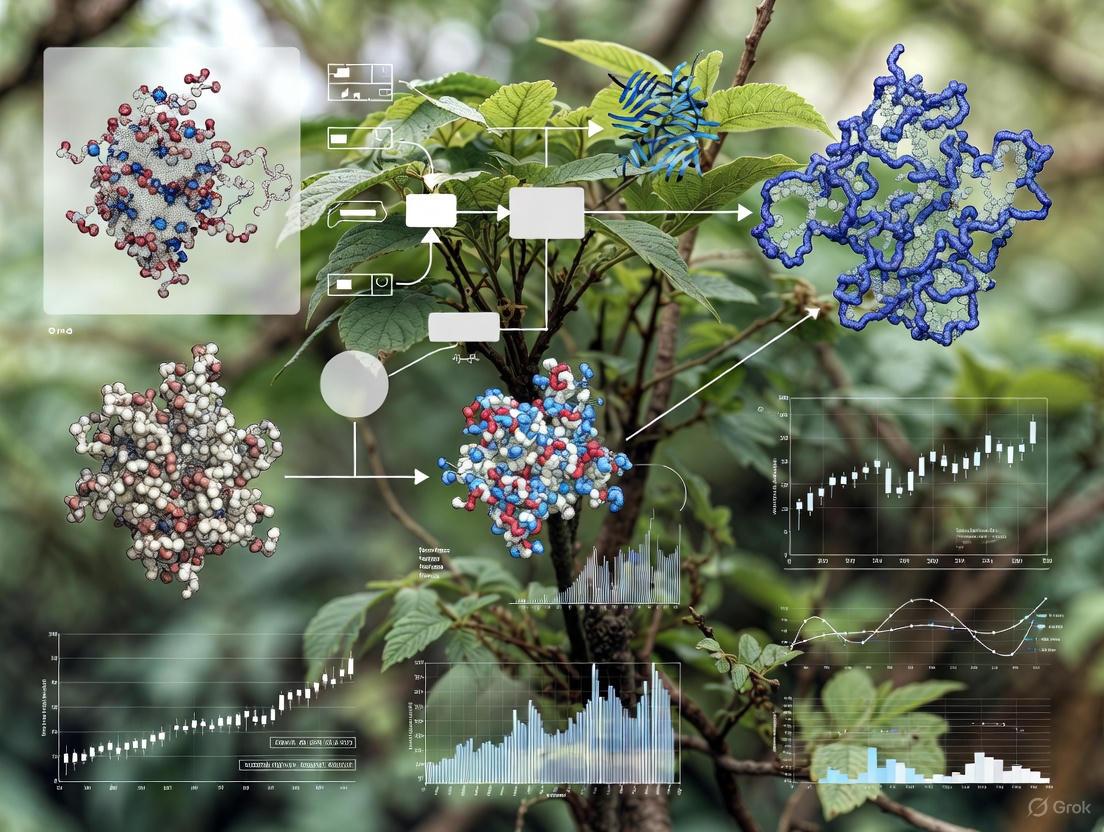
This article provides a systematic review of automatic occlusion detection technologies for plant canopy imaging, a critical challenge in high-throughput plant phenotyping and precision agriculture.
Overcoming the Green Veil: A Comprehensive Guide to Automatic Occlusion Detection in Plant Canopy Imaging
Abstract
This article provides a systematic review of automatic occlusion detection technologies for plant canopy imaging, a critical challenge in high-throughput plant phenotyping and precision agriculture. We explore the fundamental principles behind occlusion in complex plant structures and detail state-of-the-art solutions, including advanced deep learning models, 3D reconstruction techniques, and novel sensor fusion approaches. The content covers practical implementation methodologies, performance benchmarking across different agricultural environments, and optimization strategies for overcoming common deployment constraints. Aimed at researchers, scientists, and agricultural technology developers, this guide synthesizes current research trends and validation frameworks to enable more accurate yield prediction, growth monitoring, and disease detection by effectively addressing the persistent problem of occluded plant organs in imaging systems.
The Invisible Challenge: Understanding Occlusion in Plant Canopies
FAQs: Understanding Occlusion in Agricultural Imaging
Q1: What is occlusion in the context of plant canopy imaging? Occlusion occurs when plant organs, such as leaves, stems, or fruits, overlap and obscure each other, or when environmental structures shade the target plant, preventing a clear, complete view for imaging systems. In major soybean-growing regions that use vertical planting systems, for example, canopy shading from taller crops severely restricts the acquisition of phenotypic information from the lower-growing soybeans [1]. This is a fundamental challenge for automatic canopy imaging research.
Q2: What are the primary types of occlusion encountered in field conditions? Occlusion can be categorized based on its cause. The table below summarizes the common types and their impacts.
Table 1: Types of Occlusion in Agricultural Imaging
| Occlusion Type | Description | Common Impact on Imaging |
|---|---|---|
| Inter-Plant Occlusion | Leaves or fruits from one plant obscure those of a neighboring plant [2]. | Prevents accurate individual plant counting and phenotypic trait measurement. |
| Intra-Plant (Self-Occlusion) | Different parts of the same plant (e.g., leaves hiding stems or fruits) obscure each other [3]. | Hampers complete 3D reconstruction and organ-level phenotypic analysis. |
| Environmental Occlusion | Shading from taller crops in intercropping systems or from infrastructure [1]. | Alters light conditions, causing data deviation and masking true plant coloration. |
| Background Occlusion | Complex backgrounds like soil, mulch, or neighboring plants complicate target isolation [4]. | Reduces object detection confidence and model accuracy. |
Q3: How does occlusion impact high-throughput plant phenotyping? Occlusion directly constrains the accuracy and throughput of phenotypic data collection. It leads to the loss of critical morphological information, which can cause significant errors in measuring key traits. For instance, in 3D plant reconstruction, mutual occlusions between plant organs make obtaining a complete 3D point cloud from a single viewpoint scan challenging [3]. In fruit harvesting robots, occlusion can result in a fruit detection failure rate of up to 30% [5].
Q4: What are the main technical strategies to mitigate occlusion? Researchers employ several strategies to tackle occlusion, often in combination:
- Multi-View Imaging: Capturing images from multiple viewpoints around the plant and fusing the data to create a complete model [3].
- Active Sensing: The system actively moves the camera to a new position to gather more information from a different angle when occlusion is detected [6] [5].
- Advanced Deep Learning Models: Using specialized neural network architectures that are more robust to occlusions, often incorporating context and edge information to "imagine" obscured parts [6] [7].
- Multi-Modal Data Fusion: Combining data from different sensors (e.g., RGB, LiDAR, hyperspectral) to gain complementary information that can penetrate or see through certain types of occlusion [8].
Troubleshooting Guides
Guide 1: Diagnosing Occlusion-Related Inaccuracies in Plant Counts
Problem: A model trained for plant counting on early-growth-stage UAV imagery shows a significant drop in accuracy during later growth stages with high canopy coverage.
Symptoms:
- Decreasing precision and recall metrics as plant canopy density increases.
- Missed detections of smaller or completely obscured plants.
- Low confidence scores for detected plants.
Solution: Integrate plant location information from multiple growth stages. This method uses the known plant positions from earlier, less-occluded stages to guide the detection model in the high-coverage stage.
Table 2: Workflow for Improving Plant Counts Under High Coverage
| Step | Action | Protocol Details |
|---|---|---|
| 1. Data Acquisition | Capture co-registered UAV RGB imagery. | Use a UAV with RTK module for precise geotagging. Fly at 30m altitude with 80% forward and 70% side overlap [2]. |
| 2. Early-Stage Mapping | Generate an orthomosaic and detect plants. | Use software like Agisoft Metashape to create an orthomosaic. Train a YOLOv5 model to detect and log the geographic positions of plants at the early-growth stage [2]. |
| 3. Later-Stage Analysis | Use early-stage positions to inform later-stage counting. | When analyzing high-coverage imagery, use the pre-mapped plant locations as regions of interest to focus the detection model, significantly improving counting accuracy [2]. |
Workflow for troubleshooting plant counting inaccuracies under high-coverage occlusion.
Guide 2: Addressing Occlusion for Robotic Fruit Harvesting
Problem: A robotic harvester fails to detect fruits that are severely obscured by leaves, branches, or other fruits.
Symptoms:
- The robot's vision system cannot locate the fruit or its stem (peduncle).
- The detection confidence for occluded fruits is very low.
- The robotic arm aborts the picking sequence or moves to an incorrect position.
Solution: Implement an active sensing paradigm where the robot actively changes its viewpoint to find an unobstructed perspective of the target.
Detailed Protocol:
- Initial Detection & Occlusion Assessment:
- Viewpoint Re-planning:
- If the occlusion ratio (
Ro) exceeds a set threshold, trigger the viewpoint planner. - An imitation learning-based planner (e.g., using the Action Chunking with Transformer (ACT) algorithm) can be employed. This system learns from human expert demonstrations how to move the camera (mounted on a 6-DoF robotic arm) to a better viewpoint [5].
- If the occlusion ratio (
- Re-sampling and Re-detection:
- Move the camera to the new viewpoint and capture a new image.
- Perform the detection and occlusion assessment again with the new image.
- Repeat this process until the target is sufficiently visible or a maximum number of attempts is reached [6].
The Scientist's Toolkit
Table 3: Key Research Reagent Solutions for Occlusion Research
| Tool / Technology | Primary Function | Role in Mitigating Occlusion |
|---|---|---|
| Binocular Stereo Vision Camera | Captures synchronized images from two viewpoints to compute depth and generate 3D point clouds. | Serves as the core sensor for 3D reconstruction. Multi-viewpoint clouds are fused to overcome self-occlusion [3]. |
| LiDAR (Light Detection and Ranging) | An active remote sensor that uses laser pulses to generate high-precision 3D point cloud data of the canopy structure. | Penetrates light foliage to provide structural data independent of ambient light, reducing the impact of shading and some occlusion [8]. |
| Multi-View Reconstruction Workflow | A processing pipeline involving Structure from Motion (SfM) and Multi-View Stereo (MVS) algorithms. | Reconstructs high-fidelity 3D plant models from images taken around the plant, explicitly designed to overcome occlusion from any single view [3]. |
| Occlusion-Robust DL Models (e.g., Chicken-YOLO) | Deep learning models with specialized modules for feature extraction in occluded scenes. | Enhances perception of occluded areas by strengthening local-global information coordination and edge feature extraction [7]. |
| Imitation Learning Viewpoint Planner | A policy that controls a robotic arm to move a camera to the "next-best-view" to see an occluded target. | Actively reduces occlusion by mimicking human expert behavior to find a viewpoint that reveals the hidden target [5]. |
Experimental Protocols for Key Cited Studies
Protocol 1: Multi-View 3D Plant Reconstruction for Fine-Grained Phenotyping
This protocol is based on the work by Frontiers in Plant Science [3], which aims to create accurate 3D models to overcome self-occlusion.
1. Image Acquisition:
- System: Use a system with a binocular camera (e.g., ZED 2) mounted on a programmable, rotating U-shaped arm.
- Process: Capture high-resolution RGB images from at least six viewpoints around the plant. At each viewpoint, capture multiple images.
2. Single-View Point Cloud Generation (Phase 1):
- Bypass built-in depth estimation. Instead, apply Structure from Motion (SfM) to the captured high-resolution images to estimate camera positions.
- Apply Multi-View Stereo (MVS) algorithms to the aligned images to generate a high-fidelity, distortion-free point cloud for each viewpoint.
3. Multi-View Point Cloud Registration (Phase 2):
- Coarse Alignment: Use a marker-based Self-Registration (SR) method. Place a calibration object (e.g., a sphere) in the scene to quickly align the six single-view point clouds into a common coordinate system.
- Fine Alignment: Apply the Iterative Closest Point (ICP) algorithm to the coarsely aligned point clouds to create a unified, complete, and accurate 3D plant model.
4. Phenotypic Trait Extraction:
- Automatically extract key parameters like plant height, crown width, leaf length, and leaf width from the complete 3D model. Validation with manual measurements showed R² values exceeding 0.92 for plant height and crown width [3].
Workflow for multi-view 3D plant reconstruction to overcome self-occlusion.
Protocol 2: Active Sensing for Fruit Peduncle Localization Under Occlusion
This protocol, derived from research on truss tomatoes [6], uses active camera movement to handle severe occlusion.
1. Initial Recognition and Occlusion Calculation:
- Capture an initial image of the target (e.g., a tomato cluster).
- Use a deep neural network to identify the regions of the fruit and the stem (peduncle).
- Based on the visible portion of the fruit, calculate its occlusion ratio (
Ro).
2. Active Viewpoint Adjustment:
- If the occlusion ratio is too high, plan a new camera viewpoint. The new viewpoint can be determined by calculating a vector based on the relative positions of the target fruit and the occluding object [6].
- Alternatively, an imitation learning policy can be used to output a continuous 6-DoF movement command for the robotic arm holding the camera [5].
3. Iterative Recognition:
- Move the camera to the new viewpoint and capture a new image.
- Perform the recognition and occlusion calculation again with this new image.
- Iterate until the peduncle is successfully located and its inclination angle can be estimated, or until a time limit is reached.
Validation: This method showed a 33% increase in precision and a 43% increase in efficiency compared to non-active methods, with an overall picking success rate of 90% in real-world tests [6].
Economic and Research Consequences of Unseen Canopy Elements
Frequently Asked Questions (FAQs)
Q1: My canopy images appear consistently darker than expected. What are the primary causes and solutions?
A1: Dark images typically result from incorrect exposure settings or limitations of the imaging environment.
- Cause 1: Automatic Exposure Setting. Using automatic exposure in variable field conditions leads to inconsistent results, often darkening images in denser canopies [9].
- Solution: Use manual exposure. Determine the correct setting by first taking a reference photo in an open sky area, then overexposing by 1-3 shutter speed stops when imaging under the canopy [9].
- Cause 2: Insufficient Indoor Lighting. For standardized imaging chambers, indoor lights are often not strong enough to provide adequate illumination, resulting in dark or black images [10].
- Solution: Ensure the imaging system is equipped with controlled, adjustable light sources to provide consistent and sufficient brightness for capture [11].
Q2: How can I ensure color accuracy in my plant images when light conditions change throughout the day?
A2: Achieving color constancy across different illumination conditions requires a hardware-assisted software correction.
- Solution: Integrate a standard color checker chart (e.g., X-rite Colour Checker) into every image [12]. Use a post-processing algorithm to fit a transformation model that aligns the observed color values of the chart tiles with their known true values. A quadratic model has been shown to be more effective than a linear one for field conditions, significantly reducing the standard deviation of mean canopy color across multiple imaging sessions [12].
Q3: What methods can improve the detection and counting of plants during high-coverage growth stages when occlusion is severe?
A3: Relying on imagery from a single growth stage is often insufficient. A multi-temporal approach significantly improves accuracy.
- Solution: Integrate plant location information obtained from early-growth-stage imagery with images from the high-coverage stage [2]. A deep learning model (e.g., YOLOv5) can be applied to the early-stage imagery to establish a baseline plant count and position map. This positional data then serves as a guide to enhance the recognition and counting of plants in the later, more occluded stage, saving annotation effort and improving precision [2].
Q4: My hemispherical photography analysis seems inaccurate. What are the critical camera settings to check?
A4: Accurate digital hemispherical photography depends on specific technical configurations.
- Exposure: Always use manual exposure, as automatic settings will incorrectly estimate the gap fraction [9].
- Gamma Function: Digital cameras apply a gamma correction (typically 2.0-2.5) that lightens midtones. For scientific analysis, it is recommended to correct images back to a gamma value of 1.0 to accurately represent light intensity [9].
- Channel Selection: For pixel classification (separating sky from canopy), using the blue channel of the RGB image often provides better results because foliage has low reflectivity in the blue spectrum, improving contrast [9].
Q5: How can I adapt a phenotyping platform for use in complex planting systems like vertical (3D) or intercropping systems?
A5: Traditional platforms struggle with the occlusion and access challenges in these environments. A dedicated system design is required.
- Solution: Implement a rail-based transportation system that automatically moves potted plants from the field to a centralized, standardized imaging chamber [11]. This design avoids operating bulky equipment between narrow rows and eliminates shading from taller companion crops during image capture. The system should support an automated rotating stage to acquire images from multiple angles, capturing the full 3D plant architecture [11].
Troubleshooting Guides
Table 1: Common Canopy Imaging Issues and Resolutions
| Problem Symptom | Possible Cause | Diagnostic Steps | Recommended Solution |
|---|---|---|---|
| Dark/Black Images | Incorrect exposure; Low light in imaging chamber [10] [9] | Check camera settings; Verify illuminance in chamber. | Use manual exposure, overexposing relative to open sky [9]; Install adjustable light sources [11]. |
| Inconsistent Color Values | Varying illumination conditions (sunny vs. overcast) [12] | Compare color values of a neutral object across images. | Include a color checker chart in every image and apply a quadratic color correction model [12]. |
| Low Plant Detection Accuracy in Dense Canopies | Severe leaf occlusion and canopy overlap [2] | Check detection performance against manual counts. | Integrate early-growth-stage plant location data with later-stage imagery for analysis [2]. |
| Inaccurate Gap Fraction Analysis | Automatic camera settings; Uncorrected gamma [9] | Review image acquisition protocol and software settings. | Use manual exposure and correct gamma function to 1.0 during image processing [9]. |
| Blurry Images | Camera out of focus; Plant or platform movement | Inspect image sharpness; check platform stability. | Use manual focus set to the plant distance; ensure imaging stage is stable during capture [11]. |
Table 2: Quantitative Performance of Phenotyping Solutions
| Technology / Method | Key Performance Metric | Result / Accuracy | Reference Application |
|---|---|---|---|
| Rail-based Field Phenotyping Platform | Plant Height Extraction (R²) | 0.99 | Soybean in vertical planting system [11] |
| Rail-based Field Phenotyping Platform | Canopy Fresh Weight Prediction (R²) | 0.965 (Vegetative stage) | Soybean in vertical planting system [11] |
| Integrated UAV & Deep Learning (YOLOv5) | Konjac Plant Counting (F1-score) | 92.3% | High-coverage crop stage [2] |
| Color Correction with Quadratic Model | Standard Deviation of Mean Canopy Color | Significant reduction | Consistent canopy characterization under inconsistent field illumination [12] |
Experimental Protocols
Protocol 1: Color Correction for Consistent Canopy Characterization
Objective: To standardize color values in plant images captured under inconsistent field illumination conditions.
Materials:
- Imaging system (e.g., digital camera)
- Standard color checker chart (e.g., X-rite Colour Checker)
- Image processing software (e.g., MATLAB, Python with OpenCV)
Methodology:
- Setup: Fixedly mount the color checker chart within the field of view of the camera so that it appears in every image captured [12].
- Image Acquisition: Capture images of plant canopies according to your standard protocol, ensuring the color chart is visible in each frame.
- Pre-processing: For each image, automatically detect and extract the region of interest (ROI) containing the plants and the color chart [12].
- Model Fitting: For each image, use a least-squares approach to fit a quadratic transformation model. This model maps the observed RGB values of the color chart tiles to their known reference values [12].
- Color Correction: Apply the derived transformation model to all pixels within the image, including the plant canopy ROI. This corrects the color values to align with the ground truth provided by the chart [12].
- Validation: The success of the method can be confirmed by the reduced error between observed and reference chart values and a significant decrease in the standard deviation of mean canopy color across multiple days [12].
Protocol 2: Enhanced Plant Counting in High-Coverage Stages
Objective: To accurately detect and count crop plants during later growth stages with high canopy coverage and occlusion.
Materials:
- Unmanned Aerial Vehicle (UAV) with RGB camera
- GNSS/RTK module for precise geolocation
- Software for orthomosaic generation (e.g., Agisoft Metashape)
- Deep learning framework (e.g., PyTorch, TensorFlow) with YOLOv5 implementation
Methodology:
- Early-Stage Imaging: Conduct a UAV flight over the field during an early growth stage (e.g., leaf-spreading phase). Use an RTK module to geotag images for high spatial accuracy [2].
- Early-Stage Processing: Generate an orthomosaic from the captured images. Train a YOLOv5 model to detect and count individual plants, generating a map of plant locations with geographic coordinates [2].
- Late-Stage Imaging: Conduct a second UAV flight during the high-coverage stage (e.g., production of new corms), following the same georeferencing procedure [2].
- Data Integration: Use the precise plant location map from the early stage to inform and constrain the detection process in the late-stage imagery. This helps distinguish individual plants within the overlapping canopy [2].
- Validation: Compare the final plant counts against manual ground-truth counts. Metrics such as Precision, Recall, and F1-score should be used for evaluation [2].
Workflow Visualization
Diagram 1: Canopy Imaging Issue Resolution
Diagram 2: Multi-temporal Plant Counting
The Scientist's Toolkit: Essential Research Reagents & Materials
Table 3: Key Reagents and Materials for Canopy Imaging Research
| Item | Function / Application | Key Considerations |
|---|---|---|
| Standard Color Checker Chart | Provides a ground truth for color calibration and correction in image analysis under varying light [12]. | Essential for achieving color constancy across different times of day and weather conditions. |
| Hemispherical (Fish-eye) Lens | Enables canopy imaging over a 150°+ angle to calculate gap fraction, LAI, and light regimes [10] [9]. | Requires careful control of exposure and gamma settings for accurate results [9]. |
| Rail-Based Transport System | Automates the movement of plants from field growth plots to a centralized imaging chamber, minimizing human error [11]. | Particularly useful in complex planting systems (e.g., intercropping) where access is limited [11]. |
| Standardized Imaging Chamber | Provides a controlled environment with stable lighting and background for consistent, high-quality image acquisition [11]. | Balances the benefits of field growth with the precision of lab-based phenotyping [11]. |
| UAV with RTK Module | Captures high-resolution, georeferenced aerial imagery for plant counting and monitoring over large areas [2]. | RTK (Real-Time Kinematic) provides centimeter-level positioning accuracy crucial for tracking individual plants over time [2]. |
This technical support center provides troubleshooting guides and FAQs for researchers working on automatic occlusion detection in plant canopy imaging. The content is designed to help you overcome common experimental challenges and implement state-of-the-art methodologies.
Frequently Asked Questions (FAQs)
Q1: What are the primary technical challenges in segmenting plant organs from canopy images? The main challenges include severe leaf occlusion and overlap, the irregular and complex morphology of plant structures like rapeseed inflorescences, and blurred organ boundaries [13]. Additionally, substantial variation in organ size, condition, and color across different growth stages complicates feature extraction. In aerial imagery, targets are often very small, providing limited visual features for detection algorithms to learn [14].
Q2: How can I generate accurate ground truth data without exhaustive manual annotation? Generative Adversarial Networks (GANs) offer a viable solution. A two-stage GAN-based approach can be employed: first, use FastGAN to augment original RGB images using intensity and texture transformations. Then, use a Pix2Pix model, trained on a limited set of RGB images and their corresponding segmentations, to generate binary segmentation masks for the synthetic images [15]. This method has achieved Dice coefficients between 0.88 and 0.95 for greenhouse-grown plants.
Q3: What imaging setup is recommended for robust 3D canopy reconstruction in field conditions? For stereo vision in field conditions, a system with two nadir cameras is effective. One study used two GO-5000C-USB cameras (2560 × 2048 CMOS sensors) with 16 mm focal length objectives, a baseline of 50 mm, and parallel optical axes, capturing images from about 1 meter above the canopy [16]. Binning images from 2560 × 2048 to 1280 × 1024 pixels can improve matching and leaf area computation.
Q4: Which deep learning architectures are most effective for handling occlusion in plant images? Semi-supervised frameworks like DM_CorrMatch, which combine strongly and weakly augmented data views, show superior performance [13]. Architectures like Mamba-Deeplabv3+ integrate the global feature extraction of Mamba with the local feature extraction of CNNs. For a more accessible approach, combining YOLOv11 for detection with the Segment Anything Model (SAM) for zero-shot segmentation is highly effective, achieving IoU scores over 0.92 [17].
Q5: How does environmental variability impact model performance, and how can this be mitigated? Models trained in controlled laboratory conditions often show a significant performance drop (e.g., from 95-99% to 70-85% accuracy) when deployed in the field [18]. Environmental factors like wind can induce motion, affecting the variability of leaf area measurement by 3% or more [16]. Mitigation strategies include using semi-supervised learning that leverages unlabeled field data [13] and designing models with realistic data augmentation that accounts for factors like variable lighting and complex backgrounds [18].
Troubleshooting Guides
Issue 1: Poor Segmentation Accuracy in Dense Canopies
Problem: Your model fails to accurately segment individual leaves or flowers in a dense, occluded canopy. Solution:
- Step 1: Implement a semi-supervised learning framework like DM_CorrMatch. This uses a teacher-student model where the teacher generates pseudo-labels for unlabeled data, and the student is trained on both labeled and pseudo-labeled data [13].
- Step 2: Employ an automatic update strategy for the labeled dataset to gradually reduce the proportion of erroneous labels from initial manual segmentation [13].
- Step 3: Utilize a network architecture capable of capturing both global and local context. The Mamba-Deeplabv3+ architecture is designed for this purpose [13].
- Verification: Expect a significant improvement in metrics. The referenced study achieved an Intersection over Union (IoU) of 0.886, Precision of 0.942, and Recall of 0.940 on a challenging rapeseed flower dataset [13].
Issue 2: Lack of Sufficient Annotated Data for Training
Problem: You cannot train a supervised model effectively due to a small set of manually segmented images. Solution:
- Step 1: Use a Generative Adversarial Network (GAN) to create synthetic data. Begin by training FastGAN on your limited set of original RGB plant images to generate new, realistic synthetic plant images [15].
- Step 2: Train a Pix2Pix model (a conditional GAN) on your small set of paired RGB and ground truth segmentation images.
- Step 3: Use the trained Pix2Pix model to predict segmentation masks for the synthetic RGB images generated by FastGAN. This creates a large dataset of synthetic image-mask pairs [15].
- Step 4: Fine-tune your segmentation models using this augmented dataset.
- Verification: Manually annotate a subset of the synthetic images and calculate the Dice coefficient between the manual and GAN-predicted masks. A score above 0.90 indicates high-quality synthetic data [15].
Issue 3: Inaccurate Canopy Size and Volume Estimation
Problem: Your 2D segmentation does not translate into an accurate 3D understanding of canopy structure and volume. Solution:
- Step 1: Accurately detect and segment the plant in 2D. An integrated YOLOv11 and SAM pipeline is recommended. YOLOv11 provides precise bounding box detections, which are then used as prompts for SAM to perform zero-shot segmentation [17].
- Step 2: Implement a prompt selection algorithm to guide SAM. The "refined" approach uses a hollow concentric structure to select background points from regions overlapping fruit detections, improving segmentation reliability [17].
- Step 3: Transition from 2D to 3D by integrating a depth estimation model like Depth Anything v2 (DAv2). DAv2 generates a depth map, which can be combined with the 2D segmentation mask to calculate canopy volume [17].
- Verification: This workflow has achieved IoU scores of 0.924 for 2D segmentation, providing a solid foundation for robust 3D volume estimation [17].
Experimental Protocols & Performance Data
Table 1: Performance Metrics of Advanced Segmentation Models
| Model / Method | Dataset / Application | Key Metric | Reported Score | Challenge Addressed |
|---|---|---|---|---|
| DM_CorrMatch [13] | Rapeseed Flower (RFSD) | IoU | 0.886 | Occlusion, Complex Morphology |
| Precision | 0.942 | |||
| Recall | 0.940 | |||
| YOLOv11 + SAM (Refined) [17] | Strawberry Canopy | IoU | 0.924 | Occlusion, Size Estimation |
| Plant-MAE [19] | Plant Organ Point Clouds | Average IoU | 0.840 | 3D Organ Segmentation |
| Pix2Pix (Sigmoid Loss) [15] | Arabidopsis (Synthetic Masks) | Dice Coefficient | 0.95 | Lack of Annotated Data |
| Stereo Vision (Calibrated) [16] | Winter Wheat (Leaf Area) | RMSE | 0.37 | 3D Field Measurement |
Table 2: Essential Research Reagent Solutions
| Item | Specification / Example | Primary Function in Experiment |
|---|---|---|
| Imaging Sensor | RGB CMOS (e.g., 2560 × 2048) [16] | Captures high-resolution 2D color images for segmentation and 3D reconstruction. |
| Stereo Vision System | Two nadir cameras, 50 mm baseline [16] | Enables 3D point cloud reconstruction via triangulation for measuring plant architecture. |
| Depth Estimation Model | Depth Anything v2 (DAv2) [17] | Converts 2D segmentations into 3D depth maps for canopy volume estimation. |
| Zero-Shot Segmenter | Segment Anything Model (SAM) [17] | Performs image segmentation without task-specific training, reducing annotation needs. |
| Object Detector | YOLOv11 [17] | Provides precise bounding box detections to guide and prompt the segmentation model. |
| Self-Supervised Framework | Plant-MAE [19] | Segments plant organs from 3D point clouds with reduced reliance on annotated data. |
Workflow Visualization
Diagram 1: Semi-Supervised Plant Segmentation Workflow
Diagram 2: Synthetic Ground Truth Generation with GANs
Sensor Limitations and Environmental Factors Affecting Visibility
Troubleshooting Guides & FAQs
This technical support resource addresses common challenges in automatic occlusion detection for plant canopy imaging research. The guidance is based on current methodologies and experimental findings.
FAQ: Environmental & Technical Interference
Q1: How does changing sunlight throughout the day affect my canopy reflectance measurements, and how can I correct for it?
Solar altitude changes cause significant diurnal variation in nadir reflectance, typically following a U-shaped pattern with the smallest values observed at solar noon [20]. This occurs because the sun's position affects the angle of sunlight and the amount of specular reflection from the canopy [20].
- Solution: For the most stable readings, collect data around midday (e.g., 10:00-14:00) when solar altitude changes are minimal [20]. For all-day monitoring, use a sensor with a built-in solar altitude correction model. One study developed a vegetation canopy reflectance (VCR) sensor that reduced the intra-day coefficient of variation (CV) at 710 nm from 10.86% before correction to 2.93% after correction [20].
- Experimental Protocol: To validate your sensor's performance, conduct a diurnal experiment. Measure a standard reflectance gray scale board and a consistent vegetation target (e.g., Bermuda grass) hourly from sunrise to sunset. The root mean square error (RMSE) for a calibrated VCR sensor was 1.07% at 710 nm and 0.94% at 870 nm [20].
Q2: My research involves soybean plants shaded by taller crops. How can I phenotype these occluded plants effectively?
Vertical (three-dimensional) planting systems create classic occlusion where taller crops (e.g., maize) shade lower crops (e.g., soybean), limiting equipment access and imaging quality [11]. Standard platforms like UAVs or gantries struggle with this due to fixed viewing angles, insufficient resolution, or inability to penetrate the upper canopy [11].
- Solution: Implement an integrated system that combines field growth with standardized indoor imaging. A rail-based transport system can automatically move potted plants from the field to a controlled imaging chamber [11].
- Experimental Protocol:
- Platform Setup: Establish a fixed imaging chamber with a high-precision imaging system (e.g., RGB camera, infrared camera, LiDAR) and an automated rail transport system for potted plants [11].
- Data Acquisition: Use the rail system to transport plants from the intercropping field to the chamber for imaging. This avoids shading and environmental interference during data capture [11].
- Validation: Correlate digitally extracted traits with manual measurements. One platform achieved an R² of 0.99 for plant height and 0.95 for plant width against manual measurements [11].
Q3: Can I detect plant stress before visible symptoms like discoloration occur?
Yes. Non-visible cellular and subcellular changes precede visible symptoms. Advanced spectroscopic and imaging techniques can detect these early stress responses [21] [22].
- Solution: Use hyperspectral imaging to detect subtle shifts in leaf absorbance spectra. Under drought stress, specific red-shifted and broadened absorbance features appear in the red-edge region (~695 nm), indicating conformational changes in the photosynthetic antenna as the plant dissipates excess energy as heat [21]. Alternatively, Optical Coherence Tomography (OCT) can non-destructively quantify internal leaf structural changes caused by stressors like ozone, which first damages the palisade tissue [22].
- Experimental Protocol for Hyperspectral Detection [21]:
- Grow plants (e.g., tomato) under controlled conditions.
- Subject them to incremental light levels (e.g., PAR from 100 to 1500 µmol m⁻² s⁻¹) and drought stress.
- Use a top-view VNIR hyperspectral camera in an automated screening system to capture canopy reflectance daily.
- Analyze the derivative of the reflectance spectrum in the 520 nm (green) and 680-750 nm (red-edge) regions to identify stress-linked absorbance features.
Troubleshooting Guide: Sensor Limitations
Problem: 2D imaging provides inaccurate morphological data for complex, occluded canopies.
- Issue: 2D imaging loses 3D information, requires specific shooting angles, and results are greatly deviated if shots are taken at random angles [23]. It cannot resolve overlapping leaves in a dense canopy.
- Solution: Adopt 3D sensing technology. A hand-held 3D laser scanner can reconstruct a high-precision 3D mesh model of the plant in real-time, enabling the extraction of individual leaves from a occluded canopy [23].
- Performance Data: For plants with heavy canopy occlusion, this method automatically extracted 87.61% of typical leaf samples, with estimated morphological traits highly correlated to manual measurements (modeling efficiency above 0.8919 for scale-related traits) [23].
Problem: My sensor data is contaminated by cloud cover, creating gaps in evapotranspiration (ET) time series.
- Issue: Thermal infrared sensors used to derive ET apply cloud masking, which removes affected pixels and creates data gaps. The impact varies by cloud type [24].
- Solution: Incorporate cloud-type classification into data analysis. Research shows that cloud presence generally reduces instantaneous ET, but the effect is not uniform. For example, ET under dense Cumulonimbus clouds did not differ significantly from clear-sky conditions, unlike other cloud types [24].
- Protocol: Use Cloud Optical Depth (COD) and Cloud Top Pressure (CTP) data from sources like GOES-18 to classify clouds. Integrate this classification into data gap-filling models to improve ET estimation accuracy during cloudy periods [24].
The following tables summarize key performance metrics from cited experiments.
Table 1: Platform & Sensor Performance Metrics
| Platform / Sensor | Key Performance Metric | Reported Value | Application Context |
|---|---|---|---|
| Vegetation Canopy Reflectance (VCR) Sensor [20] | RMSE at 710 nm / 870 nm | 1.07% / 0.94% | Diurnal reflectance monitoring |
| CV after solar correction (710 nm) | 2.93% (from 10.86%) | Diurnal reflectance monitoring | |
| Field Soybean Phenotyping Platform [11] | R² vs. manual (Plant Height/Width) | 0.99 / 0.95 | Vertical planting system |
| R² for Canopy Fresh Weight Prediction | 0.965 | Vegetative stage | |
| Hand-held 3D Laser Scanner [23] | Typical Leaf Sample Extraction Rate | 87.61% | Heavy canopy occlusion |
| Avg. Time per Plant Measurement | 196.37 seconds | High-throughput phenotyping |
Table 2: Early Stress Detection Signatures
| Stress Type | Detection Technique | Spectral / Structural Signature | Biological Meaning |
|---|---|---|---|
| Drought & Excessive Light [21] | Hyperspectral Imaging (Canopy) | Red-shifted & broadened absorbance at ~695 nm | Stepwise tuning of regulated energy dissipation (heat) in the photosynthetic antenna. |
| Ozone Stress [22] | Optical Coherence Tomography (Leaf) | Decreased signal intensity, increased thickness, and increased "Energy" texture in palisade tissue. | Structural damage to the palisade tissue from ozone entering stomata. |
Experimental Workflow Diagrams
Diagram 1: Integrated Phenotyping for Occluded Plants
Diagram 2: OCT-Based Environmental Stress Diagnosis
The Scientist's Toolkit: Research Reagent Solutions
Table 3: Essential Materials for Advanced Plant Stress Sensing
| Item / Reagent | Function / Explanation | Example Application |
|---|---|---|
| Hyperspectral Imaging Camera (VNIR) | Captures spectral data across many contiguous bands, enabling detection of subtle biochemical and physiological changes based on reflectance. | Detecting red-shifted absorbance features associated with drought stress in tomato canopies [21]. |
| Portable Optical Coherence Tomography (OCT) | A non-destructive, non-contact technique that uses low-coherence light to generate cross-sectional images of internal tissue structure. | Quantifying ozone-induced damage to the palisade tissue in white clover leaves [22]. |
| 3D Laser Scanner (Hand-held) | Reconstructs high-precision 3D mesh models of plants in real-time, allowing for the segmentation and measurement of individual organs in occluded canopies. | Automatically measuring morphological traits of typical leaf samples from heavily occluded plants [23]. |
| Fluorescence Proteins (e.g., RFP) | Used to genetically engineer pathogens, allowing for real-time, in vivo tracking of infection progression and host-pathogen interactions. | Monitoring growth of Phytophthora capsici in cucumber and pepper plants to evaluate host resistance [25] [26]. |
| Enzyme-Linked Immunosorbent Assay (ELISA) Kits | Immunoassays that use antigen-antibody interactions to detect and quantify specific pathogens or stress-related host proteins (e.g., heat shock proteins). | Detecting plant viral infections or quantifying stress-related hormonal responses [25] [26]. |
The Fundamental Role of Occlusion Detection in Precision Agriculture
Troubleshooting Common Occlusion Detection Issues
FAQ: My deep learning model performs well in the lab but poorly in the field. What is wrong?
This is a common problem resulting from the sim-to-real gap. Laboratory conditions are controlled, while field environments introduce significant variability in lighting, plant orientation, and background elements [4].
- Solution: Implement domain adaptation strategies and augment your training data with field-condition images. Research shows transformer-based architectures like SWIN demonstrate superior robustness in field conditions, achieving 88% accuracy compared to 53% for traditional CNNs on real-world datasets [4].
- Prevention: During model development, train with datasets containing realistic field variations, including multiple lighting conditions (sunny, overcast), growth stages, and complex backgrounds including soil and other plant species.
FAQ: How can I accurately count plants during high-coverage growth stages when leaves severely occlude target plants?
High canopy coverage presents a significant challenge, as traditional detection methods experience substantial accuracy decreases during later growth stages [2].
- Solution: Integrate multi-temporal positional information. For Konjac plants, researchers achieved 98.7% precision by combining a YOLOv5 model with plant location data from both early-stage and high-coverage stage UAV imagery. This approach leverages the consistent positional information of plants despite changing canopy morphology [2].
- Alternative Method: The Count Crops tool in ENVI software provides a non-deep learning alternative that requires no annotation and has demonstrated promising recognition precision for high-coverage scenarios [2].
FAQ: My 3D reconstruction of plant architecture is missing occluded leaves and structures. Which sensor should I use?
This limitation often stems from using 2.5D depth sensors that capture only a single surface layer. True 3D reconstruction requires multiple viewing angles [27].
- Solution: Implement multi-angle scanning using laser scanners or structured light systems. Research indicates that using multiple scanners mounted at different angles (e.g., on top of the plant with an angle) can capture even overlapping leaves, creating a complete 3D point cloud rather than a partial 2.5D depth map [27].
- Sensor Selection: Consider laser line scanners which offer high precision (up to 0.2mm) in all dimensions and are robust for field use, though they require movement over plants [27].
FAQ: How can I estimate yield in grapevines when leaves occlude a significant portion of fruit bunches?
Vineyard yield estimation faces the challenge of vine-occlusions, particularly leaf-occlusions in dense canopies [28].
- Solution: Develop a multiple regression model using canopy features as proxies. One study achieved R² = 0.80 for estimating visible bunch percentage using canopy porosity and visible bunch area as predictors, providing a non-invasive yield estimation approach without requiring defoliation [28].
- Implementation: Capture 2D images of 1m vine segments and extract canopy porosity (proportion of gaps with no plant material) and visible bunch area using image analysis software. The regression model then estimates total bunch area and ultimately yield [28].
Experimental Protocols for Occlusion Research
Protocol: Instance Segmentation and Leaf Completion for Occluded Canopies
This protocol, validated on butterhead lettuce, provides a robust pipeline for extracting leaf morphological traits under occlusion [29].
Workflow Overview:
Step-by-Step Methodology:
Data Acquisition and Preprocessing
- Capture high-resolution RGB images of occluded canopies in controlled lighting conditions.
- Create paired datasets by carefully extracting leaves and imaging them individually against a neutral background to establish in vivo–ex vivo correspondences.
Instance Segmentation for Leaf Extraction
- Implement YOLOv8s-Seg as the optimal model for leaf instance segmentation.
- Train the model on annotated canopy images with bounding boxes and segmentation masks for individual leaves.
- Use segmented leaf instances as input for the completion network.
Supervised Conditional GAN for Leaf Completion
- Employ pix2pix as the conditional GAN architecture for leaf completion.
- Train the network using paired data where inputs are occluded leaf segments and targets are corresponding complete leaves.
- Configure training parameters: batch size of 16, Adam optimizer with learning rate of 0.0002.
Performance Validation
- Validate completion accuracy using R² and RMSE for leaf area estimation (target: R² > 0.94, RMSE < 2.851 cm²).
- Assess morphological reconstruction accuracy using SAMScore for semantic similarity (target: >0.97).
- Note that optimal performance occurs at approximately 60% leaf completeness [29].
Protocol: Hemispherical Imaging for Canopy Light Interception Assessment
This cost-effective method provides an alternative to ceptometers for precision irrigation in orchards and vineyards [30].
Workflow Overview:
Step-by-Step Methodology:
Image Acquisition
- Use action cameras with hemispherical lenses mounted beneath the canopy.
- Capture images throughout the day to assess diurnal patterns of light interception, particularly in orchards where single midday measurements are insufficient.
- Maintain consistent camera positioning and settings across measurements.
Image Processing
- Process images automatically to analyze canopy occlusion along the sun's trajectory.
- Calculate the fraction of Intercepted Photosynthetically Active Radiation (fIPAR) by determining the proportion of occluded versus open sky in the hemisphere.
Validation and Application
- Validate against ceptometer measurements (target R² between 0.88–0.92).
- Use the daily fIPAR pattern to inform precision irrigation scheduling, adapting to diverse canopy structures and training systems [30].
Technical Specifications for Occlusion Detection Systems
Table 1: Performance Comparison of 3D Sensing Technologies for Plant Phenotyping
| Technology | Spatial Resolution | Key Advantages | Limitations for Occlusion Handling | Representative Accuracy |
|---|---|---|---|---|
| LIDAR | 1-10 cm [27] | Light independent; Long scanning range (2-100m) [27] | Poor edge detection; Single viewpoint creates occlusion [27] | Plant height: R² = 0.99 [1] |
| Laser Line Scanner | Up to 0.2 mm [27] | High precision in all dimensions; Robust with no moving parts [27] | Requires movement; Limited to calibrated range (0.2-3m) [27] | Leaf area: RMSE = 2.851 cm² [29] |
| Structured Light (Kinect) | ~0.2% of object size [31] | Inexpensive; No movement required; Color and depth [27] | Sensitive to sunlight; Limited outdoor use [27] | Suitable for coarse plant structure [31] |
| Stereo Vision | Varies with distance | Lower cost than LiDAR; Simultaneous color and geometry [32] | Sensitive to lighting and texture; Calibration intensive [32] | Dependent on matching algorithm quality [32] |
| Multi-view RGB Reconstruction | Sub-millimeter potential | Low-cost hardware; Rich texture information [33] | Computationally intensive; Requires significant post-processing [31] | Leaf area: R² = 0.972 [1] |
Table 2: Deep Learning Architectures for Occlusion Scenarios
| Model Architecture | Application Context | Performance Metrics | Strengths for Occlusion | Limitations |
|---|---|---|---|---|
| SWIN Transformer | General plant disease detection [4] | 88% accuracy (real-world datasets) [4] | Superior robustness to environmental variability [4] | Computational complexity [4] |
| YOLOv8s-Seg | Instance segmentation in occluded lettuce canopies [29] | Optimal balance of speed and accuracy [29] | Effective leaf extraction despite occlusion [29] | Requires extensive annotation [29] |
| pix2pix (CGAN) | Leaf completion from occluded contours [29] | R² = 0.948 leaf area; SAMScore = 0.974 [29] | Reconstructs full leaf morphology from partial data [29] | Requires paired training data [29] |
| Faster R-CNN | Multi-temporal plant detection [2] | High detection accuracy for visible objects [2] | Reliable for early growth stages [2] | Performance decreases with high coverage [2] |
The Scientist's Toolkit: Essential Research Reagents and Materials
Table 3: Key Research Reagent Solutions for Occlusion Detection Experiments
| Research Reagent | Function in Occlusion Research | Example Implementation | Technical Considerations |
|---|---|---|---|
| Programmable Rail System | Automated plant transport for multi-angle imaging [1] | X-Y dual-directional tracks moving plants to imaging chamber [1] | Enables standardized imaging of field-grown plants; Modular design [1] |
| Multi-sensor Imaging Chamber | Standardized data acquisition under controlled conditions [1] | Fixed chamber with adjustable sensors, lighting, rotating stage [1] | Balances field growth requirements with imaging stability [1] |
| UAV with RGB Camera | High-throughput field image acquisition [2] | DJI Phantom 4 RTK at 30m altitude, 80% forward overlap [2] | Provides georeferenced imagery for multi-temporal analysis [2] |
| Hemispherical Action Camera | Canopy light interception assessment [30] | Mounted beneath canopy to capture occlusion patterns [30] | Cost-effective alternative to ceptometers; Processes automatically [30] |
| Paired Plant Dataset | Training supervised CGANs for leaf completion [29] | In vivo–ex vivo leaf correspondences for butterhead lettuce [29] | Enables accurate reconstruction of occluded morphology [29] |
| Canopy Porosity Metric | Proxy for fruit exposure in occluded canopies [28] | Proportion of gaps with no plant material in fruit zone [28] | Correlates with visible bunch area (R² = 0.80) [28] |
Beyond the Visible: Technological Solutions for Occlusion Detection
Frequently Asked Questions
Q1: My model performs well in the lab but fails in real-world field conditions. What could be wrong? This is a common issue often caused by the domain gap between controlled lab images and variable field environments. Performance drops are typical, with accuracy often falling from 95-99% in the lab to 70-85% in the field [34]. To improve robustness:
- Utilize Data Augmentation: Introduce variations in lighting, background, and occlusion during training to simulate field conditions [34].
- Leverage Transformer Architectures: Consider models like SWIN Transformers, which have demonstrated superior robustness, achieving 88% accuracy on real-world datasets compared to 53% for traditional CNNs [34].
- Implement Image Quality Filtering: Use an automated pre-processing step, like an XGBoost classifier, to filter out poor-quality images (e.g., with motion blur or bad exposure) before they are processed by your deep learning model [35].
Q2: Should I use a CNN or a Transformer for my plant canopy imaging project? The choice depends on your specific needs for accuracy, computational resources, and robustness. The table below summarizes a systematic comparison from a phenological classification study [35].
| Model Type | Example Architectures | Key Strengths | Considerations |
|---|---|---|---|
| Classical CNNs | ResNet50, VGG16, ConvNeXt Tiny | High robustness, excellent performance with lower computational cost [35]. | May struggle with long-range dependencies in complex canopy structures [34]. |
| Transformers | ViT, Swin Transformer | Superior at capturing global context and relationships; state-of-the-art on many benchmarks [34] [36]. | Higher computational demand; can be sensitive to small datasets without proper pre-training [34]. |
Note: In a direct benchmark, classical CNNs like ResNet50 and ConvNeXt Tiny achieved top performance (F1-score: ~0.988) with 2-3x less computation than transformer models [35].
Q3: How can I detect diseases or occlusions before they are visibly apparent? For pre-symptomatic detection, the imaging modality is crucial.
- RGB Imaging is effective for identifying visible symptoms but is limited to after-damage detection [34].
- Hyperspectral Imaging (HSI) can identify physiological changes before symptoms become visible to the human eye by capturing data across a broad spectral range [34]. The main constraint is cost, with systems ranging from $20,000 to $50,000 [34].
Q4: My model is biased toward a common disease or plant species. How can I improve its performance on rare classes? This is caused by imbalanced class distribution in your dataset. To address it:
- Apply Technical Mitigations: Use weighted loss functions, data augmentation specifically for rare classes, or specialized sampling methods to balance the influence of each class during training [34].
- Re-evaluate Your Data: Ensure your dataset has adequate representation for all species or conditions you want the model to recognize, as models struggle to generalize to species not seen during training [34].
Q5: How can I understand why my model is making a specific prediction? Use eXplainable AI (XAI) techniques to interpret model decisions.
- Grad-CAM: Generates heatmaps highlighting the image regions most influential to the prediction, allowing you to verify if the model is focusing on biologically relevant features like leaves or stems [36].
- SHAP & LIME: Help explain the contribution of different features to the final output [36].
The Scientist's Toolkit
This section details key software models, hardware, and analytical tools used in modern plant canopy research.
Software & Deep Learning Models
| Name / Category | Specific Examples | Function & Application |
|---|---|---|
| Convolutional Neural Networks (CNNs) | VGG16, ResNet50, EfficientNetB3, MobileNetV3, ConvNeXt [35] | Foundation models for image feature extraction; effective for hierarchical local pattern recognition. Proven robust for phenological phase classification [37] [35]. |
| Transformer Architectures | Vision Transformer (ViT), Swin Transformer, DeiT, PVTv2 [36] [35] | Use self-attention mechanisms to model global dependencies in an image. Excellent for capturing complex spatial relationships in canopy structures [34] [36]. |
| Ensemble & Hybrid Models | ViT + MLP-based local feature extractor [36] | Combines global context modeling (from ViT) with fine-grained local texture analysis (from MLP/CNN). Achieved 97.29% accuracy in landscape classification [36]. |
| Image Analysis Software | LemnaGrid [38] | A programmable image processing toolbox for analyzing plant phenotyping data, enabling the creation of custom analytical workflows. |
| Explainable AI (XAI) Tools | Grad-CAM, SHAP, LIME [36] | Provides visual and quantitative explanations for model predictions, crucial for validating and debugging models in a scientific context. |
Imaging Hardware for Data Acquisition
| Imaging Modality | Example Device | Key Specifications | Primary Research Application |
|---|---|---|---|
| Multi-Sensor Canopy System | LemnaTec CanopyAIxpert [38] | Gantry system with interchangeable sensors (RGB, IR, Hyperspectral, 3D laser). | Automated high-throughput plant phenotyping in glasshouses and growth rooms. |
| Portable Canopy Imager | CID Bio-Science CI-110 Plant Canopy Imager [10] [39] | Self-leveling 8MP hemispherical lens, 150° view, integrated PAR sensor. | Instantaneous in-field calculation of Leaf Area Index (LAI) and light analysis for crop and forest studies. |
Experimental Protocols & Data
Table 1: Benchmarking Model Performance on a Phenological Task
A comparative evaluation of models classifying the flowering phase of Tilia cordata from real-world images. Data curated from a rigorous cross-validation study [35].
| Model Architecture | F1-Score (Mean ± Std) | Balanced Accuracy (Mean ± Std) |
|---|---|---|
| ResNet50 (CNN) | 0.9879 ± 0.0077 | 0.9922 ± 0.0054 |
| ConvNeXt Tiny (CNN) | 0.9860 ± 0.0073 | 0.9927 ± 0.0042 |
| VGG16 (CNN) | 0.9852 ± 0.0076 | 0.9912 ± 0.0055 |
| EfficientNetB3 (CNN) | 0.9841 ± 0.0081 | 0.9906 ± 0.0059 |
| Swin Transformer Tiny | 0.9824 ± 0.0083 | 0.9896 ± 0.0062 |
| Vision Transformer (ViT-B/16) | 0.9811 ± 0.0085 | 0.9891 ± 0.0064 |
| MobileNetV3 Large | 0.9803 ± 0.0087 | 0.9885 ± 0.0066 |
Table 2: Performance Gap Between Laboratory and Field Conditions
Summary of findings from a systematic review on plant disease detection, highlighting the challenge of deploying models in practice [34].
| Environment | Typical Reported Accuracy | Key Challenges |
|---|---|---|
| Laboratory Conditions | 95% - 99% | Controlled lighting, uniform background, minimal occlusion. |
| Field Deployment | 70% - 85% | Environmental variability (light, weather), complex backgrounds, occlusion by other plant parts. |
Protocol 1: Methodology for Benchmarking Deep Learning Models This protocol is based on the comparative study presented in [35].
Data Curation & Annotation:
- Collect a time-series of images under natural field conditions.
- Annotate images into relevant classes (e.g., "Flowering" vs. "Non-flowering") using standardized scales like the BBCH scale.
Automated Image Quality Filtering:
- Extract features related to exposure and sharpness from each image.
- Train a classifier (e.g., XGBoost) to automatically filter out low-quality images to create a robust dataset for training.
Model Training & Evaluation:
- Select a set of state-of-the-art CNN and Transformer models.
- Fine-tune all models under an identical training protocol (optimizer, learning rate, epochs).
- Evaluate performance using a rigorous cross-validation scheme and report metrics like F1-score and Balanced Accuracy.
Protocol 2: Building an Ensemble Model for Improved Accuracy This protocol follows the approach used to achieve 97.29% classification accuracy on landscape images [36].
Architectural Design:
- Global Feature Encoder: Employ a Vision Transformer (ViT) to process the entire image and capture long-range, global contextual relationships.
- Local Feature Extractor: Use an MLP-based network to extract fine-grained, local textural details from image patches.
- Adaptive Gating Mechanism: Fuse the global and local features using a gating mechanism that dynamically weights their contributions.
Training & Interpretation:
- Train the entire ensemble end-to-end.
- Apply eXplainable AI (XAI) techniques like Grad-CAM and SHAP to visualize and validate the model's decision-making process.
Workflow Diagrams
Diagram Title: Deep Learning Pipeline for Automatic Occlusion Detection
Diagram Title: Experimental Framework for Model Benchmarking
Troubleshooting Common 3D Reconstruction Issues in Plant Canopy Research
Q: What can I do when my 3D reconstruction of dense plant canopies has significant missing data due to leaf occlusion?
A: For severe occlusion in dense canopies, consider integrating multi-view stereo vision with active structured light. The multi-view approach captures the plant from numerous angles to minimize blind spots, while structured light projects known patterns onto the foliage to help reconstruct surfaces lacking natural texture. Research shows that combining binocular structured light with gray code patterns can achieve robust 3D measurements even in complex scenes with varying surface reflectivity. Implement an error point filtering strategy to retain pixels with decoding errors of less than two bits for improved robustness [40].
Q: Why does my binocular vision system fail to reconstruct accurate 3D models of plant canopies with minimal texture?
A: Binocular stereo vision relies on matching corresponding points between images, which becomes challenging with minimally textured surfaces like uniform green leaves. This limitation can be addressed by:
- Using active structured light systems that project patterns onto the canopy to create artificial texture
- Implementing multi-view stereo with more than two cameras to increase matching opportunities
- Applying deep learning models trained on plant datasets to infer 3D structure from limited texture cues [41] [42]
One study achieved higher matching precision by using absolute phase information from left and right cameras instead of relying on surface color and texture [40].
Q: How can I improve the accuracy of plant height measurements from 3D reconstructions?
A: For accurate height measurements:
- Ensure proper camera calibration using standardized targets
- Implement subpixel matching algorithms to refine disparity values
- Use controlled lighting conditions to minimize shadows
- Validate against manual measurements regularly
Recent research on soybean phenotyping demonstrated extremely high agreement between extracted plant height from 3D reconstructions and manual measurements (R² = 0.99) through careful system design and validation [1].
Q: What approaches help with 3D reconstruction of plants in outdoor field conditions with varying lighting?
A: Field conditions present challenges like changing sunlight and wind movement:
- Use fast acquisition systems (structured light with high frame rates)
- Implement HDR imaging to handle high contrast between sunlit and shaded areas
- Employ active illumination that overpowers ambient light
- Consider robotic transport systems that move plants to controlled imaging environments [1]
Advanced systems address field challenges by combining natural field growth conditions with standardized indoor imaging chambers [1].
Experimental Protocols for Canopy Reconstruction
Multi-View Stereo Reconstruction for Plant Phenotyping
Objective: Generate detailed 3D models of plant shoots from multiple color images for quantitative trait analysis.
Materials:
- DSLR or high-resolution industrial cameras (2+ units)
- Turntable or camera positioning system
- Calibration chessboard pattern
- Diffuse lighting setup
- Computer with 3D reconstruction software (e.g., Canopy Reconstruction tool [43])
Procedure:
- System Calibration: Capture 15-20 images of calibration pattern from different orientations. Use calibration algorithm to determine intrinsic and extrinsic camera parameters.
- Image Acquisition: Place plant specimen on turntable. Capture images at 10° intervals (36 images total) ensuring 60-80% overlap between consecutive images.
- Feature Detection & Matching: Detect SIFT/SURF features across image set. Establish feature correspondences between overlapping images.
- Sparse Reconstruction: Apply structure from motion (SfM) to generate initial point cloud and camera pose estimation.
- Dense Reconstruction: Perform multi-view stereo matching to generate dense point cloud (500,000+ points).
- Surface Reconstruction: Apply Poisson surface reconstruction or marching cubes algorithm to convert point cloud to mesh.
- Model Refinement: Use level set method to optimize surface boundaries based on image information and neighboring surfaces [43].
Validation: Compare extracted morphological parameters (leaf area, plant height) with manual measurements.
Binocular Structured Light for High-Precision Canopy Measurement
Objective: Achieve high-precision 3D measurement of plant structures in complex growth environments.
Materials:
- Two synchronized industrial cameras
- Digital light projector (DLP)
- Computer with custom reconstruction software
- Tripods and mounting equipment
Procedure:
- System Setup: Arrange cameras in stereo configuration with 20-40cm baseline. Position projector to illuminate target area.
- Camera-Projector Calibration: Determine projective relationships between cameras and projector using calibration patterns.
- Pattern Projection: Project gray code and phase-shifted sinusoidal patterns onto plant canopy. For 5-step phase shifting, project 5 sinusoidal patterns plus n gray code patterns (for 2^n strips).
- Image Capture: Synchronously capture images from both cameras for each projected pattern.
- Phase Computation: Calculate wrapped phase using phase-shifting algorithm. Unwrap phase using gray code to obtain absolute phase.
- Stereo Matching: Match pixels between left and right images using absolute phase information.
- 3D Reconstruction: Triangulate 3D coordinates using camera parameters and matched points [40].
- Error Filtering: Apply error point filtering strategy to retain pixels with decoding errors of less than two bits.
Troubleshooting: If reconstruction fails on shiny leaves, implement adaptive stripe projection that dynamically adjusts brightness based on surface reflectivity [40].
Performance Comparison of 3D Reconstruction Techniques
Table 1: Quantitative Performance of 3D Reconstruction Methods in Agricultural Research
| Technique | Accuracy | Resolution | Speed | Occlusion Handling | Best For |
|---|---|---|---|---|---|
| Binocular Structured Light [40] | Sub-millimeter | High (0.1mm) | Medium (seconds) | Good with patterns | Individual leaves, controlled environments |
| Multi-View Stereo [43] | 1-5mm | Medium-High | Slow (minutes-hours) | Excellent with sufficient views | Whole plant architecture, complex canopies |
| UAV RGB + Deep Learning [2] | Plant-level | Low-Medium | Fast (real-time processing) | Poor under high coverage | Field-scale plant counting, early growth stages |
| Plant Canopy Imager [10] | Canopy-level | Low | Fast (<1 second) | N/A (2.5D) | Gap fraction, LAI estimation |
Table 2: Validation Metrics for Plant Phenotyping Reconstruction Methods
| Application | Method | Validation Metric | Reported Performance | Reference |
|---|---|---|---|---|
| Soybean phenotyping | Transport + imaging chamber | Plant height correlation | R² = 0.99 | [1] |
| Soybean phenotyping | Transport + imaging chamber | Canopy width correlation | R² = 0.95 | [1] |
| Konjac counting | UAV RGB + YOLOv5 | Precision | 98.7% | [2] |
| Konjac counting | UAV RGB + YOLOv5 | Recall | 86.7% | [2] |
| Canopy fresh weight prediction | Imaging chamber | Predictive accuracy (R²) | 0.965 | [1] |
| Leaf area prediction | Imaging chamber | Predictive accuracy (R²) | 0.972 | [1] |
The Researcher's Toolkit: Essential Materials for Plant 3D Reconstruction
Table 3: Key Research Equipment for Plant Canopy 3D Reconstruction
| Equipment | Specifications | Function | Example Use Cases |
|---|---|---|---|
| Industrial Cameras [1] | Resolution: 8+ MP; Interface: USB3.0/GigE | High-resolution image capture for detailed reconstruction | Multi-view stereo, binocular vision systems |
| Structured Light Projector [40] | Pattern rate: 60+ Hz; Resolution: 1024×768 | Project known patterns for surface reconstruction | Active 3D scanning of leaves and stems |
| UAV with RGB Camera [2] | Resolution: 20MP; GPS: RTK | Large-scale field data collection | Field phenotyping, plant counting |
| Plant Canopy Imager [10] | Fish-eye lens: 150°; PAR sensors | Hemispherical photography for canopy metrics | Gap fraction analysis, LAI estimation |
| Robotic Transport System [1] | X-Y dual-directional tracks; Programmable carts | Automated plant positioning for consistent imaging | High-throughput phenotyping of potted plants |
| Calibration Target | Chessboard pattern; Known dimensions | Camera calibration for accurate measurements | All 3D reconstruction systems |
Workflow Diagrams for 3D Reconstruction Techniques
3D Canopy Reconstruction Workflow
Structured Light 3D Measurement Process
Advanced Methodologies for Complex Canopy Environments
Integrated UAV and Deep Learning Approach for High-Coverage Periods
Recent research demonstrates that integrating deep learning models with plant location information from multiple growth stages significantly improves detection and counting accuracy during high-coverage periods when occlusion is most severe. One study achieved 98.7% precision and 86.7% recall for Konjac plants during high-coverage stages by combining YOLOv5 detection with positional data from early growth stages [2]. This approach saves substantial time in annotating and training deep learning samples for later growth stages while improving accuracy.
Automated In-Field Transport Systems for Controlled Imaging
For precise phenotyping of plants grown in vertical planting systems where shading causes significant occlusion, automated transport systems can move potted plants from field growing areas to controlled imaging chambers. This approach effectively integrates natural field growth conditions with the stability requirements of indoor imaging, eliminating data deviations caused by environmental factors like wind, rain, and mutual plant shading [1]. These systems typically include X and Y dual-directional tracks with programmable rail carts for fully automated plant movement.
Multi-Temporal Analysis for Occlusion Reduction
Leveraging the fact that plant positions remain consistent across growth stages enables researchers to use early-stage positional information to improve later-stage analysis when canopy coverage increases. This multi-temporal approach provides comprehensive information that outperforms single-temporal imagery for classification and detection tasks [2]. By combining detection results from early growth stages with plant positional information from multiple stages, researchers can significantly improve detection and counting accuracy while reducing annotation workload.
FAQs: Core Concepts and Technology
1. What is the primary advantage of using multi-modal sensor fusion for canopy imaging? Multi-modal sensor fusion overcomes the fundamental limitations of individual sensing technologies. It combines data from different modalities to provide a more comprehensive picture, enhancing detection robustness. For instance, while RGB cameras offer high-resolution color information, they fail to detect components occluded by leaves. Ultrasound can penetrate foliage to identify these hidden structures, and spectral imaging can reveal plant health information not visible to the human eye. This synergy allows for more accurate and complete canopy characterization, especially in complex, real-world field conditions. [44] [45]
2. My RGB images of the canopy appear too dark or have inconsistent color. How can I correct for this? Inconsistent illumination and dark images are common challenges in field-based phenotyping. Solutions include:
- Color Calibration: Use an industry-standard color checker (e.g., X-Rite Color Checker) placed within every image. A quadratic model can then be applied to transform the RGB values in the image so that the known color values of the chart are accurately reproduced, effectively correcting for varying light conditions. [12]
- Optimal Capture Conditions: For upward-looking canopy images, avoid direct sunlight in the frame. Capture images during uniformly overcast conditions, early in the morning, or late in the day to minimize glare and high contrast. [46]
- Camera Settings: Ensure proper exposure settings. If the image is consistently too dark, the camera's exposure may need manual adjustment to allow more light, as auto-exposure modes can be unreliable in the variable light of a canopy. [10]
3. Can ultrasonic sensors reliably detect objects hidden within a plant canopy? Yes, research demonstrates that low-frequency, highly directional ultrasonic arrays can be used to image through leaves and identify occluded grape clusters. Techniques such as using chirp excitation waveforms and near-field focusing of the array improve resolution and detail. A fan can be employed to help differentiate between stationary grape clusters and moving leaves based on their ultrasonic reflections, enhancing detection accuracy. [45]
4. What is the role of spectral imaging in this multi-modal context? Spectral imaging, often deployed via vegetation indices, provides critical information on plant physiology and health that is not available from RGB or ultrasound. It measures the reflectance of light at specific wavelengths. Healthy vegetation has a distinct spectral signature, with low reflectance in the visible spectrum and high reflectance in the near-infrared. These indices act as proxies for key traits like chlorophyll content, plant nutrition, and water stress, offering a top-down view of canopy function. [39] [47]
5. How do I handle data from sensors that are not perfectly aligned? Spatial misalignment between different sensors (e.g., RGB and thermal) is a common practical challenge due to different fields of view and resolutions. Instead of manual alignment, you can use fusion algorithms designed for unaligned data. One approach is a Multi-modal Dynamic Local Fusion Network (MDLNet), which uses a set of dynamic boxes to selectively fuse local features from one modality (e.g., high-resolution RGB) with the corresponding information from another (e.g., thermal), without requiring global pixel-level alignment. [48]
Troubleshooting Guides
Table 1: Common Data Collection Issues and Solutions
| Problem | Possible Cause | Solution |
|---|---|---|
| Dark RGB Images | Low light under canopy; incorrect camera exposure. | Use color checker for post-processing correction [12]; manually adjust camera exposure settings [10]. |
| Inconsistent Color Between Images | Changing illumination (sunny vs. overcast). | Place a color checker in every image for consistent post-hoc color correction across all data. [12] |
| Sun Flare/Glare in Images | Direct sun is visible in the image or filtering through canopy. | Retake images when the sun is not in the frame; capture during overcast conditions or at dawn/dusk. [46] |
| Ultrasound Fails to Discern Targets | Inability to separate clutter from leaves and target objects. | Introduce a fan to create leaf movement; use advanced signal processing like chirp waveforms to improve resolution. [45] |
| Poor GPS Lock | GPS requires a clear view of the sky and time to connect to satellites. | Ensure use outdoors; allow up to 15 minutes for initial satellite acquisition. [10] |
| High Occlusion Error in Yield Estimation | Reliance on counting yield components (e.g., bunches) visible only in RGB. | Shift from counting to measuring bunch projected area in RGB, which remains highly correlated with yield even under occlusion. [49] |
Table 2: Multi-Modal Fusion and Analysis Challenges
| Problem | Possible Cause | Solution |
|---|---|---|
| Model Fails on Occluded Objects | RGB-based model cannot see through foliage. | Fuse with ultrasound data to detect occluded grape clusters [45] or use deep learning (e.g., Faster RCNN) trained to identify specific stress patterns on visible canopy parts. [50] |
| Low Spatial/Temporal Resolution | Limitations of individual modalities (e.g., ultrasound, thermal). | Leverage fusion to achieve higher effective resolution by combining high-spatial-resolution RGB with functional data from other sensors. [44] |
| Fusion Algorithm Performs Poorly | Sensors are not spatially aligned at the pixel level. | Employ fusion methods like MDLNet that are specifically designed for unaligned multi-modal image pairs. [48] |
| Inaccurate Leaf Area Index (LAI) | User subjectivity in thresholding hemispherical photos. | Use alternative instruments like a ceptometer, which estimates LAI based on light transmittance (PAR inversion technique) according to Beer's law. [47] |
Experimental Protocols for Key Tasks
Protocol 1: Field-Based Canopy Image Acquisition and Color Standardization
This protocol ensures consistent and comparable RGB image data across multiple time points and lighting conditions. [12]
Key Materials:
- Digital RGB camera (e.g., Canon EOS 60D).
- Industry-standard color checker (e.g., X-rite Color Checker).
- Fixed platform or vehicle for consistent camera positioning.
Methodology:
- Setup: Mount the camera on a fixed platform at a predetermined height and angle. Securely attach the color checker so it is visible within the frame of every image.
- Camera Settings: Use manual focus and a fixed aperture (e.g., f/9.0) to maintain consistency. A fast shutter speed (e.g., 1/500 s) is recommended to minimize motion blur.
- Image Capture: Capture images of your canopy plots, ensuring the color checker is fully visible in each shot.
- Pre-processing: In software (e.g., MATLAB), detect the region of interest (ROI - e.g., the plot area) and extract the color checker from each image.
- Color Correction:
- For each image, record the observed RGB values of the color checker tiles.
- Using a least-squares approach, fit a quadratic model that transforms the observed values to match the chart's known reference values.
- Apply this transformation to all pixels in the image.
Protocol 2: Ultrasonic Detection of Occluded Canopy Components
This protocol outlines a method for detecting grape clusters hidden by foliage using airborne ultrasound. [45]
Key Materials:
- Ultrasonic phased array composed of air-coupled transducers and microphones.
- Signal generator and data acquisition system.
- Fan (to induce leaf movement).
Methodology:
- System Configuration: Set up a highly directional, low-frequency ultrasonic array. Configure the array for near-field focusing to improve resolution at close ranges.
- Signal Excitation: Use chirp excitation waveforms instead of single pulses. This technique, combined with pulse-compression processing, improves signal-to-noise ratio and resolution.
- Data Acquisition: Position the array to scan the target canopy area. Acquire reflection data.
- Movement Discrimination: Activate a fan to create air movement. This causes leaves to move while grape clusters remain relatively stationary. Subsequent data processing can help differentiate between the static targets (grapes) and moving clutter (leaves).
- Image Reconstruction: Process the reflected ultrasonic signals using beamforming algorithms to reconstruct a 2D or 3D image of the scanned area, revealing the location of occluded grape clusters.
Workflow Visualization
Multi-Modal Sensor Fusion for Canopy Imaging
Troubleshooting Logic for Common Problems
The Scientist's Toolkit: Research Reagent Solutions
Table 3: Essential Materials for Multi-Modal Canopy Imaging
| Item | Function | Application Note |
|---|---|---|
| Color Checker Chart | Provides ground truth color values for standardizing RGB images across varying illumination conditions. [12] | Must be included in every image for the correction model to be applied. |
| Hemispherical Lens / Ceptometer | Indirectly estimates Leaf Area Index (LAI) by measuring light transmittance through the canopy. [10] [47] | Preferable to photography for some users due to reduced subjectivity. |
| Ultrasonic Phased Array | Uses sound waves to image through foliage and detect occluded components like grape clusters. [45] | Low-frequency, directional arrays with chirp signals provide best results. |
| Multiband Radiometer | Measures reflectance at specific wavelengths to calculate vegetation indices (e.g., NDVI) as a proxy for plant health. [47] | Offers a top-down, non-contact method for assessing canopy physiology. |
| Dynamic Local Fusion Algorithm (MDLNet) | A computational method designed to fuse features from multi-modal sensors that are not perfectly aligned. [48] | Critical for practical field applications where precise hardware alignment is difficult. |
| Faster R-CNN / Deep Learning Model | A deep learning object detection framework used to identify and locate specific stresses or components on canopy images. [50] | Requires a pre-labeled dataset (e.g., TEAIMAGE) for training to detect specific conditions. |
Frequently Asked Questions (FAQs) & Troubleshooting
FAQ 1: My model's performance drops significantly due to leaf and branch occlusions in orchard images. What are the most effective architectural solutions?
Answer: Occlusion is a fundamental challenge in orchard environments. The most effective solutions involve enhancing the model's ability to focus on the visible parts of fruits.
- For YOLO Models: Integrate advanced attention mechanisms. For example, the Grouped Orthogonal Attention (GOA) module has been successfully used with YOLO architectures to highlight features in the unobstructed regions of vehicles, a concept transferable to fruit detection. This module uses channel grouping and shuffling to maximize information extraction and spatial attention to enhance visible regions [51].
- For RT-DETR Models: Leverage its inherent global attention capabilities and enhance them with multi-scale feature processing. An improved RT-DETR model can be equipped with a Comprehensive Attention Scale Adaptation (CASA) structure, which integrates Multi-scale Dilated Convolution (MDC) and a Focused Feature Downsampler (FFD) to optimize feature resolution and improve the recognition of occluded fruits [52].
FAQ 2: How do I choose between a YOLO model and an RT-DETR model for my specific fruit detection task?
Answer: The choice depends on your specific priorities regarding accuracy, speed, and computational resources. The following table summarizes the key considerations:
Table 1: Model Selection Guide for Fruit Detection Tasks
| Feature | YOLO (e.g., YOLOv8, YOLO11) | RT-DETR |
|---|---|---|
| Core Architecture | CNN-based, single-stage detector [53] | Transformer-based, end-to-end detector [54] |
| Typical Strength | High inference speed, ideal for real-time applications [53] [55] | Superior robustness and accuracy in complex, occluded scenarios [54] [56] |
| Handling Occlusion | Relies on additions like attention modules (e.g., GOA [51]) or repulsion loss [51] | Built-in global feature modeling captures relationships between objects, providing an advantage with clustered fruits [54] [56] |
| Benchmark Performance (Example) | YOLOv12m achieved 93.3% mAP@50 on a blueberry dataset [56] | RT-DETRv2-X achieved 93.6% mAP@50 on the same blueberry dataset [56] |
| Best For | Deploying on embedded devices with limited computational power where speed is critical [55] | Scenarios with dense fruit clusters and heavy occlusion where accuracy is the primary concern [54] [52] |
FAQ 3: My dataset is small and lacks sufficient examples of occluded fruits. How can I improve model robustness?
Answer: A small dataset is a common bottleneck. Beyond traditional data augmentation (flipping, panning [54]), consider these advanced strategies:
- Semi-Supervised Learning (SSL): Leverage a large number of unlabeled canopy images alongside your small labeled dataset. The Unbiased Mean Teacher framework has been shown to provide accuracy gains of up to 2.9% on fruit detection tasks, effectively utilizing unlabeled data to improve model generalization [56].
- Transfer Learning: Start with a model pre-trained on a large, general dataset (like COCO [53]). Subsequently, perform custom training on your specific fruit dataset. This approach benefits from the general feature extraction capabilities learned from millions of images.
- Multi-Temporal Data Integration: For perennial crops, if available, integrate plant location information from early-growth-stage imagery (with less occlusion) to improve detection accuracy during high-coverage stages [2].
FAQ 4: I need to deploy my model on a device with limited computational power. What are some proven lightweight strategies?
Answer: Creating a faster, lighter model is achievable through several architectural optimizations:
- Use Partial Convolution (PConv): Replacing standard convolution with PConv, which processes only a subset of input channels, can significantly reduce computational redundancy without a major accuracy loss. This has been successfully applied to both RT-DETR [54] and YOLO [57] backbones.
- Incorporate Lightweight Modules: Integrate modules like the Dual-Path Downsampling Module (DPDM) and Cross-scale Feature Fusion Module (CCFM). These have been shown to reduce model parameters by 45.8% and GFLOPs by 28% while improving accuracy in YOLO-based fruit detectors [55].
- Choose a Small Model Variant: Start with the smallest available variant of your chosen architecture (e.g., YOLOv8n [55] or RT-DETR-R18 [54]) and apply the above optimizations.
Experimental Protocols & Performance Data
Key Experimental Workflow for Benchmarking Detectors
The following diagram outlines a standard experimental protocol for training and evaluating fruit detection models, as used in recent studies [56] [52].
Quantitative Performance Benchmarking
The table below synthesizes key performance metrics from recent studies that benchmarked object detectors on agricultural datasets. This data provides a reference for expected performance.
Table 2: Model Performance Comparison on Agricultural Datasets
| Model | Dataset / Task | Key Metric | Result | Reference / Notes |
|---|---|---|---|---|
| RT-DETRv2-X | Blueberry Detection (85,879 instances) | mAP@50 | 93.6% | Highest among RT-DETR variants [56] |
| RT-DETRv2-X (with SSL) | Blueberry Detection (Semi-supervised) | mAP@50 | 94.8% | Accuracy gain of 1.2% using Unbiased Mean Teacher [56] |
| YOLOv12m | Blueberry Detection (85,879 instances) | mAP@50 | 93.3% | Best accuracy among YOLO models tested [56] |
| Improved RT-DETR | General Fruit Ripeness Detection | mAP@0.5 | +2.9% | Improvement over original model; model size reduced by 5.5% [54] |
| YOLO-OVD | Occluded Vehicle Detection | AP@0.5 | +3.6% | Improvement over YOLOv5 baseline; uses GOA module [51] |
| FHLE-RTDETR | Peach Tree Disease Detection | mAP@50 | 92.1% | Lightweight model; params reduced by 26% [57] |
| YOLO-Punica | Pomegranate Fruit Development | mAP | 92.6% | 43.7% smaller model size than YOLOv8n [55] |
The Scientist's Toolkit: Essential Research Reagents & Materials
Table 3: Essential Components for a Fruit Detection Research Pipeline
| Item / Solution | Function & Explanation |
|---|---|
| Curated Dataset with Occlusion Annotations | The foundational reagent. Requires manual labeling of fruits, including those that are partially occluded, to provide ground-truth data for training and evaluation. |
| Semi-Supervised Learning (SSL) Framework | A method to leverage unlabeled field images to boost model performance and reduce annotation burden, e.g., Unbiased Mean Teacher [56]. |
| Attention Modules (e.g., GOA, EMA) | Software components that can be integrated into model architectures to force the network to focus on more discriminative, non-occluded parts of the fruit [54] [51]. |
| Computational Resource (GPU) | Essential for training deep learning models in a feasible timeframe. Enables rapid experimentation and iteration on model architectures. |
| Evaluation Metrics (mAP, FPS) | Standardized metrics to quantitatively compare model performance. mAP measures detection accuracy, while FPS measures inference speed [52]. |
| Lightweight Model Techniques (e.g., PConv) | Strategies to reduce model complexity and size for deployment on edge devices, such as using Partial Convolution to reduce computational costs [54] [57]. |
Troubleshooting Guides
Common Failure Symptoms and Diagnosis
Table 1: Common Ultrasonic Array Failure Symptoms and Diagnoses
| Symptom | Potential Cause | Diagnostic Action |
|---|---|---|
| Weak or No Signal Output [58] [59] | Mismatched driver circuits, cracked piezoelectric elements, contaminants on transducer face [58]. | Measure driver output voltage, verify impedance alignment, inspect for cable damage [58]. |
| Erratic or Inaccurate Measurements [59] | Signal interference, temperature fluctuations, physical obstructions, calibration drift [59]. | Check for EMI sources, perform sensor recalibration, inspect for environmental factors [59]. |
| Signal Interference and Noise [58] [59] | Electromagnetic emissions from nearby motors/wireless devices, crosstalk from other transducers, reflective surfaces [58]. | Run spectrum analysis, implement physical shielding (e.g., nickel-coated polymer housings), use frequency hopping [58]. |
| Overheating or Physical Damage [58] | Degraded piezoelectric crystals from thermal cycling, liquefied epoxy in backing material, failed waterproofing seals [58]. | Perform thermal imaging scans, check for cracked lens covers or frayed cables, inspect housing seals [58]. |
| Error Codes (e.g., MotCntl, Error 30) [60] | Internal mechanical damage from trauma, sheared plastic hinge pins, jammed mechanics, fluid invasion [60]. | Perform thorough visual inspection for scuffs/dents on housing, check for oil leaks, test initialization [60]. |
Guide 1: Resolving Signal Interference and External Noise
Problem: Ultrasonic signals are degraded by external disruptors, leading to false echoes or failed detections of objects behind foliage [58].
Step-by-Step Diagnostics:
- Identify Noise Sources: Use a signal analyzer to perform a spectrum analysis and identify electromagnetic emissions from motors or wireless devices operating near the transducer's frequency range (often 40-400 kHz) [58].
- Inspect Environment: Check for environmental and structural causes like reflective metal surfaces (causing multipath reflections) or high-vibration machinery [58].
- Isolate Components: Perform progressive isolation testing by swapping transducers between identical systems and analyzing thermal patterns during operation [58].
Solutions:
- Shielding: Encapsulate transducers in grounded, nickel-coated polymer housings, which can reduce electromagnetic interference (EMI) by 60–85% [58].
- Frequency Tuning: Test multiple frequencies within the transducer’s operational range (e.g., 20–120 kHz) and implement adaptive frequency hopping to prevent channel conflict [58].
- Cable Management: Keep cables away from sources of electrical noise and use ferrite cores on power cables to mitigate interference [58].
Guide 2: Addressing Weak or No Signal Output
Problem: The ultrasonic transducer produces weak signals or fails to generate any output, preventing effective penetration through foliage [58] [59].
Diagnostic Steps:
- Validate Driver Circuit: Use a four-step process to check the driver circuit compatibility:
- Inspect Physical Components: Check for contaminants like grease or mineral deposits on the transducer face, which can dampen vibrations by up to 40%. Look for cracked piezoelectric elements caused by mechanical stress [58].
- Check Alignment: Ensure optimal transmitter-receiver alignment using laser tools, as misalignment is a common cause of signal degradation [59].
Solutions:
- Clean acoustic surfaces regularly to remove contaminants [58].
- Replace cracked piezoelectric elements or damaged cables [58].
- Upgrade to auto-sensing drivers to correct for voltage discrepancies in older systems [58].
Frequently Asked Questions (FAQs)
Q1: What are the most common signs that my ultrasonic array is failing? Watch for symptoms like inconsistent or erratic readings, signals dropping in and out, significantly weaker sound levels than normal, unexpected heat buildup at connection points, and any physical damage such as frayed cables or cracked lens covers [58] [59].
Q2: How can I differentiate ultrasonic echoes from leaves versus the fruit behind them? A methodology demonstrated in vineyard research involves taking multiple ultrasonic measurements at the same location while agitating the leaves with a gentle airflow (e.g., from a fan). The lighter leaves will move and produce varying echo signals, while the heavier, stationary grape bunches will return a consistent signal. Analyzing the mean and variance of these measurements allows the system to identify the occluded fruit [61].
Q3: What environmental factors most impact ultrasonic performance in field applications? Temperature fluctuations are critical, as they can cause material expansion/contraction leading to performance drift (as much as 12% outside the safe range) [58]. High humidity (>80%) and condensation can cause moisture damage and attenuate signals, reducing maximum range by 25–40% [58] [59]. Particulate-heavy air also contributes to signal loss [58].
Q4: What proactive maintenance can extend the lifespan of my ultrasonic array? Implement quarterly checks using impedance spectroscopy and time domain reflectometry to detect crystalline fatigue early [58]. Establish and compare against baseline capacitance readings for each transducer (within a 5 pF margin) [58]. Perform scheduled cleaning, including weekly dust removal and monthly sensor surface cleaning [59]. Use vibration-proof mounting techniques and regular inspections every six months [59].
Q5: Why is regular calibration so important, and how often should it be done? Calibration ensures precision and accounts for environmental changes and equipment drift over time [59]. Sensors should be calibrated every few months based on usage intensity and environmental exposure levels [59]. For critical applications, multi-point calibration across a range of conditions is recommended over single-point calibration [59].
Experimental Protocols & Workflows
Protocol 1: Detecting Occluded Fruit with Agitation
This protocol details a method to detect fruit occluded by foliage using an ultrasonic array and motion-based echo differentiation [61].
Research Reagent Solutions
| Item | Function |
|---|---|
| Low-Frequency Air-Coupled Ultrasonic Array (e.g., custom 160-transducer array) [61] | Generates and receives ultrasonic waves; low frequencies (<60 kHz) improve penetration through foliage. |
| Coded Waveforms (Chirp Excitation) [61] | Improves depth resolution and signal-to-noise ratio in challenging environments. |
| Array Near-Focusing Capabilities [61] | Enhances spatial resolution for better separation of closely spaced objects like leaves and fruit. |
| Fan or Airflow Source [61] | Agitates leaves to create differential movement between foliage (mobile) and fruit (stationary). |
Workflow:
- Array Setup: Position the ultrasonic array to face the area of interest within the plant canopy.
- Data Acquisition (Static): Transmit coded ultrasonic waveforms (e.g., chirps) and receive the reflected echoes with the array. Record this initial dataset.
- Introduce Agitation: Activate a fan directed at the measurement area to induce gentle movement in the leaves.
- Data Acquisition (Dynamic): Repeat the ultrasonic measurement process multiple times while the leaves are in motion.
- Signal Processing: Process all recordings using near-field focusing and cross-correlation techniques to create detailed images.
- Echo Differentiation: Analyze the sequence of images. Calculate the variance of the signal for each image pixel over time. Pixels corresponding to moving leaves will show high variance, while pixels from the stationary fruit cluster will remain consistent.
- Target Identification: Use this variance map to isolate and identify the signals from the occluded fruit.
Protocol 2: System Diagnostics for Signal Failure
This protocol provides a step-by-step method to diagnose the root cause of weak or absent signal output [58].
Workflow:
- Visual Inspection: Check the entire assembly for physical damage, contamination, or oil leaks [58] [60].
- Bench Test: Use a calibrated signal generator to test the transducer independently of the main system [58].
- Circuit Validation:
- Component Swap: If possible, swap the suspect transducer with one from a known working system to isolate the fault [58].
- Thermal & Frequency Analysis:
Frequently Asked Questions
Q1: My model's performance plateaued after the first semi-supervised iteration. Should I continue with iterative pseudo-labeling? This is common when the initial pseudo-labels are of low quality. First, verify that your confidence threshold is sufficiently high (e.g., ≥0.9). Calculate the mean confidence of the selected pseudo-labels; if it's low, increase your threshold. Ensure your source domain features transfer well to the target domain by checking performance on your small labeled validation set before pseudo-labeling. If transfer is poor, consider adapting batch normalization statistics or using a smaller learning rate during fine-tuning.
Q2: How do I determine the optimal confidence threshold for selecting pseudo-labels in my specific canopy imaging scenario? Start with a conservative threshold (0.95) and gradually decrease it while monitoring precision/recall on a validation set. For complex canopies with high occlusion, you may need higher thresholds (0.97-0.99) due to increased ambiguity. Implement an adaptive approach that uses confidence intervals to determine the number of unlabeled samples for pseudo-labeling, as this has shown average improvements of 2.8-4.6% in plant imaging applications [62].
Q3: What is the minimum number of labeled samples required to effectively bootstrap semi-supervised learning for occlusion detection? While performance varies with canopy complexity, research suggests starting with at least 20-50 carefully selected labeled samples per occlusion type. In plant phenotyping studies, effective semi-supervised learning has been achieved with "N-way k-shot" parameters where k (labeled samples per class) can be as low as 1-5 when leveraging abundant unlabeled data [62]. The key is representativeness rather than quantity.
Q4: How can I verify that my pseudo-labels are reliable enough to incorporate into the training set? Implement a multi-stage validation process: (1) Check consistency - apply slight transformations to images and ensure consistent predictions; (2) Monitor class distribution - pseudo-labels should not drastically skew your distribution; (3) Use canonical samples - identify a few "prototypical" samples for each class and verify their pseudo-labels match human intuition; (4) Implement a small human-in-the-loop validation step for borderline confidence samples (0.8-0.95 range).
Troubleshooting Guides
Problem: Declining Model Performance with Iterative Pseudo-Labeling
Symptoms
- Accuracy decreases after initial improvement
- Increasing loss on validation set
- Model confidence becomes increasingly miscalibrated
Diagnosis Steps
- Check for confirmation bias: Plot the accuracy of pseudo-labels vs. iteration number. A downward trend indicates the model is reinforcing its own errors.
- Analyze class distribution: Compare the distribution of pseudo-labels across classes with the expected distribution. Significant skew suggests the model is collapsing to dominant classes.
- Evaluate feature space: Use t-SNE or UMAP to visualize how features evolve across iterations. Increasing overlap between classes indicates deteriorating feature quality.
Solutions
- Implement noise-aware training: Modify your loss function to account for potential label noise in pseudo-labels.
- Add diversity regularization: Encourage the model to maintain diverse predictions across the unlabeled set.
- Introduce a forgetting mechanism: Gradually remove earlier pseudo-labels that may have been incorrect.
- Apply balanced sampling: Ensure each batch contains balanced pseudo-labels across classes, especially important for imbalanced canopy datasets.
Problem: Poor Feature Transfer from Source to Target Domain
Symptoms
- Low accuracy on target tasks even with adequate labeled samples
- High discrepancy between source and target feature distributions
- Model fails to capture occlusion-specific features
Diagnosis Steps
- Compute domain shift metrics: Measure Maximum Mean Discrepancy (MMD) between source and target features.
- Evaluate layer adaptability: Test which network layers transfer well by progressively freezing/unfreezing layers during fine-tuning.
- Analyze feature invariance: Check if features are invariant to typical canopy variations (lighting, leaf angle, occlusion patterns).
Solutions
- Progressive fine-tuning: Start with higher layers and gradually unfreeze deeper layers.
- Feature alignment: Add domain adaptation losses to minimize distribution mismatch.
- Data augmentation: Implement domain-specific augmentations mimicking canopy variations (partial occlusion, lighting changes, leaf movement).
- Hybrid pre-training: Combine natural images (e.g., ImageNet) with limited plant-specific data during initial training.
Experimental Protocols & Methodologies
Semi-Supervised Few-Shot Learning Protocol for Canopy Analysis
Base Architecture (Adapted from Plant Disease Recognition Studies [62])
Training Parameters for Canopy Imaging Table: Optimization parameters for semi-supervised canopy analysis
| Parameter | Source Pre-training | Target Fine-tuning | Semi-supervised Phase |
|---|---|---|---|
| Optimizer | Adam (β₁=0.9, β₂=0.999) | Adam (β₁=0.9, β₂=0.999) | Adam (β₁=0.9, β₂=0.999) |
| Learning Rate | 1e-3 | 5e-4 | 1e-4 (decay 0.95/epoch) |
| Batch Size | 16 | 8 (labeled) + 16 (unlabeled) | 8 (labeled) + 32 (pseudo-labeled) |
| Epochs | 100 (early stopping) | 50 | 100 (iterative) |
| Loss Function | Categorical Cross-entropy | Categorical Cross-entropy | Weighted Cross-entropy + Consistency |
Performance Comparison Under Different Annotation Budgets
Table: Accuracy comparison of learning paradigms for plant imaging (adapted from [62] [63])
| Learning Paradigm | Labeled Samples | Unlabeled Samples | Reported Accuracy | Dataset |
|---|---|---|---|---|
| Supervised Learning | 100% | 0% | 97.0% | CIFAR-10 [64] |
| Supervised Learning | 10% | 0% | 83.9% | CIFAR-100 [64] |
| Semi-supervised FSL | 0.1% + pseudo-labels | 99.9% | 97.0% | CIFAR-10 [64] |
| Semi-supervised FSL | Single iteration | Unlabeled data | +2.8% improvement | PlantVillage [62] |
| Semi-supervised FSL | Iterative | Unlabeled data | +4.6% improvement | PlantVillage [62] |
| Self-supervised | Pre-training only | 100% unlabeled | 85.5% | CIFAR-100 [64] |
The Scientist's Toolkit: Research Reagent Solutions
Table: Essential components for semi-supervised canopy imaging research
| Component | Specification | Function | Implementation Notes |
|---|---|---|---|
| Imaging Chamber | Controlled lighting, rotating stage, multiple sensors [1] | Standardizes image acquisition across canopy samples | Ensure uniform illumination; implement automated rotation for multi-view capture |
| Feature Extractor | 7-layer CNN (64-128-256 filters) with 3 pooling layers [62] | Extracts multi-scale features from canopy images | Use pre-trained on PlantVillage; freeze early layers during fine-tuning |
| Confidence Calibrator | Adaptive threshold based on confidence intervals [62] | Selects reliable pseudo-labels automatically | Start with 0.9 threshold; adjust based on label quality metrics |
| Rail Transport System | X-Y dual directional tracks with programmable carts [1] | Enables high-throughput imaging of multiple specimens | Critical for processing large numbers of potted plants in field conditions |
| Multi-modal Sensors | RGB, infrared cameras, LiDAR, fluorescence imaging [1] | Captures complementary information for occlusion analysis | Enables fusion of spectral and spatial features for better segmentation |
From Lab to Field: Optimizing Occlusion Detection for Real-World Conditions
Troubleshooting Guides
FAQ: Managing Environmental Variability in Canopy Imaging
Q1: How can lighting variations during data acquisition be mitigated to ensure consistent image quality for occlusion detection? Standardize imaging conditions using an automated chamber with controlled, consistent light sources to eliminate shadows and uneven exposure that complicate segmentation algorithms [1]. For field-based imaging where controlled lighting is impossible, include an internal color standard (e.g., an X-Rite color checker card) in every image. This allows for post-processing color correction and standardization, mitigating the impact of varying ambient light [65].
Q2: What methodologies can separate overlapping leaves in complex canopies? A machine vision system that synergizes color, shape, and depth features has demonstrated high effectiveness [66]. Utilizing depth from a stereovision camera is particularly powerful; the discontinuities in depth gradients along leaf boundaries in disparity maps can automatically separate overlapping leaves without artificial tags, achieving a separation rate of 84% [66].
Q3: How do seasonal changes in canopy structure impact occlusion and data analysis? Seasonal variations significantly alter canopy architectural traits like Leaf Area Index (LAI) and crown width, directly changing light interception and shading patterns [67]. Conduct multi-seasonal LiDAR scans to quantify these dynamic changes in 3D canopy structure. Research shows that metrics such as mean foliage height (MFH) and foliage height diversity (FHD) are critical for understanding how seasonal dynamics affect the thermal and light environment beneath the canopy [67].
Q4: Can wind-induced canopy movement affect data on occlusion and light patterns? Yes, wind-induced movement (mechanical canopy excitation) substantially alters light dynamics within the canopy. It changes the probability of photon penetration to lower layers and redistributes light flecks, which can potentially enhance photosynthesis but also introduce variability in single time-point imaging [68]. Modeling these effects requires 3D plant reconstructions combined with simulations of solid body rotation or more complex movement [68].
Q5: What are the key technical specifications for a field-based phenotyping platform robust to environmental noise? A platform should integrate a transportation system (e.g., rail-based carts) to move plants from field growth conditions to a standardized imaging chamber [1]. Key parameters include an adjustable industrial camera (e.g., with auto white balance and fixed exposure), a controlled lighting system, and a modular design that supports integration of sensors like LiDAR and infrared cameras [1].
Table 1: Algorithm Performance for Leaf Segmentation and Separation Under Variable Conditions
| Metric | Performance Value | Evaluation Conditions | Citation |
|---|---|---|---|
| Individual Leaf Segmentation Rate | 78% | Complex backgrounds; changing cotton & hibiscus canopies [66] | |
| Overlapping Leaf Separation Rate | 84% | Using stereovision-derived depth gradient discontinuities [66] | |
| Predictive Accuracy (R²) for Leaf Area | 0.972 | Vegetative stage; using field-based phenotyping platform [1] | |
| Predictive Accuracy (R²) for Canopy Fresh Weight | 0.965 | Vegetative stage; using field-based phenotyping platform [1] |
Table 2: Seasonal Variations in 3D Canopy Structure and Thermal Impact
| Canopy Structure Characteristic | Impact on Thermal Environment | Measurement Technique | Citation |
|---|---|---|---|
| Crown Width (CW) & Leaf Area Index (LAI) | Greater CW and LAI lead to more solar radiation attenuation and cooling [67]. | LiDAR within 5m, 10m, 15m buffer zones [67] | |
| Mean Foliage Height (MFH) | Determines the shaded area and influences under-canoy temperatures [67]. | Seasonal LiDAR scanning [67] | |
| Foliage Height Diversity (FHD) | Affects light interception efficiency and shading patterns [67]. | Seasonal LiDAR scanning [67] | |
| Vertical Canopy Structure | Can surpass the cooling effects of LAI and canopy coverage alone [67]. | LiDAR-based vertical parameter quantification [67] |
Experimental Protocols
Protocol 1: Image-Based 3D Plant Reconstruction for Occlusion Mapping This bottom-up, fully automatic method creates accurate 3D mesh models suitable for occlusion analysis and ray tracing [69].
- Image Acquisition: Capture multiple images of the plant shoot from different viewpoints using a single, low-cost camera [69].
- Point Cloud Generation: Use correspondence-based algorithms (e.g., Structure from Motion) on the image set to generate an initial 3D point cloud [69].
- Surface Modeling: Fit a set of small planar patches to the point cloud, with each patch representing a segment of a leaf surface [69].
- Model Refinement: Refine the boundaries and shapes of the initial surface patches using a level-set method. This optimization step uses image information, curvature constraints, and the position of neighboring surfaces to create a more accurate plant model, filling in missing areas and defining leaf boundaries more precisely [69].
Protocol 2: Assessing Seasonal Effects on Canopy Structure and Microclimate This protocol quantifies dynamic changes in canopy architecture and their functional consequences [67].
- Site Selection: Choose a study route with diverse tree species (e.g., in an urban park) [67].
- 3D Canopy Data Collection: Use a backpack LiDAR system to scan the canopy across all seasons. Extract key 3D parameters (e.g., LAI, CW, MFH, FHD) within buffer zones (e.g., 5m, 10m, 15m) around each measurement point [67].
- Microclimate Monitoring: Collect synchronized meteorological data (e.g., air temperature, relative humidity, solar radiation, mean radiant temperature) via a mobile measurement system along the route [67].
- Thermal Sensation Survey: Administer subject questionnaires to obtain actual thermal sensation votes (TSV) across the seasons [67].
- Data Integration and Modeling: Analyze the relationship between seasonal canopy indicators, meteorological parameters, and thermal comfort. Develop a model to evaluate each canopy indicator's contribution to seasonal thermal comfort [67].
Workflow and Relationship Diagrams
The Scientist's Toolkit: Research Reagent Solutions
Table 3: Essential Materials and Equipment for Robust Canopy Imaging
| Item | Function/Benefit | Application Context |
|---|---|---|
| Stereovision Camera | Provides depth information; key for separating overlapping leaves using depth gradient discontinuities [66]. | Occlusion detection in complex canopies [66]. |
| Backpack LiDAR System | Captures high-resolution 3D canopy structural data (LAI, CW, MFH) for quantitative seasonal analysis [67]. | Mapping 3D canopy structure and its temporal dynamics [67]. |
| Internal Color Standard | Enables color correction and standardization across images taken under varying light conditions [65]. | Ensuring color fidelity in field-based imaging [65]. |
| Automated Imaging Chamber | Provides a controlled environment for stable, high-quality image acquisition, balancing field growth with lab precision [1]. | High-throughput phenotyping of individual plants [1]. |
| Programmable Rail Transport | Automates movement of potted plants from field to imaging chamber, enabling high-throughput data collection [1]. | Integrating natural growth conditions with standardized imaging [1]. |
Troubleshooting Guides
Common Performance Issues and Solutions
Issue 1: Slow Processing of High-Resolution Canopy Images
- Problem: Acquisition of high-resolution images (e.g., 8-megapixel hemispherical photos or high-density 3D point clouds) causes significant delays in data processing pipelines [10] [70].
- Solution:
- Implement image pyramid techniques to create multiple resolutions of the same image for different processing stages.
- For deep learning models, use lighter network architectures like YOLOv5 for a good balance of speed and accuracy, especially when integrated with pre-existing plant location data [2].
- For 3D point cloud processing, consider using "canopy fingerprinting" techniques that generate lower-dimensional, interpretable feature vectors from complex 3D data, reducing computational load [70].
Issue 2: Inaccurate Occlusion Detection in Dense Canopies
- Problem: Algorithms fail to distinguish between true plant structures and overlapping leaves in high-coverage environments [2].
- Solution:
- Multi-Temporal Data Integration: Incorporate plant location information from earlier growth stages (e.g., early-stage UAV RGB imagery) to inform and constrain detection algorithms in later, denser stages [2].
- Sensor Fusion: Combine data from multiple sensors. For instance, using Terrestrial Laser Scanner (TLS) data, which provides detailed 3D structure, can help resolve ambiguities present in 2D RGB images [70].
- Algorithm Adjustment: For tools like the CI-110 Plant Canopy Imager, ensure the correct "Gap Fraction Method" is selected for your specific crop type to improve the accuracy of leaf area index (LAI) estimations and occlusion analysis [10].
Issue 3: Real-Time Processing Limitations in Field Deployments
- Problem: Field-based platforms struggle to process data in near-real-time due to hardware limitations or inefficient code [1].
- Solution:
- Edge Computing: Offload intensive computations to dedicated single-board computers or edge devices on the phenotyping platform itself.
- Modular Processing: Break the analysis pipeline into stages. Perform critical, less-intensive tasks (e.g., initial object detection) in real-time on the device, and schedule heavier processing (e.g., 3D model reconstruction) for offline analysis [1].
- Hardware-Software Co-Design: Ensure software is optimized for the specific hardware, leveraging GPU acceleration where possible for deep learning tasks [1] [2].
Frequently Asked Questions (FAQs)
Q1: My canopy images are consistently too dark, which affects occlusion analysis. What should I check?
- A: This is a common issue. First, verify the camera's exposure settings. For the CI-110 imager, a known software bug in older versions could cause underexposure; ensure you are using the latest software version [10]. Second, remember that indoor lights are often insufficient for canopy imaging; always strive to use the system under appropriate lighting conditions [10].
Q2: How can I improve the detection accuracy of individual plants in a densely packed, intercropped field?
- A: A highly effective strategy is to use a multi-temporal approach. By integrating deep learning models with precise plant location data obtained from UAV-RGB imagery captured during early growth stages, you can significantly boost detection and counting accuracy in high-coverage later stages. One study achieved a precision of 98.7% and a recall of 86.7% using this method [2].
Q3: My 3D point cloud data is too large to process efficiently. Are there ways to simplify it without losing critical structural information?
- A: Yes. Instead of using the raw point cloud, generate "canopy fingerprints." This involves splitting the canopy data into sub-canopy components and extracting key interpretable geometric features, creating a compact, multi-scale representation that is much faster to process for tasks like pattern identification and similarity queries [70].
Q4: What is the most computationally efficient method for estimating Leaf Area Index (LAI) in the field?
- A: While hemispherical photography provides rich architectural data, it can be time-consuming to analyze [71]. For a balance of speed and accuracy, PAR inversion techniques using instruments like a ceptometer are a standard, theory-backed procedure. Alternatively, for continuous monitoring, using multiband radiometers to compute vegetation indices from reflected light offers a top-down, efficient approach, though it may not provide absolute LAI values without calibration [71].
Experimental Protocols for Key Methodologies
Protocol 1: High-Throughput Phenotyping of Individual Plants in Vertical Systems
- Objective: To achieve precise, non-destructive phenotyping of individual potted plants (e.g., soybeans) within a complex vertical planting structure [1].
- Materials: Rail-based transport system, fixed imaging chamber, programmable logic controller (PLC), industrial camera, lighting system, computer workstation [1].
- Procedure:
- Transport: The rail system automatically moves potted plants from the field to the imaging chamber.
- Imaging: Plants are placed on an automated rotating stage inside the chamber. An industrial camera (e.g., with a 16mm lens, 1500mm height) captures images under controlled lighting.
- Data Acquisition: Images are automatically classified and stored. The system allows for modular integration of additional sensors (e.g., infrared cameras, LiDAR).
- Validation: Correlate extracted digital traits (plant height, width) with manual measurements to validate platform performance [1].
Protocol 2: Enhanced Plant Counting in High-Coverage Stages Using Deep Learning
- Objective: To accurately detect and count plants during late growth stages when canopy coverage is high and occlusion is severe [2].
- Materials: UAV with RGB camera (e.g., DJI Phantom 4 RTK), workstation with GPU, deep learning framework (e.g., PyTorch for YOLOv5), image processing software (e.g., Agisoft Metashape) [2].
- Procedure:
- Image Acquisition: Capture high-resolution UAV RGB imagery (e.g., 80% forward and 70% side overlap) at multiple growth stages (early and high-coverage).
- Orthomosaic Generation: Use photogrammetric software to create georeferenced orthomosaics from the captured images.
- Early-Stage Model Training: Annotate and train a YOLOv5 model on early-stage imagery to learn initial plant locations.
- Location Integration: Integrate the positional data of plants from the early-stage model to inform and constrain the detection process in the high-coverage stage imagery.
- Validation: Evaluate model performance using metrics like Precision, Recall, and F1-score [2].
Workflow Visualization
Occlusion Detection Workflow
Research Reagent Solutions
Table 1: Essential Materials and Tools for Automated Canopy Imaging and Occlusion Research
| Item Name | Type | Primary Function in Occlusion Research |
|---|---|---|
| Terrestrial Laser Scanner (TLS) [70] | Hardware | Captures high-density 3D point clouds of plant canopies, enabling precise 3D structural analysis and occlusion mapping. |
| Plant Canopy Imager (e.g., CI-110) [10] | Hardware | Uses a hemispherical lens to capture upward-looking images for calculating LAI and gap fraction, key metrics for occlusion. |
| UAV with RGB Camera [2] | Hardware | Provides high-resolution, top-down imagery for large-scale plant detection, counting, and tracking growth stages over time. |
| High-Throughput Phenotyping Platform [1] | Integrated System | Combines automated transport and controlled imaging to standardize data collection from individual plants in complex field environments. |
| Deep Learning Models (e.g., YOLOv5) [2] | Software | Enables automated, high-accuracy detection and counting of plants from imagery, even under challenging, high-coverage conditions. |
| PAR Cepstometer [71] | Hardware | Estimates LAI indirectly via light transmittance through the canopy, a rapid method for assessing canopy density and light occlusion. |
| Image Processing Software (e.g., Agisoft Metashape) [2] | Software | Stitches multiple UAV images into georeferenced orthomosaics, providing a accurate base map for analysis. |
Frequently Asked Questions (FAQs)
Q1: Why are synthetic data and transfer learning particularly important for occlusion detection in plant canopy imaging? Automating plant disease detection, especially within dense canopies where leaves and stems frequently occlude each other, requires robust models. Such models need vast, varied datasets showing diseases under many occlusion types and angles [4] [72]. Collecting and manually labeling this real-world data is prohibitively expensive and time-consuming [73] [4]. Synthetic data generation creates unlimited, perfectly labeled training data in simulation, while transfer learning adapts knowledge from models pre-trained on large general datasets (like ImageNet) to this specific task, together overcoming the data scarcity problem [73] [33].
Q2: What are the most common performance gaps when a model trained on synthetic data is deployed on real plant images? A significant performance gap often exists between controlled laboratory conditions and real-world field deployment. Models achieving 95–99% accuracy in lab settings may see their performance drop to 70–85% in the field [4]. This "reality gap" is primarily caused by domain shift, where the model encounters unexpected variations in lighting (e.g., shadows, backlight), background complexity, and occlusion patterns not fully represented in the synthetic training data [73] [72].
Q3: How can I improve the realism of my synthetic plant canopy dataset to better handle occlusion? Enhancing realism involves several key strategies [73]:
- Domain Randomization: Deliberately vary parameters in the simulation, such as lighting conditions (sunny, cloudy, time of day), sky models, camera angles, textures, and ground irregularity. This teaches the model to focus on the essential features of the plant and disease rather than the rendering specifics.
- Procedural Generation: Use tools that allow for the automatic, parametric generation of virtual fields. This enables the creation of countless canopy configurations with different plant densities, growth stages, and natural occlusion geometries.
- Advanced 3D Modeling: Develop detailed 3D plant models using real plant textures and standard dimensions. The height and structure of the crop should be accurately modeled, as this fundamentally determines the level and type of occlusion within the canopy [73].
Troubleshooting Guides
Problem 1: Poor Model Generalization from Synthetic to Real-World Canopy Images
Symptoms:
- High accuracy on synthetic validation images but low accuracy on real-world test images.
- Model fails to correctly identify diseased leaves that are partially occluded by other plant parts in real images.
Solutions:
- Implement Domain Randomization: Do not create a perfectly uniform synthetic environment. Introduce maximum diversity in lighting, weather, soil texture, and camera viewpoints during data generation. Exaggerate some conditions (e.g., intense shadows, unusual colors) to force the model to learn robust features [73].
- Bridge the Domain Gap with Fine-Tuning: Use a hybrid data approach.
- Leverage Advanced Architectures: Consider using modern architectures known for better robustness. For instance, Transformer-based models like SWIN have demonstrated 88% accuracy on real-world datasets where traditional CNNs achieved only 53% [4].
Problem 2: Model Performance Degradation Due to Complex Occlusions
Symptoms:
- The model accurately identifies diseases on fully visible leaves but fails when disease symptoms are partially hidden.
- Performance is inconsistent across different plant densities and growth stages.
Solutions:
- Enhance Synthetic Occlusion Complexity: When generating synthetic data, ensure your 3D scenes procedurally create a wide range of realistic occlusion scenarios. This includes leaf-on-leaf occlusion, stem occlusion, and fruit occlusion, mimicking the actual structure of the crop canopy [73].
- Adopt an Occlusion-Robust Model Architecture: Improve your detection network with modules designed to handle fine-grained details and multi-scale features. For example, integrating an Adaptive Detail Enhancement Convolution (ADEConv) module can help preserve fine-grained features of small, occluded disease lesions. A Multi-granularity Feature Fusion Detection Layer (MFLayer) can improve the localization accuracy of small, occluded targets [72].
Experimental Protocols
Protocol 1: Generating a High-Fidelity Synthetic Plant Canopy Dataset
Objective: To create a large, diverse, and accurately labeled synthetic dataset for training robust occlusion-aware disease detection models.
Materials:
- Software: Blender (or similar 3D computer graphics software), Gazebo robotics simulator [73].
- Hardware: Workstation with sufficient GPU memory for 3D rendering.
Methodology:
- 3D Model Development: Create botanically accurate 3D models of the target crop, including leaves, stems, and fruits. Use real plant textures and adhere to standard dimensional proportions (e.g., height is a critical factor for occlusion and signal obstruction) [73].
- Scene Assembly:
- Model an irregular, bumpy terrain to simulate real-field conditions.
- Populate the scene with arranged crops. Use a procedural, parametric tool to automatically generate fields with user-defined geometry (row spacing, plant density) to ensure diversity [73].
- Add realistic background and illumination models, including different sky models (cloudy, sunny) to simulate various times of day and weather [73].
- Image and Mask Rendering:
- Use the scripting functionality (e.g., Blender Python) to automatically render the scene from multiple viewpoints.
- For each RGB image, simultaneously render a corresponding pixel-perfect binary segmentation mask that separates plant material from the background. This is a key advantage of synthetic data, as this labeling is automatic and flawless [73].
- Data Augmentation: Apply post-processing color corrections and exaggerate certain lighting conditions to further increase the dataset's variability and potential for generalization [73].
Validation:
- Benchmark the performance of a model trained solely on synthetic data against a real-world validation dataset. Metrics should include overall accuracy and, crucially, accuracy on occluded plant regions [73].
Protocol 2: Transfer Learning for Occlusion-Detection with Limited Real Data
Objective: To adapt a pre-trained deep learning model to accurately detect diseases in occluded real-world plant canopy images using a small annotated dataset.
Materials:
- Pre-trained Model: A model pre-trained on a large-scale dataset (e.g., ImageNet or a large synthetic dataset from Protocol 1).
- Dataset: A small, high-quality dataset of real plant canopy images with annotated diseases and occlusion labels.
Methodology:
- Base Model Selection: Choose a modern architecture as your base model. The YOLO series (e.g., YOLOv10) is often selected for its balance of speed and accuracy, making it suitable for real-time applications [72].
- Model Adaptation:
- Replace Final Layers: Remove the final classification/regression layers of the pre-trained model and replace them with new layers tailored to your specific number of disease classes.
- Transfer Weights: Load the pre-trained weights for the remaining layers. These layers contain generic feature detectors (edges, textures) that are useful for vision tasks.
- Fine-Tuning:
- Freeze Early Layers: Initially, freeze the weights of the early layers (which detect general features) and only train the newly replaced last layers. This prevents overfitting to the small dataset.
- Full Fine-Tuning: After the initial training, unfreeze all layers and conduct a second round of training with a very low learning rate. This allows the model to subtly adjust its general feature extractors to the specifics of plant and occlusion appearance.
Validation:
- Evaluate the fine-tuned model on a held-out test set of real canopy images. Use metrics like mean Average Precision (mAP) and pay special attention to the performance on occluded instances. Compare the results against a model trained from scratch on the same small real dataset to demonstrate the benefit of transfer learning [72].
Table 1: Comparison of Model Performance on Real-World Plant Disease Datasets
| Model Architecture | Reported Accuracy on Real Data | Key Strengths for Occlusion Handling |
|---|---|---|
| Traditional CNN [4] | ~53% | Baseline performance, often struggles with complex variations. |
| SWIN Transformer [4] | ~88% | Superior robustness and ability to model global context. |
| YOLO-vegetable (Improved YOLOv10) [72] | 95.6% mAP@0.5 | Incorporates modules for small target localization and adaptive feature fusion, making it effective for dense, occluded environments. |
Table 2: Key Technical Components for Occlusion-Robust Detection Models
| Technical Component | Function | Application in Canopy Imaging |
|---|---|---|
| Adaptive Detail Enhancement Convolution (ADEConv) [72] | Preserves fine-grained features of small disease lesions during downsampling. | Critical for detecting early disease symptoms on small or partially hidden leaves. |
| Multi-granularity Feature Fusion Layer (MFLayer) [72] | Improves small target localization accuracy through cross-level feature interaction. | Enhances the model's ability to pinpoint diseased areas within a dense cluster of leaves. |
| Inter-layer Dynamic Fusion Pyramid Network (IDFNet) [72] | Combines with attention mechanisms to adaptively select the most relevant features from different scales. | Allows the model to dynamically focus on the most informative parts of a complex, occluded scene. |
Workflow Visualizations
Synthetic Data Generation and Deployment Loop
Transfer Learning Protocol for Limited Data
The Scientist's Toolkit: Research Reagent Solutions
Table 3: Essential Tools and Software for Synthetic Data and Transfer Learning Experiments
| Tool / Reagent | Type | Function in Research |
|---|---|---|
| Blender [73] | Software | Open-source 3D computer graphics software used for creating detailed 3D plant models and rendering high-fidelity synthetic RGB images with corresponding ground-truth segmentation masks. |
| Gazebo Simulator [73] | Software | An open-source 3D robotics simulator. Its procedural tooling allows for automatic generation of customizable virtual fields for fast and reliable validation of navigation and perception algorithms. |
| YOLOv10 Architecture [72] | Algorithm | A state-of-the-art object detection network that provides an excellent baseline and modular foundation for building real-time, occlusion-aware plant disease detection models. |
| SWIN Transformer [4] | Algorithm | A robust vision architecture that has demonstrated superior performance on real-world plant disease datasets, making it a strong candidate for handling complex field conditions. |
| PlantScreen / FytoScope [21] | Hardware System | An automated, multimodal plant phenotyping system that integrates hyperspectral cameras, chlorophyll fluorescence imagers, and RGB cameras for high-throughput, non-destructive data acquisition from plant canopies. |
Model Generalization Across Plant Species, Varieties, and Growth Stages
Welcome to the Technical Support Center
This resource provides troubleshooting guides and frequently asked questions (FAQs) for researchers working on the generalization of machine learning models in automatic plant canopy occlusion detection. Here, you will find solutions to common experimental challenges, detailed protocols, and key resources to support your work.
Frequently Asked Questions (FAQs)
FAQ 1: What are the primary causes of model performance degradation when applying a canopy detection model to a new plant species?
Performance degradation often stems from differences in morphological traits, such as leaf size and shape, canopy architecture, and growth patterns, which the model has not encountered during training. For instance, a model trained on a species with small leaves may fail on a species with large leaves that cause different occlusion patterns [28]. Furthermore, the spectral properties of plant tissues can vary between species, affecting how they are captured by different imaging sensors (e.g., RGB, multispectral) [74].
FAQ 2: How can I estimate the number of occluded bunches in a grapevine canopy without manual defoliation?
A proven method is to use a multiple regression model based on easily obtainable canopy features. Research has shown that using predictors like canopy porosity (the proportion of gaps in the canopy) and visible bunch area can effectively estimate the proportion of occluded bunches. One study achieved an R² of 0.80 for estimating bunch exposure using this non-destructive approach [28].
FAQ 3: My model performs well in controlled environments but fails in field conditions. What steps can I take to improve its robustness?
This is a common challenge due to the highly variable conditions in the field. To improve robustness, you should:
- Incorporate Data Augmentation: During training, use techniques that simulate field variations. The multi-size grid mask augmentation has been successfully used to enhance model adaptability to diverse lighting conditions and unconventional photographic angles [75].
- Leverage Active Learning: Employ an active learning framework to iteratively improve your model by having it select the most "valuable" unlabeled field data to be annotated and added to the training set, thus reducing the labeling workload while boosting performance [75].
FAQ 4: For 3D plant phenotyping, what is a key advantage of 3D imaging over 2D imaging for dealing with occlusions?
A key advantage of 3D imaging is its ability to address occlusion and partial occlusion challenges by utilizing depth perception and multiple viewpoints [76]. While 2D imaging can struggle with overlapping leaves and bunches, 3D imaging techniques can capture the spatial arrangement and volume of plant components, allowing for more precise quantification of traits like canopy volume and structure even when elements are hidden from a single view [76].
Troubleshooting Guides
Issue: High Error Rate in Yield Estimation Due to Leaf Occlusion
Background and Diagnosis
Occlusion of fruits by leaves is a major obstacle in automatic yield estimation, particularly in dense canopies [28]. This leads to an underestimation of yield when relying solely on visible fruits in 2D imagery. The challenge, termed "vine-occlusion," is prevalent in species like grapevines and can be diagnosed by a significant discrepancy between manual counts and model-based counts.
Solution: Proximal Estimation via Canopy Features
Instead of trying to detect every single occluded fruit, use proxy measurements from the canopy to estimate the total yield.
Experimental Protocol
- Data Collection: Capture high-resolution 2D RGB images of your plant segments (e.g., 1m vine segments). Ensure images include both the canopy and visible fruits [28].
- Image Annotation:
- Manually label the Visible Bunch Area (BA) in each image using image analysis software.
- Calculate Canopy Porosity (POR), defined as the proportion of gaps in the canopy where no plant material is present [28].
- Model Development:
- Use a multiple regression model with POR and BA as predictors to estimate the actual Bunch Exposure (BE) or total bunch area.
- A model of the form
BE = β₀ + β₁(POR) + β₂(BA)can be developed and validated [28].
- Validation: Validate the model on a held-out dataset. The study on vineyards achieved an R² of 0.80 on the validation set using this approach [28].
Workflow Diagram
Issue: Poor Model Generalization Across Species and Growth Stages
Background and Diagnosis
Models trained on data from a single species, variety, or growth stage often fail to generalize. This can be due to a lack of diverse training data that captures the full range of morphological and architectural variations [76] [28].
Solution: Teacher-Student Active Learning with GHM Loss
Implement an active learning framework designed to efficiently expand the model's knowledge with minimal manual labeling.
Experimental Protocol
- Initial Setup: Start with a small set of labeled images from your primary species/variety.
- Teacher-Student Loop:
- The Teacher Model generates candidate pseudo-samples from a large pool of unlabeled data that includes new species or growth stages.
- A Pseudo-sample Selection Strategy (e.g., based on a Spatial Overlap Indicator for challenging occlusions) identifies the most informative samples for manual verification [75].
- These new, high-value samples are combined with the existing labeled set to retrain the Student Model.
- The Student Model's parameters are then transferred to the Teacher Model, and the loop repeats [75].
- Handle Class Imbalance: Integrate a Gradient Harmonized Mechanism Loss (GHM Loss) in the Student model during training. This reduces over-training on "easy" background pixels and forces the model to focus on harder, more informative samples, like heavily occluded canopies [75].
- Enhanced Augmentation: Use multi-size grid mask and other augmentation methods to make the model invariant to different spatial distributions, lighting, and angles [75].
Performance Comparison
The table below summarizes the performance of this active learning method compared to other approaches in a canopy detection task [75].
| Learning Method | Sample Data Used | Reported F1 Score | Key Advantage |
|---|---|---|---|
| Proposed Active Learning | 26% | 0.8 | Meets practical requirements with minimal data |
| Proposed Active Learning | 34% | 0.9 | Matches performance of fully supervised methods |
| Fully Supervised Learning | 100% | ~0.9 | High performance but requires full dataset |
| Other Active Learning Methods | 26% | <0.8 | Lower performance with same data budget |
The Scientist's Toolkit
Key Research Reagent Solutions
| Item | Function / Application | Example / Specification |
|---|---|---|
| RGB Camera | Captures high-resolution 2D images in the visible spectrum for analyzing plant architecture, color, and visible yield components [74] [28]. | DJI Phantom 4 Pro V2.0 UAV [75] |
| Active Learning Framework | Reduces data labeling costs by iteratively selecting the most valuable unlabeled data for model training, crucial for generalizing across species [75]. | "Teacher-Student" interactive learning mode [75] |
| Gradient Harmonized Mechanism (GHM) Loss | A loss function that balances the learning contribution of easy and hard examples, improving model focus on difficult cases like severe occlusions [75]. | Reduces over-training on easy background samples [75] |
| Spatial Overlap Indicator | A metric to identify challenging pseudo-samples where canopies are severely occluded or multiple species coexist, strengthening model learning on hard examples [75]. | Used in pseudo-sample selection strategy [75] |
| Multi-size Grid Mask | A data augmentation technique that improves model robustness to varying spatial distributions of trees, lighting, and angles [75]. | Enhances model adaptability [75] |
| Canopy Porosity Metric | Quantifies the proportion of gaps in a plant canopy; used as a proxy to estimate the degree of fruit occlusion and total yield [28]. | Non-destructive proxy for bunch exposure [28] |
This technical support center addresses the specific challenges of deploying automatic occlusion detection models in plant canopy imaging research, particularly within resource-limited environments. Researchers and scientists working in this field often face constraints related to cost, computing power, and field conditions, which can impede the implementation of sophisticated analytical models. The following guides and FAQs provide practical solutions for overcoming these hardware limitations while maintaining research integrity and data quality.
FAQs on Hardware and Deployment Challenges
Q1: What are the most cost-effective hardware solutions for automated plant canopy imaging in field conditions?
Several research-grade systems balance cost with functionality. A low-cost multispectral imaging system can be built for approximately USD 500 using an embedded microcomputer (like a Raspberry Pi), a monochrome camera, and filters [77]. For automated transport in field conditions, rail-based systems with programmable carts provide a reliable method for moving plants between growth and imaging areas without major infrastructure investment [11]. These systems use X and Y dual-directional tracks that can be easily disassembled and relocated as needed.
Q2: How can I achieve accurate occlusion detection with limited computing resources?
Optimize your model architecture and utilize efficient data collection strategies. The YOLOv5 model has demonstrated effectiveness for plant detection and counting, offering a good balance between accuracy and computational demands [2]. For segmentation tasks, using chlorophyll fluorescence imaging creates high-contrast masks that separate plants from background with minimal computational overhead, as this method naturally emphasizes photosynthetic tissue [77].
Q3: What specifications should I prioritize when selecting cameras for canopy imaging in variable light conditions?
Focus on sensor sensitivity and compatibility with your analysis pipeline. For canopy coverage analysis, fisheye lenses with 150° to 180° viewing angles capture comprehensive canopy data in a single operation [78]. Resolution of 8 megapixels or higher ensures sufficient detail for occlusion detection algorithms [10] [39]. For multispectral analysis, a monochrome camera paired with interchangeable filters provides flexibility for calculating vegetation indices like NDVI at lower cost than dedicated multispectral cameras [77].
Q4: How can I maintain consistent imaging quality across different lighting conditions in field environments?
Implement standardized imaging chambers with controlled lighting. Research platforms that integrate field growth with standardized indoor imaging demonstrate improved data consistency [11]. For direct field imaging, systems with adjustable exposure settings and PAR (Photosynthetically Active Radiation) sensors help normalize measurements, with PAR sensing ranges typically between 0-2000 μmol/m²·s to 0-3000 μmol/m²·s [78].
Troubleshooting Guides
Problem: Poor Model Performance Due to Occlusion in Dense Canopies
Issue: Deep learning models trained on early-growth stage imagery perform poorly when applied to high-coverage stages with significant leaf occlusion [2].
Solution:
- Integrate Multi-Temporal Data: Incorporate plant location information from early-growth stages to inform detection in later stages. This approach significantly improves recognition accuracy for obscured plants [2].
- Utilize Fusion Techniques: Combine different imaging modalities. Chlorophyll fluorescence imaging provides reliable segmentation, while RGB imagery offers structural details [77].
- Implement Targeted Annotation: Rather than annotating all high-coverage imagery, use early-stage plant positions to guide annotation efforts, reducing labeling workload by focusing on areas with high likelihood of plant presence [2].
Problem: Hardware Limitations in Processing High-Volume Imaging Data
Issue: Limited computing resources cannot handle the data throughput from high-resolution, frequent canopy imaging.
Solution:
- Implement On-Device Preprocessing: Use embedded systems to perform initial image analysis and only transmit processed data (e.g., vegetation indices rather than raw images) [77].
- Optimize Data Collection Schedule: For time-series studies, determine the minimum imaging frequency needed based on crop growth patterns rather than collecting daily images.
- Utilize Open-Source Platforms: Deploy modular, open-source systems like HyperScanner that can be customized for specific research needs without expensive commercial software [79].
Problem: Inconsistent Measurements in Field Conditions Due to Environmental Variables
Issue: Fluctuations in natural lighting, wind movement, and other field conditions introduce noise into canopy imaging data.
Solution:
- Implement Stabilized Imaging Chambers: Use systems with automated rotating stages and controlled lighting to maintain consistent imaging conditions regardless of external environment [11].
- Employ Fisheye Lenses with Self-Leveling Capability: This ensures consistent viewing angles across measurements, with 150° to 180° fields of view capturing comprehensive canopy data [78].
- Schedule Imaging During Optimal Conditions: Conduct measurements during consistent light conditions (e.g., slightly overcast days) or use integrated lighting to standardize illumination.
Experimental Protocols for Occlusion Detection in Resource-Limited Settings
Protocol 1: Low-Cost Multi-Spectral Imaging for Occlusion Mapping
Objective: To accurately segment plant canopies and identify occluded areas using an affordable, custom-built imaging system.
Materials:
- Embedded microcomputer (Raspberry Pi or similar)
- Monochrome camera module
- Long-pass filter (>650 nm)
- Blue LED light source
- 3D-printed enclosure and mount
Methodology:
- System Setup: Assemble components as described in low-cost imaging system literature [77].
- Image Acquisition: Capture chlorophyll fluorescence images using blue light excitation with long-pass filtration.
- Automated Analysis: Run Python-based segmentation script to create binary masks from fluorescence images.
- Occlusion Quantification: Calculate percentage of occluded area by comparing plant mask to reference grid.
- Validation: Correlate automated occlusion measurements with manual assessments for accuracy verification.
Protocol 2: UAV-Based Occlusion Assessment for Large Plots
Objective: To monitor canopy development and occlusion patterns across large field plots using affordable UAV technology.
Materials:
- Consumer-grade UAV with RGB camera
- RTK module for precise positioning (optional)
- Image processing software (e.g., Agisoft Metashape)
Methodology:
- Flight Planning: Configure UAV with 80% forward overlap and 70% side overlap at 30m altitude for optimal resolution [2].
- Data Collection: Conduct regular flights at key growth stages, maintaining consistent timing and conditions.
- Image Processing: Generate orthomosaics from overlapping images.
- Plant Detection: Apply YOLOv5 model trained on early-growth stage imagery, enhanced with positional data from previous flights [2].
- Occlusion Analysis: Calculate plant density and distribution metrics to infer occlusion patterns.
Table 1: Performance Metrics of Occlusion Detection Methods in Resource-Limited Settings
| Method | Accuracy | Cost | Computational Requirements | Best Use Case |
|---|---|---|---|---|
| Chlorophyll Fluorescence Imaging [77] | High (exact segmentation) | ~USD 500 | Low | Laboratory or controlled environments |
| UAV RGB with YOLOv5 [2] | Precision: 98.7%, Recall: 86.7% | Medium (UAV cost) | Medium | Large field plots, high-coverage stages |
| Rail-Based Transport with Imaging Chamber [11] | R²: 0.99 (plant height), 0.95 (width) | High | Medium | Individual plant monitoring in field conditions |
| Fisheye Canopy Imager [78] | Varies with canopy type | Medium-High | Low | Canopy structure analysis, LAI measurement |
Table 2: Hardware Specifications for Resource-Limited Deployment
| Component | Minimum Specification | Recommended Specification | Cost-Saving Alternatives |
|---|---|---|---|
| Camera Sensor | 5MP RGB | 8MP with global shutter | Raspberry Pi camera modules |
| Computing Unit | Raspberry Pi 4 | NVIDIA Jetson Nano | Used business desktop computers |
| Storage | 64GB SD card | 500GB SSD with backup system | Cloud storage for processed data only |
| Power System | AC power | Solar with battery backup | Manual transport to charging station |
Research Reagent Solutions
Table 3: Essential Materials for Canopy Occlusion Research
| Item | Function | Specifications/Alternatives |
|---|---|---|
| Embedded Microcomputer [77] | Image acquisition and processing | Raspberry Pi with Python-based control software |
| Monochrome Camera [77] | High-sensitivity imaging | Global shutter preferred for moving subjects |
| Long-Pass Filter [77] | Chlorophyll fluorescence isolation | >650 nm cutoff wavelength |
| LED Light Panels[ccitation:1] [77] | Consistent illumination | Blue LEDs (450nm) for fluorescence; full spectrum for RGB |
| Fisheye Lens [10] [78] | Canopy structure capture | 150°-180° FOV, self-leveling mechanism |
| Rail Transport System [11] | Automated plant positioning | Modular design with programmable carts |
| PAR Sensors [10] [78] | Light environment quantification | Range 0-2500 μmol/m²·s, accuracy ±5 μmol/m²·s |
Workflow Visualization
Advanced Deployment Strategies
Modular System Architecture
For sustainable deployment in resource-limited settings, implement a modular architecture that allows incremental upgrades and replacements. Open-source platforms like HyperScanner demonstrate how systems can be built using commercially available components with total costs under $3000 (excluding the imaging spectrometer) [79]. This approach enables researchers to start with basic functionality and expand capabilities as resources allow.
Data Efficiency Techniques
When computational resources are constrained, focus on data efficiency rather than data volume. Research shows that combining location information from early-growth stages with targeted imaging in later stages can achieve high precision (98.7%) with reduced data collection and annotation burden [2]. This strategy minimizes both storage requirements and processing time while maintaining analytical rigor.
Hybrid Processing Models
Implement hybrid processing that distributes computational tasks between field devices and central servers. Simple segmentation and preprocessing can occur on embedded devices in the field, while more complex model inference can be scheduled for times of lower computational demand or offloaded to cloud resources when available.
Welcome to the Technical Support Center
This resource provides troubleshooting guides and frequently asked questions for researchers working on automatic occlusion detection in plant canopy imaging. The content focuses on statistical and computational methods to quantify canopy porosity—a key proxy for estimating occlusion—to advance precision agriculture and digital plant phenotyping.
Frequently Asked Questions (FAQs)
FAQ 1: What is the fundamental difference between calculating canopy volume and canopy effective volume? Canopy volume calculations (e.g., using Alpha-Shape or Convex Hull algorithms) typically measure the entire spatial envelope defined by the outermost points of the canopy, which includes all the empty spaces and porosity between branches and leaves. In contrast, canopy effective volume is a more precise metric that aims to exclude this internal porosity, representing the actual volume occupied by plant material. It is often derived by multiplying the canopy volume model by a calculated canopy effective volume coefficient [80].
FAQ 2: Why do my deep learning models for in-canopy occlusion fail to generalize to new plant species? This is a common challenge due to the diversity across plant species. Each species has unique morphological and physiological characteristics. A model trained on one species (e.g., tomato) often struggles with another (e.g., cucumber) because of fundamental differences in leaf structure and coloration patterns. This is related to a problem known as "catastrophic forgetting" in machine learning [4]. Solutions involve using transfer learning techniques and ensuring your training datasets encompass a wide variety of species and growth stages.
FAQ 3: How can I recover the structure of internal, occluded canopy elements? A promising approach involves fusing generative deep learning with 3D point cloud data. One methodology uses a Cascade Leaf Segmentation and Completion Network (CLSCN). This network first performs instance segmentation on RGB images to separate complete leaves from occluded, fragmented ones. A Generative Adversarial Network (GAN) then predicts and generates the missing portions of the occluded leaves. Finally, a Fragmental Leaf Point-cloud Reconstruction Algorithm (FLPRA) fuses the completed leaf images with point cloud data from RGB-D sensors to achieve a full 3D reconstruction [81].
FAQ 4: My occlusion detection model performs well in the lab but poorly in the field. What are the key constraints? This performance gap is well-documented. Key constraints include [4]:
- Environmental Variability: Changing illumination (bright sun vs. overcast), complex backgrounds (soil, mulch), and wind-induced plant movement significantly impact data quality.
- Economic Barriers: High-fidelity sensors like hyperspectral imaging systems can be cost-prohibitive ( USD 20,000–50,000).
- Interpretability Requirements: For adoption by agricultural professionals, model decisions often need to be explainable.
- Data Imbalances: In real-world fields, some diseases or occlusion types are rare, creating imbalanced datasets that bias models toward more common conditions.
FAQ 5: Which sensing modality is superior for early occlusion and pre-symptomatic disease detection: RGB or Hyperspectral Imaging (HSI)? Both have complementary strengths and limitations, as summarized in the table below [4].
Table 1: Comparison of RGB and Hyperspectral Imaging for Canopy Analysis
| Aspect | RGB Imaging | Hyperspectral Imaging (HSI) |
|---|---|---|
| Primary Strength | Cost-effective, accessible, excellent for visible symptoms [2] | Detects pre-symptomatic physiological changes via spectral signatures [4] |
| Detection Timing | Symptomatic stage (after disease/occlusion is visible) | Pre-symptomatic stage (before visual symptoms appear) |
| Key Limitation | Limited to visible spectrum; struggles with early detection [4] | High cost ( USD 20,000-50,000); complex data processing [4] |
| Data Type | 2D color and texture information | 3D data cube (2D spatial + 1D spectral) |
| Typical Model Performance (Field) | 70-85% accuracy [4] | Highly sensitive, but accuracy depends on model and calibration [82] |
Troubleshooting Guides
Problem 1: Overestimation of Canopy Volume from LiDAR Point Clouds
- Symptoms: Calculated canopy volumes are consistently and significantly larger than known actual volumes, leading to potential over-application of water, fertilizers, or pesticides in variable-rate systems [80].
- Root Cause: The volume calculation algorithm is treating the entire enclosed space of the point cloud—including the internal porosity (empty spaces between leaves and branches)—as solid canopy [80].
- Solution: Implement an Effective Volume (EV) calculation method.
- Reconstruct the Canopy Model: Use an improved alpha-shape algorithm to create a 3D model from the LiDAR point cloud [80].
- Calculate Canopy Volume: Compute the volume of this model [80].
- Construct an Effective Volume Coefficient: Develop a statistical coefficient that quantifies the impact of canopy porosity. This coefficient is often based on voxel analysis and point cloud density distribution [80].
- Compute Effective Volume: Multiply the canopy volume by the effective volume coefficient to get the final, more accurate estimate [80].
- Verification: This method has achieved an R² of 0.9720 and reduced volume overestimation by 51-69% compared to Alpha-Shape by Slices (ASBS) and Convex Hull by Slices (CHBS) methods [80].
Problem 2: Poor Quality Hyperspectral Images for Under-Canopy Phenotyping
- Symptoms: Blurry spatial features, distorted spectral signatures, and inconsistent measurements, especially when using handheld or in-field HSI systems [82].
- Root Cause: Inadequate quality assurance of the HSI system, including improper calibration, suboptimal illumination, or incorrect working distance [82].
- Solution: Apply a standardized quality assurance pipeline.
- Assess Spatial Accuracy: Use the sine-wave-based spatial frequency response (s-SFR) method at different working distances to evaluate image resolution and sharpness [82].
- Verify Spectral Accuracy: Measure calibration materials (e.g., spectralon) with both your HSI system and a high-precision non-imaging spectrometer. The correlation coefficient (r) should be >0.99 [82].
- Optimize Illumination: Use diffuse, evenly distributed illumination. Integrated LED lighting can sometimes cause spectral distortions at specific wavelengths (e.g., 677 nm, 752 nm). External, stabilized halogen lamps are often preferred for their broad spectral output in the visible and near-infrared regions [82].
Problem 3: Failure to Detect and Count Plants During High-Coverage Growth Stages
- Symptoms: A deep learning model trained on early-growth-stage imagery fails to accurately identify and count plants when the canopy becomes dense and overlapping [2].
- Root Cause: Severe leaf occlusion and altered plant appearance in later growth stages confuse models that have only learned early-stage features [2].
- Solution: Integrate multi-temporal location information.
- Early-Stage Mapping: Use a high-performing model (e.g., YOLOv5) or a tool like the Count Crops tool in ENVI to detect and record the geographic coordinates of all plants during the early, low-coverage stage [2].
- Later-Stage Analysis: When analyzing high-coverage imagery, use the previously recorded plant locations as a spatial prior or region of interest to guide the detection model [2].
- Fusion and Counting: The model then focuses its detection efforts on these known locations, significantly improving precision and recall despite the occlusion [2]. This approach can achieve a precision of 98.7% and an F1-score of 92.3% for counting Konjac plants in high-coverage stages [2].
Detailed Experimental Protocols
Protocol 1: Calculating Canopy Effective Volume using LiDAR [80]
Objective: To precisely calculate the volume of a fruit tree canopy excluding internal porosity, for use in variable-rate spraying and yield estimation.
Materials and Equipment:
- LiDAR sensor (e.g., terrestrial or UAV-mounted pulsed ToF LiDAR)
- A standardized apple orchard (e.g., Cripps Pink, tall spindle shape)
- Data processing workstation with Python/Matlab
Methodology:
- Data Acquisition: Capture the LiDAR point cloud of a target fruit tree. Ensure point cloud density is sufficient to resolve canopy elements.
- Preprocessing: Register and filter the point cloud to remove noise and outliers.
- Voxelization: Discretize the 3D point cloud space into a regular voxel grid. The optimal voxel size is the average nearest neighbor distance of the point cloud.
- Canopy Modeling: Reconstruct the canopy surface using an improved alpha-shape algorithm.
- Volume Calculation (Preliminary): Calculate the volume enclosed by the alpha-shape model.
- Effective Volume Coefficient Calculation:
- Partition the point cloud. The optimal partition size is five times the voxel size.
- Within each partition, analyze the point cloud density and distribution to calculate a local porosity factor.
- Construct a global canopy effective volume coefficient from these local factors.
- Effective Volume Calculation: Multiply the preliminary canopy volume (Step 5) by the effective volume coefficient (Step 6) to obtain the final Canopy Effective Volume.
Validation: Compare the result with physical measurements or displacement methods. The method should achieve high correlation (R² > 0.97) and significantly reduce overestimation compared to traditional methods [80].
Protocol 2: 3D Reconstruction of Cotton Plant with Internal Occlusion Recovery [81]
Objective: To reconstruct a complete 3D model of a cotton plant, including leaves occluded deep within the canopy.
Materials and Equipment:
- RGB-D sensor (e.g., Kinect v2)
- Cotton plants
- Workstation with NVIDIA GPU and PyTorch deep learning framework
Methodology:
- Data Acquisition: Capture multi-view RGB and depth (point cloud) images of the cotton plant from top-down and side views.
- Cascade Leaf Segmentation and Completion Network (CLSCN):
- Front-End (Segmentation): Use an instance segmentation network (e.g., based on Mask R-CNN) to process the RGB images. This network identifies and separates individual leaves, outputting masks for both complete and fragmented/occluded leaves.
- Back-End (Completion): Feed the fragmented leaf masks into a Generative Adversarial Network (GAN). The GAN is trained to predict and generate the complete, occluded parts of the leaves, producing a full-leaf image.
- Fragmental Leaf Point-cloud Reconstruction (FLPRA):
- Fuse the completed leaf images from the CLSCN with the original point cloud data.
- Use the color and texture information from the completed images to guide the registration and reconstruction of fragmented point clouds belonging to the same leaf.
- Model Integration: Integrate the reconstructed occluded leaves with the external canopy model to create a complete 3D plant model.
Validation: Quantify the improvement in model integrity by comparing the number of leaves or total leaf area in the reconstructed model against manually validated ground truth data. The CLSCN should enable a much higher recovery rate of occluded leaves compared to traditional reconstruction methods [81].
Workflow Visualization
The following diagram illustrates a robust, multi-modal workflow for automatic occlusion detection and 3D canopy reconstruction, integrating protocols from the troubleshooting guides.
Automatic Occlusion Detection Workflow
The Scientist's Toolkit: Essential Research Reagents & Materials
Table 2: Key Technologies for Canopy Porosity and Occlusion Research
| Item / Technology | Primary Function in Occlusion Research | Key Considerations |
|---|---|---|
| LiDAR (Light Detection and Ranging) | High-precision 3D point cloud acquisition for canopy structural analysis [80] [32]. | Types: Pulsed ToF (long-range), MEMS (compact). Trade-off: Cost vs. resolution and range [32]. |
| RGB-D Sensor (e.g., Kinect) | Captures synchronized color and depth information; cost-effective for close-range 3D reconstruction [81]. | Sensitive to ambient light; effective for indoor or controlled environments [32]. |
| Hyperspectral Imager (HSI) | Captures pre-symptomatic physiological data; identifies chemical changes before visible occlusion symptoms appear [83] [4]. | High cost ( USD 20k-50k); requires rigorous calibration and specialized lighting [82] [4]. |
| UAV (Drone) Platform | Enables high-throughput, aerial data collection over large areas using RGB, multispectral, or LiDAR sensors [2]. | Flight planning is critical (altitude, overlap); subject to aviation regulations and weather [2]. |
| Alpha-Shape Algorithm | A computational geometry method for reconstructing a non-convex surface from a set of points, more accurately fitting canopy shape than a convex hull [80]. | Accuracy is controlled by the alpha parameter; requires optimization for specific canopy types [80]. |
| Generative Adversarial Network (GAN) | A deep learning architecture used to "imagine" and reconstruct the geometry of occluded plant parts from incomplete data [81]. | Requires extensive training data; can be computationally intensive to train [81]. |
| YOLOv5 / Faster R-CNN | Deep learning models for object detection and instance segmentation, used to identify and count plants or leaves in 2D imagery [2] [4]. | YOLOv5: Faster, good for real-time applications. Faster R-CNN: Often more accurate, but slower [2]. |
Measuring Success: Benchmarking and Validating Detection Systems
Frequently Asked Questions
Q1: Why is the standard mAP insufficient for evaluating occlusion detection, and what variants should I use? The standard mean Average Precision (mAP) can mask a model's specific weaknesses in detecting occluded targets. For occlusion detection, it is crucial to report a series of mAP values at different Intersection over Union (IoU) thresholds. A significant performance drop at higher IoU thresholds (e.g., mAP@0.5:0.95) often indicates poor localization accuracy, which is a common failure mode in dense, occluded canopies [84]. Additionally, calculating mAP separately for different object sizes (e.g., small, medium, large) helps isolate performance on small or heavily occluded fruits that appear as smaller objects in the image [85].
Q2: My model has high precision but low recall in occluded conditions. How can I diagnose the issue? A high precision but low recall indicates that your model is reliable when it makes a detection but is failing to identify a large number of occluded targets altogether (increasing false negatives). This is a common challenge in complex orchard environments [84]. Diagnosis should focus on:
- Data Annotation: Review your training dataset to ensure that heavily occluded objects are consistently and accurately labeled. The model cannot learn to detect what is not annotated.
- Feature Extraction: Your model may lack the specialized mechanisms to strengthen the weak, fragmented features of occluded objects. Consider integrating modules designed for edge-aware processing or multi-scale feature enhancement to improve feature representation for obscured targets [84].
Q3: What is a "good" IoU threshold for evaluating bounding boxes in plant occlusion detection? The choice of IoU threshold is task-dependent and reflects the precision required for your downstream application.
- IoU @ 0.5 (mAP@50): This is a common benchmark that indicates a successful, but not precise, detection. It is suitable for tasks where a rough localization is sufficient, such as initial fruit counting for yield estimation [84] [86].
- IoU @ 0.75 (mAP@75) and above: These higher thresholds are necessary for applications requiring high spatial accuracy, such as guiding a robotic harvester to a fruit's exact location. A model trained only for mAP@50 may produce bounding boxes that are too sloppy for precise mechanical manipulation [87].
Troubleshooting Guide
| Problem | Potential Causes | Recommended Solutions |
|---|---|---|
| Low mAP across all IoU thresholds | • Inadequate model capacity for complex scenes• Severe class imbalance• Poor quality or insufficient training data | • Use a more powerful backbone network or architecture designed for occlusion (e.g., with feature enhancement modules) [84]• Apply data augmentation strategies (e.g., mosaic, mixUp) for small objects [85]• Increase dataset size and variety, ensuring all occlusion types are represented |
| High mAP@50 but low mAP@50:95 | • Model generates bounding boxes with poor spatial accuracy• Loss function does not penalize localization errors effectively | • Replace the regression loss function (e.g., use a scale-adaptive loss like WIoU_v2) [88]• Incorporate explicit crown-center or keypoint localization to refine object positioning [87] |
| High Precision, Low Recall | • Model is overly conservative; misses ambiguous, occluded targets• Training data lacks sufficient examples of heavy occlusion | • Adjust the confidence threshold at inference time• Augment the dataset with more examples of occluded objects [84] [85] |
| High Recall, Low Precision | • Model generates too many false positives on background clutter (e.g., leaves mistaken for fruit)• Confidence threshold is set too low | • Increase the confidence threshold for prediction acceptance• Integrate an attention mechanism (e.g., SE attention) to help the model focus on relevant features and suppress background noise [88] |
Core Performance Metrics and Interpretation
The following table defines the key metrics used to evaluate occlusion detection models and explains their specific significance in plant canopy research.
| Metric | Formula / Definition | Interpretation in Occlusion Detection |
|---|---|---|
| Precision | ( \frac{TP}{TP + FP} ) | Measures the model's reliability. A model with low precision generates many false positives (e.g., misidentifying leaves as fruit), undermining trust in automated systems [84]. |
| Recall | ( \frac{TP}{TP + FN} ) | Measures the model's completeness. A model with low recall misses a high number of occluded or small fruits (false negatives), leading to inaccurate yield maps [84] [86]. |
| F1-Score | ( 2 \times \frac{Precision \times Recall}{Precision + Recall} ) | The harmonic mean of precision and recall. Provides a single score to balance the trade-off between false positives and false negatives [86]. |
| IoU | ( \frac{Area\;of\;Overlap}{Area\;of\;Union} ) | Quantifies the spatial accuracy of a predicted bounding box against the ground truth. Critical for evaluating the fitness for robotic harvesting, where poor localization (low IoU) leads to physical operation failure [87]. |
| mAP@50 | Mean AP at IoU=0.5 | The primary benchmark for overall detection performance. Indicates the model's ability to find objects with a loose bounding box [84] [86]. |
| mAP@50:95 | Mean AP over IoU=0.5 to 0.95 | A stricter metric that rewards precise localization. A large gap between mAP@50 and mAP@50:95 signals that the model's bounding boxes are often misaligned [84]. |
Experimental Protocol for Model Evaluation
To ensure reproducible and meaningful evaluation of an occlusion detection model, follow this structured protocol.
1. Dataset Curation and Annotation
- Requirements: Construct a dataset of images from complex orchard environments that includes various occlusion scenarios (leaf, branch, fruit-over-fruit), diverse lighting conditions, and multiple growth stages [84].
- Annotation Standard: Annotate all visible objects, including those that are heavily occluded. For tasks requiring high spatial precision, supplement bounding boxes with crown-center keypoints to provide an ecologically meaningful reference for precise localization, which is especially useful in dense canopies [87].
2. Model Training and Optimization
- Baseline Model: Select a modern one-stage detector like YOLOv8 or YOLOv9 as a strong baseline [86] [88].
- Architectural Improvements: Integrate specific modules to address occlusion:
- Multi-scale Feature Enhancement: Use structures like Feature Pyramid Networks (FPN) to strengthen feature representation for objects of different sizes [84] [85].
- Attention Mechanisms: Incorporate modules like the Squeeze-and-Excitation (SE) block to help the model focus on discriminative features of the target while suppressing irrelevant background clutter [88].
- Lightweight Design: To improve speed for real-time applications, use strategies like GhostConv to reduce parameters and computational load without significantly sacrificing accuracy [88].
3. Validation and Analysis
- Primary Metrics: Report mAP@50 and mAP@50:95 as the main performance indicators [84].
- Secondary Metrics: Analyze Precision-Recall curves and the F1-Score to understand the specific nature of detection errors [86].
- Failure Analysis: Visually inspect false positives and false negatives to identify recurring patterns (e.g., specific occlusion types, lighting conditions) that require further model improvement [84].
This workflow visualizes the key stages and decision points in a robust experimental pipeline for developing and evaluating an occlusion detection model.
The Scientist's Toolkit
| Research Reagent / Solution | Function in Occlusion Detection |
|---|---|
| YOLO Series Models (v8, v9, v11) | A family of efficient, one-stage object detection models that serve as a strong baseline and backbone for customization in agricultural vision tasks [84] [86] [88]. |
| Multi-scale Feature Enhancement (e.g., FPN) | A neural network module that strengthens feature representation by combining low-resolution semantic features with high-resolution spatial features, crucial for detecting objects at various scales and occlusion levels [84] [85]. |
| Attention Mechanisms (e.g., SE Block, CBAM) | A component that learns to weight channel or spatial-wise feature importance, helping the model focus on relevant target features and ignore distracting background clutter in complex canopies [84] [88]. |
| Keypoint/Crown-Center Annotation | An annotation protocol that supplements bounding boxes with a single point marking the object's center, providing a more precise and ecologically meaningful location for spatial analysis and robotic guidance [87]. |
| Dynamic/Upsampling Modules (e.g., Dysample) | A module that replaces standard upsampling to better preserve features of small and occluded objects during the feature scaling process, reducing information loss [84]. |
| Adaptive Loss Functions (e.g., WIoU_v2) | A loss function that improves bounding box regression by dynamically adjusting gradients based on sample quality, leading to more robust training and better localization [88]. |
Frequently Asked Questions (FAQs)
Q1: What is the fundamental technical difference between RGB and hyperspectral imaging? The core difference lies in spectral resolution and the number of bands captured. RGB imaging divides the visible spectrum (400-700nm) into only three broad bands (Red, Green, Blue). Hyperspectral imaging (HSI) captures hundreds of narrow, contiguous spectral bands across a much wider range (e.g., 400-2500nm), generating a continuous spectrum for each pixel [89] [90] [91]. This allows HSI to detect subtle molecular composition changes not visible to RGB sensors.
Q2: For early disease detection in plants, which technology can identify symptoms sooner? Hyperspectral imaging is significantly more capable for pre-symptomatic detection. It can identify physiological changes caused by pathogens before visible symptoms appear, as these changes often manifest as specific spectral signatures in the non-visible range [34] [4]. RGB imaging is generally limited to detecting diseases only after visible symptoms (like color spots or lesions) have developed on the plant.
Q3: What are the primary cost considerations when choosing between these systems? The cost difference is substantial. A typical research-grade RGB imaging system may cost between $500-$2,000, while a hyperspectral imaging system typically ranges from $20,000-$50,000 [34] [4]. This makes RGB a more accessible technology for initial studies or resource-limited settings.
Q4: How does occlusion in the plant canopy affect these imaging modalities differently? Both modalities are affected by canopy occlusion, but the impact on data analysis differs. For RGB, occlusion primarily creates shadows and hidden surfaces, complicating visual analysis. For HSI, occlusion is more complex as it can create mixed pixels—where a single pixel's spectrum is a blend of multiple materials (e.g., leaf, stem, and soil)—requiring specialized spectral unmixing algorithms to resolve [92].
Q5: Can a hyperspectral camera be used as a multispectral or RGB camera? Yes, one key advantage of hyperspectral systems is their flexibility. With Specim FX cameras, for example, users can selectively use or combine relevant bands, effectively transforming the hyperspectral camera into a multispectral camera. The reverse is not possible—a multispectral or RGB camera cannot become hyperspectral [89].
Troubleshooting Guides
Issue: Poor Early Detection Performance with RGB Imaging
Problem: RGB system fails to identify plant diseases during early infection stages.
Solutions:
- Confirm Application Scope: RGB is generally unsuitable for true pre-symptomatic detection. Verify that your detection timeline expectations align with the technology's limitations. For earlier detection, consider upgrading to HSI [34] [4].
- Enhance Contrast Processing: Implement advanced image processing pipelines to extract maximum information from RGB data. While RGB offers 16.7 million color values, the human eye distinguishes only 1-10 million, meaning significant analytical data remains hidden in the raw image and can be enhanced through contrast manipulation [93].
- Supplement with Contextual Data: Combine RGB imagery with environmental sensor data (temperature, humidity) to improve inference accuracy, as early stress symptoms may be correlated with environmental conditions [34].
Issue: Handling Mixed Pixels and Occlusion in Hyperspectral Data
Problem: Hyperspectral data analysis is complicated by mixed pixels caused by canopy occlusion.
Solutions:
- Apply Spectral Unmixing Algorithms: Use techniques like Linear Spectral Unmixing to decompose mixed pixels into their pure constituent spectra (endmembers) and their respective abundances [90] [92].
- Fuse with Lidar Data: Integrate lidar-derived structural information to better understand canopy geometry and identify overlapping elements that cause spectral mixing [92].
- Leverage Spatial-Spectral Processing: Employ classification methods that consider both spectral information and spatial context, which can help resolve ambiguities caused by partial occlusion [90].
Issue: Transferring Models from Laboratory to Field Conditions
Problem: Models trained in controlled lab environments perform poorly when deployed in field conditions.
Solutions:
- Implement Domain Adaptation: Use transfer learning techniques to adapt models trained in laboratory settings to field conditions with different lighting, backgrounds, and plant orientations [34] [4].
- Utilize Data Augmentation: Expand training datasets with simulated field variations including different illumination angles, background types, and partial occlusions to improve model robustness [34].
- Adopt Transformer Architectures: Consider upgrading from traditional CNNs to transformer-based models like SWIN, which have demonstrated superior robustness in real-world conditions (88% accuracy vs. 53% for CNNs on some datasets) [34] [4].
Quantitative Comparison Table
Table 1: Technical and Performance Specifications of RGB vs. Hyperspectral Imaging
| Parameter | RGB Imaging | Hyperspectral Imaging |
|---|---|---|
| Spectral Bands | 3 broad bands (R, G, B) [89] | 100+ narrow, contiguous bands [89] [90] |
| Spectral Range | 400-700 nm (visible) [91] | 250-2500 nm (UV to short-wave infrared) [34] [4] |
| Spectral Resolution | ~100 nm/band [91] | 1-10 nm/band [89] [90] |
| Early Detection Capability | Limited to visible symptoms [34] [4] | Pre-symptomatic detection possible [34] [4] |
| Laboratory Accuracy | 95-99% [34] [4] | 95-99% [34] [4] |
| Field Deployment Accuracy | 70-85% [34] [4] | 70-85% [34] [4] |
| System Cost (USD) | $500-2,000 [34] [4] | $20,000-50,000 [34] [4] |
| Data Volume | Relatively low (3 layers) | High (100+ layers); requires specialized processing [91] |
| Occlusion Resilience | Limited; obscures visual features | Moderate; spectral unmixing possible [92] |
Table 2: Application-Specific Suitability Analysis
| Application Scenario | Recommended Technology | Rationale |
|---|---|---|
| Pre-symptomatic Disease Detection | Hyperspectral Imaging | Can detect biochemical changes before visible symptoms appear [34] [4] |
| Large-Scale Field Monitoring | RGB Imaging | More cost-effective for covering large areas; sufficient for advanced symptomatic detection [34] |
| Species Classification | Multimodal (RGB+HSI+Lidar) | Fusion approaches achieve highest accuracy (e.g., 51% in training, 32% on unseen sites) [92] |
| Resource-Limited Settings | RGB Imaging | Lower cost, easier processing, adequate for visible symptom identification [34] [4] |
| Complex Canopy Environments | Hyperspectral + Lidar Fusion | Lidar helps resolve structural occlusion; HSI provides chemical information [92] |
Experimental Protocols
Protocol 1: Cross-Validation of Early Detection Capabilities
Objective: Compare the earliest detection timelines achievable with RGB versus hyperspectral imaging for a specific plant pathogen.
Materials:
- Plant specimens (healthy and inoculated)
- RGB camera system (e.g., standard research-grade DSLR)
- Hyperspectral imaging system (e.g., Specim FX series covering VNIR-SWIR)
- Controlled environment growth chamber
- Data processing workstation
Methodology:
- Inoculate plant specimens with pathogen while maintaining control group
- Acquire daily images with both systems under consistent lighting conditions
- For RGB: Process images to enhance subtle color variations and texture changes
- For HSI: Analyze specific spectral regions known to correlate with physiological stress (e.g., water content bands, pigment-related regions)
- Train separate detection models for each modality using identical training/validation splits
- Compare detection timelines and accuracy metrics
Analysis: The point of first reliable detection for each modality marks the earliest achievable detection timeline. HSI typically detects anomalies 3-7 days before RGB can identify visible symptoms [34] [4].
Protocol 2: Occlusion Resilience Testing
Objective: Quantify the impact of increasing canopy occlusion on detection accuracy for both imaging modalities.
Methodology:
- Establish plant canopy with varying density levels (sparse to dense)
- Systematically introduce artificial occlusions using neutral density filters
- Image the canopy with both systems at multiple occlusion levels (0%, 25%, 50%, 75%)
- For each occlusion level, run standard detection algorithms
- Record accuracy metrics and failure modes for each system
Expected Outcomes: RGB performance typically degrades rapidly with occlusion as visual features become hidden. HSI maintains better performance through spectral unmixing but eventually fails with extreme occlusion [92].
Workflow Visualization
Decision Workflow for Occlusion Handling
Research Reagent Solutions
Table 3: Essential Research Materials and Systems
| Item | Function | Example Specifications |
|---|---|---|
| Research-Grade RGB System | Capture high-resolution visible spectrum images | 20+ MP sensor, calibrated lighting, lens options for different FOVs [34] |
| Hyperspectral Imaging System | Capture full spectral datacubes for chemical analysis | Specim FX10/FX17, 400-1000nm or 900-1700nm range, 224+ bands [89] |
| Spectral Calibration Targets | Ensure radiometric accuracy across acquisitions | White reference panels, calibrated reflectance standards [91] |
| Controlled Environment Chamber | Maintain consistent growing conditions for experiments | Temperature, humidity, and lighting control [34] |
| Lidar Integration System | Complement spectral data with 3D structural information | NEON AOP-style discrete return lidar, 3+ points/m² density [92] |
| Data Processing Platform | Handle computational demands of HSI analysis | High-RAM workstations with GPU acceleration [34] [92] |
A major frontier in precision agriculture is the development of robust automated systems for monitoring crop health and yield. A significant technical hurdle in this domain is automatic occlusion detection—accurately identifying plant parts like fruits and leaves when they are partially hidden by other elements of the plant canopy. Occlusions from leaves, branches, or other fruits can severely compromise the performance of computer vision models, leading to inaccurate yield estimates or disease assessments. Deep learning-based object detectors, particularly the You Only Look Once (YOLO) family and the Real-Time Detection Transformer (RT-DETR), have emerged as promising solutions. This technical support center provides a comparative benchmark of these models on public agricultural datasets, offering troubleshooting guides and experimental protocols to help researchers select and optimize models for occlusion-heavy environments.
FAQ: Model Selection and Performance
Q1: Which model generally offers better accuracy for occluded agricultural objects, YOLO or RT-DETR?
Based on recent benchmark studies, the top-performing variants of both families achieve comparable and high accuracy. However, the choice depends on the specific agricultural task and the model variant.
- YOLO Performance: In a large-scale benchmark for blueberry detection involving 36 model variants, YOLOv12m achieved a mean Average Precision at IoU=50% (mAP@50) of 93.3% on a dataset of 85,879 annotated instances [56].
- RT-DETR Performance: On the same blueberry detection task, the RT-DETRv2-X model achieved a slightly higher mAP@50 of 93.6% [56]. Furthermore, a study on weed detection reported that RT-DETR can surpass the performance of comparable YOLO models, establishing state-of-the-art results in some agricultural contexts [94].
The following table summarizes the quantitative findings from recent studies:
Table 1: Performance Benchmark of YOLO and RT-DETR on Agricultural Tasks
| Model | Task | Dataset | Key Metric | Result | Inference Speed | Citation |
|---|---|---|---|---|---|---|
| YOLOv12m | Blueberry Detection | 85,879 instances (ripe & unripe) | mAP@50 | 93.3% | Varied with model scale/complexity [56] | [56] |
| RT-DETRv2-X | Blueberry Detection | 85,879 instances (ripe & unripe) | mAP@50 | 93.6% | Varied with model scale/complexity [56] | [56] |
| YOLOv8x | Blueberry Detection (Multi-view) | Canopy images (top, left, right) | mAP@50 | 77.3% | Information Missing | [56] |
| RT-DETR | Weed Detection | Sugarbeet, Monocot, Dicot | mAP | Surpassed comparable YOLO models | Suitable for real-time processing [94] | [94] |
| Improved Mask-RT-DETR | Wheat Lodging Detection | UAV imagery | Accuracy | 97.2% | 63.2 FPS (on GPU), 32.0 FPS (on Jetson Orin Nano) [95] | [95] |
Q2: How do YOLO and RT-DETR architectures differ in handling occlusions and complex backgrounds?
The core architectural difference lies in how they process visual information, which directly impacts their occlusion-handling capabilities.
- YOLO (CNN-based): YOLO is a one-stage detector that uses Convolutional Neural Networks (CNNs). It applies the model to the entire image at once to predict bounding boxes and class probabilities. Its strength lies in its strong spatial inductive bias and translation invariance, making it efficient at recognizing local patterns [94] [96]. However, its ability to model long-range dependencies is limited, which can be a drawback when context from non-occluded parts is needed to infer the presence of an occluded object.
- RT-DETR (Transformer-based): RT-DETR uses a transformer architecture with a self-attention mechanism. This allows it to weigh the importance of all parts of an image when making a detection decision for any specific area. This is particularly powerful for occlusion because the model can use global context to "reason" about hidden objects [97] [98]. For example, it can use visible sections of a fruit or the structure of a stem to predict the location of an occluded portion. This makes it robust in densely packed canopies with complex backgrounds [56].
Q3: What are the key trade-offs between speed and accuracy when choosing a model for real-time field applications?
Real-time deployment on edge devices (e.g., on tractors or drones) requires balancing accuracy and speed.
- Mid-sized Models: Research indicates that mid-sized models (e.g., the 'm' variants in YOLO) often provide the best balance, offering high accuracy without the computational burden of the largest models [56].
- RT-DETR for Real-Time: As its name suggests, RT-DETR is designed for real-time performance. It is an end-to-end model that eliminates the need for non-maximum suppression (NMS), simplifying the post-processing pipeline. Studies show it can achieve high frames-per-second (FPS) rates while maintaining competitive accuracy [94] [95].
- YOLO for Speed: YOLO has a long-established reputation for high-speed inference. Its one-stage, fully convolutional architecture is highly optimized for speed, making it a classic choice for real-time applications [96].
Table 2: Model Trade-offs for Occlusion Detection in Agriculture
| Factor | YOLO | RT-DETR |
|---|---|---|
| Occlusion Handling | Good, relies on local features and data augmentation. | Excellent, uses self-attention for global context. |
| Typical Inference Speed | Very High | High |
| Architecture | One-stage CNN | Transformer-based, end-to-end |
| Ease of Training | Well-established pipeline, extensive community resources. | Emerging, but resources growing rapidly. |
| Best Suited For | Applications where maximum speed is critical and occlusion is moderate. | Applications with heavy occlusion, complex backgrounds, and dense objects where context is key. |
Troubleshooting Guide: Common Experimental Issues
Problem: Low detection accuracy for small, occluded fruits.
- Potential Cause 1: Inadequate model sensitivity to multi-scale objects.
- Solution:
- For YOLO: Utilize models with Path Aggregation Networks (PANet) or Bi-directional Feature Pyramid Networks (BiFPN) that enhance multi-scale feature fusion. For example, CA-YOLOv5 was successfully used for multi-scale maize tassel detection [98].
- For RT-DETR: The model inherently handles multi-scale features well. Ensure you are using the hybrid encoder that performs intra-scale interaction and cross-scale fusion [98]. Consider models like MSMT-RTDETR, which incorporates a Dynamic Cross-Scale Feature Fusion Module (Dy-CCFM) specifically for multi-scale targets in UAV imagery [98].
- Potential Cause 2: Lack of diverse occlusion examples in the training data.
- Solution: Implement aggressive data augmentation techniques specifically designed to simulate occlusions:
- Mosaic Augmentation: Randomly combines four training images into one, creating simulated occlusions and improving the model's ability to learn from partial objects [97].
- Random Erasing / CutOut: Randomly masks out rectangular regions in the input image, forcing the model to learn from non-occluded parts and not over-rely on specific visual features.
Problem: The model is confused by complex backgrounds (e.g., soil, shadows).
- Potential Cause: The model is overfitting to the foreground objects and fails to suppress irrelevant background noise.
- Solution:
- Integrate Attention Mechanisms: Add channel or spatial attention modules (e.g., SE Block, CBAM) to help the model focus computational resources on the most informative regions. The Efficient Multi-scale Attention (EMA) mechanism has been used in RT-DETR variants to improve performance in complex field backgrounds [98].
- Use Semi-Supervised Learning (SSL): Fine-tune your model on a larger set of unlabeled field images using an SSL method like Unbiased Mean Teacher. This was shown to improve the mAP@50 of an RT-DETR model by 1.2% (from 93.6% to 94.8%) for blueberry detection, enhancing its adaptability to real-world variability [56].
- Pre-process Images: If possible, pre-process images to normalize lighting conditions or enhance contrast between the target and background.
Problem: Slow inference speed on edge deployment hardware.
- Potential Cause: The model is too large or the operations are not optimized for the target hardware.
- Solution:
- Model Scaling: Switch to a smaller model variant (e.g., YOLOv8n, RT-DETR-S). Benchmark the speed/accuracy trade-off on your specific hardware.
- Quantization: Convert the model's weights from floating-point (FP32) to lower-precision formats (e.g., INT8). This significantly reduces model size and accelerates inference with a minimal accuracy drop.
- Use Acceleration Tools: Deploy the model using hardware-specific acceleration tools. For NVIDIA Jetson devices, use TensorRT. The improved Mask-RT-DETR for wheat lodging detection achieved 32.0 FPS on a Jetson Orin Nano after TensorRT acceleration, making it suitable for real-time UAV monitoring [95].
Experimental Protocol: Benchmarking for Occlusion Robustness
This protocol provides a step-by-step methodology for comparing YOLO and RT-DETR models on a custom dataset, with a focus on evaluating occlusion performance.
1. Dataset Preparation and Annotation:
- Source: Use a public agricultural dataset with instance-level annotations and visible occlusion, such as the blueberry detection dataset (85,879 instances) or the MTDC-UAV dataset for maize tassels [56] [98].
- Occlusion Metric: Manually label or algorithmically estimate an Occlusion Index for each object in the validation set. A simple 3-point scale can be used:
0=No Occlusion,1=Partial Occlusion (<50% covered),2=Heavy Occlusion (>=50% covered).
2. Model Selection and Training:
- Select Model Variants: Choose models of similar parameter scales for a fair comparison (e.g., YOLOv8m vs. RT-DETR-L).
- Training Setup: Use a consistent training framework. A typical setup includes:
- Optimizer: AdamW or SGD with momentum.
- Initial Learning Rate: 0.001.
- Batch Size: Maximize based on GPU memory.
- Data Augmentation: Mandatory. Use Mosaic, MixUp, random horizontal/vertical flip, and HSV color jittering to improve model robustness [97].
- Semi-Supervised Fine-Tuning (Optional): To boost performance, follow the protocol in [56]: use a pre-trained model and fine-tune it using the Unbiased Mean Teacher method on a separate set of unlabeled field images.
3. Evaluation and Analysis:
- Primary Metric: Calculate mAP@50 (and mAP@50:95 for a stricter measure) on the entire test set.
- Occlusion-Specific Analysis: Stratify the results based on the Occlusion Index. Calculate the mAP@50 separately for
Partial OcclusionandHeavy Occlusionsubsets. This will clearly show which model degrades less under occlusion.
The workflow for this protocol is summarized in the following diagram:
The Scientist's Toolkit: Essential Research Reagents
This table details key resources for setting up experiments in agricultural object detection, with a focus on addressing occlusion.
Table 3: Essential Resources for Occlusion Detection Research
| Category | Item / Tool | Specification / Function | Example Use Case |
|---|---|---|---|
| Public Datasets | Blueberry Detection Dataset [56] | 661 canopy images, 85,879 instances (ripe/unripe). | Benchmarking fruit detection under variable occlusion. |
| MTDC-UAV Dataset [98] | UAV images of maize tassels with bounding boxes. | Testing multi-scale detection in complex backgrounds. | |
| Software & Models | YOLO Family (v8-v12) [56] | One-stage, CNN-based detectors. High-speed inference. | Baseline models for real-time fruit counting on mobile devices [56]. |
| RT-DETR Family (v1-v2) [56] | Real-time, transformer-based detectors. Global context. | Detecting heavily occluded fruits in dense canopies [56]. | |
| Data Augmentation | Mosaic Augmentation [97] | Combines 4 images into one. Simulates occlusion and context. | Improving model robustness to partial visibility during training. |
| Random Erasing / CutOut | Randomly masks patches of the input image. | Prevents overfitting and forces model to use diverse features. | |
| Advanced Techniques | Unbiased Mean Teacher (SSL) [56] | Leverages unlabeled data to improve model generalization. | Boosting accuracy by 1-3% mAP when labeled data is limited [56]. |
| Attention Mechanisms [98] | E.g., EMA module. Helps model focus on relevant features. | Suppressing background clutter in UAV imagery for tassel detection [98]. | |
| Deployment Hardware | NVIDIA Jetson Platform [95] | Embedded AI computing. | Real-time model inference on UAVs or ground vehicles for in-field monitoring [95]. |
Model Selection Logic for Occlusion Detection
Use the following decision diagram to guide your model selection process based on the specific constraints and challenges of your project.
FAQs on Automatic Occlusion Detection
What is automatic occlusion detection and why is it critical for plant phenotyping? Automatic occlusion detection is a computational process that identifies and filters out parts of a plant that are hidden from the sensor's view by other leaves or plant structures. In the context of plant phenotyping, this is critical because undetected occlusions lead to inaccurate data, such as incorrect leaf area calculations or misidentified plant architecture. This can significantly widen the performance gap between controlled laboratory measurements and variable field conditions. Advanced methods now integrate depth information from 3D cameras to mitigate parallax effects and automatically identify various types of occlusions, thereby minimizing registration errors in multimodal imaging [99].
Our lab system works flawlessly, but why does occlusion detection fail in the field? Laboratory systems operate in a controlled environment with stable lighting, fixed camera angles, and minimal plant movement. Field environments introduce dynamic and complex variables that challenge occlusion detection algorithms. Key reasons for failure include:
- Complex Canopy Structures: Dense, multi-layered canopies in crops like soybeans create severe and persistent shading, which is more complex than the simple arrangements often found in lab settings [11].
- Environmental Variability: Wind causes plant movement, creating transient occlusions that are not present in static lab images. Furthermore, varying sunlight angles throughout the day produce dynamic shadows that can be misinterpreted by algorithms as physical occlusions [100].
- Sensor Limitations: The resolution and canopy penetration capacity of field-deployed sensors (e.g., on UAVs) may be insufficient to resolve fine details of lower-growing plants, making it difficult to distinguish between a true gap and an occlusion [11].
How can I improve my occlusion detection algorithm's accuracy in field conditions? Improving accuracy requires strategies that address the inherent complexity of field environments:
- Integrate 3D and Multimodal Data: Utilize depth cameras and multimodal imaging. A proven method involves using a 3D image registration algorithm that integrates depth information from a time-of-flight camera. This approach mitigates parallax effects and uses ray casting to automatically detect and filter out different types of occlusions, making it suitable for arbitrary camera setups and plant species [99].
- Leverage Multi-Temporal Data: For high-coverage growth stages, integrate plant location information from earlier growth stages. This provides a spatial prior that helps the algorithm distinguish between a missing plant and an occluded one, significantly improving counting and detection accuracy [2].
- Employ Physical Models: Use physically-based Radiative Transfer Models (RTMs) to study and account for the spectral and spatial scaling effects caused by occlusion within a canopy. These models help in understanding how signals are attenuated in complex, real-world canopies [100].
Troubleshooting Guides
Problem: Inaccurate Plant Counts in Dense Canopies
Symptoms:
- Under-counting plants during later growth stages when canopy coverage is high.
- Inconsistent counts between different flight campaigns or imaging sessions.
Investigation and Resolution Steps:
| Step | Action | Expected Outcome |
|---|---|---|
| 1 | Verify Image Quality | Ensure UAV-acquired RGB imagery has high spatial resolution (e.g., <1 cm/px) and is captured under optimal, consistent lighting conditions. |
| 2 | Fuse Multi-Temporal Data | Integrate plant positional information from early-growth-stage imagery into your deep learning model for the high-coverage stage. This provides context for distinguishing occluded plants. |
| 3 | Evaluate Model Performance | Compare the performance of your model against a tool like the "Count Crops" tool in ENVI software, which can serve as a baseline that requires no manual annotation [2]. |
| 4 | Validate with Ground Truth | Conduct manual counts in sample areas to calculate precision, recall, and F1-score. A study using this method achieved an F1-score of 92.3% for Konjac plants under high coverage [2]. |
Problem: Poor Alignment in Multimodal Plant Images
Symptoms:
- Misalignment between images captured by different sensors (e.g., RGB, thermal, hyperspectral).
- "Ghosting" or blurry edges in fused images, leading to incorrect trait extraction.
Investigation and Resolution Steps:
| Step | Action | Expected Outcome |
|---|---|---|
| 1 | Check for Parallax Error | Confirm that all cameras in your setup are as close as possible to a single viewpoint or that the registration algorithm accounts for their different positions. |
| 2 | Implement a 3D Registration Algorithm | Apply a multimodal 3D image registration method that uses depth information. This technique mitigates parallax by leveraging ray casting and automatically filters out occlusion effects [99]. |
| 3 | Test on Diverse Species | Validate the algorithm on plant species with varying leaf geometries (e.g., simple vs. compound leaves) to ensure robustness. The method should not rely on detecting plant-specific features [99]. |
Experimental Protocols for Validation
Protocol: Validating a 3D Multimodal Occlusion Detection Algorithm
1. Objective To quantitatively assess the accuracy and robustness of a 3D multimodal image registration algorithm in detecting and filtering occlusions across different plant species.
2. Materials and Equipment
- Imaging System: A multimodal setup with at least one RGB camera and one time-of-flight (ToF) or other depth-sensing camera.
- Plant Subjects: A dataset comprising at least six distinct plant species with varying leaf geometries (e.g., simple, compound, needle-like) [99].
- Computing Environment: Workstation with software for 3D data processing and algorithm execution (e.g., Python with OpenCV, PCL).
3. Methodology
- Data Acquisition: Simultaneously capture images of each plant specimen using all cameras in the multimodal setup. Ensure the plants have complex, self-occluding canopies.
- Algorithm Execution: Process the image sets using the proposed 3D registration algorithm. The algorithm should utilize the depth data to perform pixel-precise alignment and output a map of identified occlusions [99].
- Ground Truth Generation: Manually label occlusion regions in the RGB images to create a ground truth dataset for accuracy comparison.
- Accuracy Assessment: Calculate standard metrics such as Precision, Recall, and F1-score by comparing the algorithm's output against the manual ground truth.
Quantitative Performance Data from Literature: The following table summarizes key metrics from recent studies relevant to addressing occlusion and scaling challenges.
| Study Focus / Method | Key Performance Metric | Result / Value | Context / Condition |
|---|---|---|---|
| 3D Multimodal Image Registration [99] | Robustness & Accuracy | Achieved accurate pixel alignment across camera modalities and plant types. | Algorithm integrated depth data to mitigate parallax and auto-detect occlusions. |
| Soybean Plant Height & Width Extraction [11] | Coefficient of Determination (R²) vs. Manual Measurement | Plant Height: 0.99Plant Width: 0.95 | Validation of a rail-based field phenotyping platform. |
| Soybean Canopy Fresh Weight Prediction [11] | Predictive Accuracy (R²) | 0.965 | Measured during the vegetative growth stage. |
| Konjac Plant Detection (High-Coverage) [2] | Precision: 98.7%Recall: 86.7%F1-score: 92.3% | Integration of deep learning with multi-temporal plant location data. |
Workflow Visualization
Occlusion Detection Workflow
The Scientist's Toolkit: Research Reagent Solutions
Table: Essential Materials for Advanced Plant Phenotyping Experiments
| Item | Function / Purpose |
|---|---|
| Depth-Sensing Camera (e.g., Time-of-Flight) | Provides 3D point cloud data essential for distinguishing between overlapping surfaces and true occlusions in multimodal image registration [99]. |
| Field-Based Rail Phenotyping Platform | Enables automated, non-destructive imaging of individual plants in complex planting environments (e.g., strip intercropping), reducing shading interference from taller crops [11]. |
| Unmanned Aerial Vehicle (UAV) with RTK | Captures high-resolution, geotagged RGB imagery over field plots. The RTK (Real-Time Kinematic) module provides precise geographic coordinates for tracking individual plants across time [2]. |
| Radiative Transfer Models (RTMs) | Computer algorithms used to simulate and study the scaling effects of light interaction (reflection, transmission) from leaves to canopies, helping to quantify uncertainties in trait retrieval [100]. |
| Leaf Area Index (LAI) Instrument (e.g., Ceptometer) | Provides non-destructive, indirect estimates of LAI via measurements of Photosynthetically Active Radiation (PAR) transmittance through the canopy, used for ground-truthing [101]. |
Welcome to the Technical Support Center
This resource provides troubleshooting guides and FAQs for researchers developing automatic occlusion detection systems for plant canopy imaging. The content is framed within the challenges of validating these systems for robust performance in commercial orchard environments.
Frequently Asked Questions (FAQs)
Q1: What is the typical performance gap I should expect when moving my occlusion detection model from the laboratory to a real orchard?
A: A significant performance drop is normal. In controlled laboratory conditions, deep learning models can achieve 95–99% accuracy. However, when deployed in field conditions, this accuracy typically falls to 70–85% [4]. This gap is due to environmental variability, changing illumination, and canopy complexity not present in lab settings.
Q2: My model, trained on one plant species, fails when applied to another. What strategies can help?
A: This is a common challenge known as catastrophic forgetting [4]. To improve cross-species generalization, consider these approaches:
- Transfer Learning: Fine-tune a pre-trained model on a small, targeted dataset of the new species.
- Domain Adaptation: Use techniques specifically designed to align the feature distributions of different species or environments.
- Data Augmentation: Artificially expand your training data with variations that mimic field conditions.
Q3: For a new orchard deployment, what are the key cost and technology trade-offs between RGB and hyperspectral imaging systems?
A: The choice involves a direct trade-off between cost and early detection capability [4].
- RGB Imaging: Costs between $500–$2,000. It is effective for detecting visible disease symptoms but is less capable of identifying pre-symptomatic physiological changes.
- Hyperspectral Imaging (HSI): Costs between $20,000–$50,000. Its primary advantage is the potential for early detection by identifying subtle spectral shifts associated with plant stress before visible symptoms appear.
Q4: How does environmental variability like wind and lighting affect sensor data and model performance?
A: Environmental factors are a major source of performance degradation [4] [8].
- Wind: Causes dynamic deformation and collective vibration of the canopy, altering its structure and making consistent detection difficult [8].
- Lighting: Variations in sunlight (intensity, angle, shadows) significantly impact the visual characteristics of the canopy, which can confuse models trained under consistent lab lighting [4]. LiDAR sensors are often more robust to ambient light interference [8].
Q5: What is the advantage of using a density map-based approach for detecting dense flowers or foliage over traditional object detection?
A: For dense, overlapping objects like peach flowers, bounding box annotation becomes laborious and detection performance suffers due to heavy occlusions [102]. Density map-based methods require only dot annotations for each instance, which is less costly. The model then learns to predict a density map, providing both count and spatial distribution information that is highly informative for precise spray dosage calculation [102].
Troubleshooting Guides
Problem 1: Poor Generalization to Field Conditions
Symptoms: High accuracy on lab datasets but low accuracy and high false-positive/false-negative rates in the orchard.
Diagnosis and Solutions:
Check for Domain Shift:
- Diagnosis: The statistical distribution of field data (e.g., lighting, background, leaf color) differs from your lab training data.
- Solution: Implement robust data augmentation during training. Introduce variations in brightness, contrast, and background. Incorporate real-world field images into your training set, even if in small quantities initially [4].
Evaluate Model Architecture:
- Diagnosis: Traditional CNNs may not be sufficient for complex field data.
- Solution: Consider more robust architectures. Recent research indicates that Transformer-based models like SWIN have demonstrated superior robustness, achieving 88% accuracy on real-world datasets compared to 53% for traditional CNNs [4].
Verify Data Annotation Quality:
- Diagnosis: Inconsistent or inaccurate annotations on field data.
- Solution: Establish a rigorous annotation protocol with validation by plant pathologists. For dense canopies, consider switching to dot annotations for density map generation to reduce labeling effort and improve performance for overlapping objects [102].
Problem 2: Inaccurate Canopy Structure Reconstruction
Symptoms: The reconstructed 3D model of the canopy is noisy, misses parts of the plant, or includes excessive background data.
Diagnosis and Solutions:
Sensor Selection and Calibration:
- Diagnosis: The sensor may be unsuitable for the environment or poorly calibrated.
- Solution:
- LiDAR: Effective for 3D geometry and robust to lighting, but can be expensive [8].
- Millimeter-Wave Radar: Excellent adaptability to weather conditions (rain, fog) and can penetrate some foliage. It has shown average relative errors of 2.1% for crown width and 4.2% for volume extraction, even under spray conditions [103].
- Stereo Vision: Lower cost but highly sensitive to variable lighting and complex backgrounds [8] [102].
- Always follow sensor calibration procedures. For vision sensors, ensure the exposure is correctly set to avoid images that are too dark or washed out [10].
Point Cloud Pre-Processing:
- Diagnosis: Raw point cloud data contains noise, outliers, and non-target points (e.g., from the ground or adjacent tree rows).
- Solution: Implement a pre-processing pipeline.
- Conditional Filtering: Define thresholds in the X, Y, and Z directions to eliminate outliers and distant interference [103].
- Ground Plane Removal: Use algorithms like RANSAC for robust plane fitting to filter out ground points [103].
- Clustering: Apply clustering algorithms like the adaptive E-DBSCAN algorithm, which has achieved an F1 score of 96.7% for canopy recognition, to segment individual trees from the background and from each other [103].
Problem 3: Real-Time Processing Performance is Too Slow
Symptoms: The system cannot process sensor data and make spraying decisions at the required operational speed.
Diagnosis and Solutions:
Profile Your Pipeline:
- Diagnosis: Unoptimized code or hardware bottlenecks.
- Solution: Measure the time taken by each stage (data acquisition, pre-processing, model inference, decision-making). One study reported a median processing time of 103 seconds for a complex model, with pre-processing alone taking 83 seconds [104]. For real-time spraying, this must be drastically reduced.
Optimize Model Inference:
- Diagnosis: The model is too large or complex.
- Solution:
- Use model compression techniques like pruning and quantization.
- Convert models to optimized formats (e.g., TensorRT, ONNX) for faster inference.
- Consider designing lighter-weight neural networks specifically for edge deployment.
Hardware Acceleration:
- Diagnosis: Processing is done on a general-purpose CPU.
- Solution: Deploy models on hardware with GPUs or NPUs (Neural Processing Units) capable of accelerating deep learning inference.
Experimental Protocols & Data
Protocol 1: Density Map-Based Canopy Characteristic Encoding
This protocol is used to estimate the density and distribution of canopy elements (e.g., flowers, foliage) for precise variable-rate spraying [102].
Workflow:
- Data Acquisition: Capture synchronized RGB-D (color and depth) images of the orchard canopy using a stereo camera (e.g., ZED2i) mounted on a moving platform.
- Data Annotation: Annotate the center of each target instance (flower or leaf) in the RGB image with a single dot. This is less labor-intensive than drawing bounding boxes for dense objects.
- Ground Truth Density Map Generation:
- Represent each dot annotation at pixel ( xi ) as a Dirac delta function ( \delta(x - xi) ).
- Convolve the dot map with a Gaussian kernel ( G{\sigmai}(x) ) to create a continuous density map.
- The spread of the Gaussian ( \sigma_i ) can be adaptive, set based on the average distance to the k-nearest neighbors, to account for perspective and object size variation [102].
- Model Training: Train a deep neural network (e.g., with dual ResNet-50 backbones for RGB and depth) to learn the mapping from the RGB-D input to the ground truth density map.
- Density Prediction: Use the trained model to predict a density map from new RGB-D frames. The integral of the density map provides the total count, and the spatial information guides nozzle-specific spray rate adjustments.
The diagram below illustrates the logical workflow for this protocol.
Protocol 2: Point Cloud-Based Canopy Recognition and Characterization
This protocol uses active sensors (LiDAR, millimeter-wave radar) to extract canopy morphological characteristics like crown width, plant height, and volume [103].
Workflow:
- Data Collection: Scan the orchard row using a mobile platform equipped with a LiDAR or millimeter-wave radar and a positioning sensor (e.g., rotary encoder, IMU).
- Data Fusion and Pre-processing: Fuse sensor data into a 3D point cloud in a custom coordinate system. Use the IMU to correct for platform tilt [103].
- Point Cloud Filtering:
- Apply conditional filtering to remove outliers and distant points.
- Use the RANSAC algorithm for plane fitting to detect and remove the ground plane [103].
- Canopy Clustering: Apply a clustering algorithm to segment individual trees. The E-DBSCAN algorithm, an ellipsoid model adaptive clustering algorithm, has shown high effectiveness (F1 score: 96.7%) for this task, especially for multi-density point clouds [103].
- Characteristic Extraction:
- Plant Height: Calculate the difference between the highest and lowest points in the clustered point cloud.
- Crown Width: Use RANSAC to fit a bounding rectangle to the canopy's projection and extract its width [103].
- Volume: Use a point cloud density adaptive Alpha_shape algorithm to reconstruct the canopy's surface and calculate its volume [103].
The diagram below illustrates the logical workflow for this protocol.
Performance Data Tables
Table 1: Model Performance Across Deployment Environments
| Model Architecture | Laboratory Accuracy | Field Deployment Accuracy | Key Characteristics |
|---|---|---|---|
| Traditional CNN | 95-99% [4] | ~53% [4] | Struggles with environmental variability. |
| Transformer (SWIN) | Not Specified | ~88% [4] | Superior robustness to field conditions. |
| DeepSymNet-v2 (Medical LVO) | 84% AUC (In-hospital) [105] | 80% AUC (Pre-hospital) [105] | Demonstrates performance gap in analogous medical field. |
Table 2: Canopy Characteristic Extraction Accuracy via Millimeter-Wave Radar
| Canopy Characteristic | Extraction Method | Average Relative Error | Notes |
|---|---|---|---|
| Crown Width | RANSAC algorithm [103] | 2.1% [103] | Little effect from spray conditions. |
| Plant Height | Coordinate method [103] | 2.3% [103] | Little effect from spray conditions. |
| Volume | Point cloud density adaptive Alpha_shape [103] | 4.2% [103] | Little effect from spray conditions. |
The Scientist's Toolkit
Table of Key Research Reagent Solutions
| Item / Technology | Function in Experiment | Key Considerations |
|---|---|---|
| RGB Camera | Captures 2D visual information for detecting visible disease symptoms and canopy color/texture [4]. | Low cost ($500-$2,000); sensitive to lighting conditions [4]. |
| Hyperspectral Sensor | Captures data across a wide spectral range (250-15000 nm) to identify pre-symptomatic physiological changes [4]. | High cost ($20,000-$50,000); enables very early detection [4]. |
| LiDAR | Generates high-resolution 3D point clouds for accurate reconstruction of canopy volume and structure [8]. | Robust to ambient light; effective for 3D modeling [8]. |
| Millimeter-Wave Radar | Provides 3D spatial data for canopy recognition and characterization; excellent performance in adverse weather (rain, fog) [103]. | Weather-resistant; shown to have high accuracy in canopy characteristic extraction [103]. |
| Ultrasonic Sensor | Measures distance to canopy for basic presence detection and volume estimation [102]. | Lower accuracy compared to other sensing technologies [102]. |
| E-DBSCAN Algorithm | An adaptive density clustering algorithm for accurately segmenting individual tree canopies from point cloud data [103]. | Achieved 96.7% F1 score in orchard canopy recognition [103]. |
| Density Map Network | A deep learning approach to count and localize dense, overlapping objects (e.g., flowers) without bounding boxes [102]. | Reduces annotation labor; provides spatial distribution data for precise spraying [102]. |
Frequently Asked Questions (FAQs)
FAQ 1: What is the primary economic driver for adopting advanced imaging systems like hyperspectral over traditional RGB cameras? The primary economic driver is the potential for early intervention, which can drastically reduce crop losses. Hyperspectral imaging (HSI) can detect physiological changes in plants before visible symptoms appear, enabling treatment before yield is compromised. While RGB systems cost $500–$2,000 and are effective for identifying visible disease symptoms, HSI systems represent a larger initial investment of $20,000–$50,000. This investment can be justified by its capability for pre-symptomatic detection, which helps prevent substantial economic losses. By 2025, over 60% of precision agriculture systems are projected to use HSI for crop monitoring, highlighting its growing economic importance in mitigating risks [106] [4].
FAQ 2: How does plant occlusion, a common issue in canopy imaging, impact the return on investment (ROI) of a detection system? Occlusion from dense canopies or intercropping can significantly diminish the ROI of a detection system by reducing its accuracy and creating a misleading picture of plant health. This can lead to ineffective interventions and erroneous yield predictions, directly impacting economic returns. Research on occluded lettuce canopies shows that specialized AI models are required to reconstruct leaf morphology accurately. Furthermore, in vertical planting systems (e.g., soybeans intercropped with maize), standard phenotyping platforms often fail, requiring custom rail-based transport and imaging chambers to overcome shading. This necessary customization adds to the initial system cost but is essential for achieving data accuracy and protecting the investment [11] [29].
FAQ 3: For a research group with a limited budget, is there a cost-effective way to leverage advanced detection? Yes, a phased approach is often the most cost-effective strategy. A group can start with a standard RGB camera and a robust deep-learning model (like YOLOv5 or SWIN Transformers), which can achieve high precision for many visible symptom detection tasks. This approach utilizes affordable, high-resolution RGB cameras and open-source software tools like ImageJ or Quantitative Plant for analysis. Subsequently, you can integrate more expensive hyperspectral or fluorescence imaging for specific, high-value experiments as the budget allows. This method balances upfront costs with data needs and allows for scalable investment [107] [4] [2].
FAQ 4: What are the hidden costs often overlooked when deploying an automated plant imaging system? Beyond the obvious costs of hardware and software, researchers must account for several hidden costs:
- Data Management and Processing: Hyperspectral and high-throughput RGB systems generate massive datasets that require substantial storage and high-performance computing resources for processing and analysis [106] [108].
- AI Model Training and Annotation: Developing accurate detection models requires manually annotating thousands of images, which is a labor-intensive and time-consuming process [4] [2].
- System Calibration and Maintenance: Hyperspectral systems, in particular, require regular and precise calibration to ensure data validity, which demands both time and expertise [108].
- Customization for Setups: As discussed, overcoming challenges like occlusion may require custom engineering (e.g., rail systems, specialized lighting), adding to development costs [11].
Troubleshooting Guides
Problem 1: Poor Model Performance in Field Conditions
- Symptoms: Your deep learning model, which performed well in the lab (95-99% accuracy), shows significantly degraded performance (70-85% accuracy) when deployed in the field.
- Potential Causes:
- Environmental Variability: Changes in lighting, background, and leaf angles not present in the original training data.
- Occlusion: Severe leaf overlapping, which hides key morphological features from the camera.
- Domain Shift: The field data has a different statistical distribution than the lab data used for training.
- Solutions:
- Data Augmentation: During training, artificially expand your dataset with simulated variations in lighting, orientation, and background.
- Use Occlusion-Robust Models: Implement architectures designed to handle occlusion. For example, one study used an instance segmentation model (YOLOv8s-Seg) to extract leaves and a supervised Conditional GAN (pix2pix) to reconstruct the complete shape of occluded leaves, achieving an R² of 0.948 for leaf area estimation [29].
- Leverage Multi-Temporal Data: If available, use plant location information from earlier growth stages (with less occlusion) to inform and improve detection accuracy in later, high-coverage stages [2].
- Model Selection: Consider using more robust architectures like SWIN Transformers, which have been shown to achieve 88% accuracy on real-world datasets, compared to 53% for traditional CNNs [4].
Problem 2: Data Inconsistency from Hyperspectral Imaging Systems
- Symptoms: Inconsistent spectral signatures from the same plant type across different measurement sessions, making reliable analysis impossible.
- Potential Causes:
- Insufficient Calibration: Failure to perform proper radiometric calibration to convert raw sensor data to physical reflectance values.
- Variable Illumination: Changes in ambient light conditions (e.g., cloud cover, time of day) between imaging sessions.
- Sensor Inaccuracies: Drift in the sensor's sensitivity or wavelength alignment over time.
- Solutions:
- Follow a Standardized Workflow: Implement a rigorous calibration protocol before every use. This includes wavelength, radiometric, and geometric calibration using standard reference materials [108].
- Control the Environment: Use active, controlled illumination in a laboratory setting. In the field, always capture a white reference panel simultaneously with the plant images to normalize the data.
- Regular Sensor Checks: Periodically characterize the sensor's instrument function to quantify and correct for noise, offset, and sensitivity patterns [108].
Problem 3: Difficulty Detecting Pre-Symptomatic Stress
- Symptoms: You are unable to detect plant stress before clear visual symptoms manifest, limiting the window for effective intervention.
- Potential Causes:
- Using the Wrong Modality: Relying solely on RGB imaging, which is limited to the visible spectrum and cannot detect subtle biochemical changes.
- Solutions:
- Adopt Hyperspectral Imaging (HSI): HSI captures hundreds of narrow spectral bands, providing a unique spectral fingerprint. Shifts in these fingerprints can reveal nutrient deficiencies, water stress, or pathogen infection before visible symptoms appear [106] [4].
- Employ Fluorescence Imaging: Chlorophyll fluorescence imaging can provide information about a plant's metabolic status and is highly sensitive to photosynthetic efficiency, offering early warnings for various abiotic and biotic stresses [107] [109].
- Fuse Data Modalities: Combine the strengths of RGB (low-cost, high-resolution morphology) with HSI (early biochemical detection) in a multimodal AI model to improve overall sensitivity and reliability [4] [110].
Data Presentation: System Cost vs. Capability
Table 1: Comparative Analysis of Plant Imaging Modalities for Occlusion-Prone Environments
| Imaging Modality | Estimated Hardware Cost (USD) | Key Strength | Key Limitation in Occlusion | Best Suited Economic Use-Case |
|---|---|---|---|---|
| RGB Imaging | $500 - $2,000 [4] | High spatial resolution, cost-effective, easy to process [4] [2] | Struggles with feature extraction in densely occluded canopies [29] [2] | Large-scale, initial screening for visible symptoms; budget-conscious labs. |
| Hyperspectral Imaging (HSI) | $20,000 - $50,000 [4] | Pre-symptomatic detection of stress via spectral signatures [106] [4] | Complex data requires calibration; high cost can be prohibitive [4] [108] | High-value crop research; early disease/pathogen detection for loss prevention. |
| Fluorescence Imaging | Cost varies by system complexity | Reveals metabolic status and photosynthetic efficiency [107] [109] | Typically requires controlled conditions; not ideal for field occlusion. | Detailed physiological studies and investigation of plant metabolism. |
| 3D/Laser Imaging | Cost varies by system complexity | Creates 3D models to better understand canopy structure [107] | Can be expensive; data processing is computationally intensive. | Quantifying plant architecture and modeling light penetration in canopies. |
Table 2: Performance and Cost-Benefit of AI Models for Plant Detection
| AI Model / Tool | Reported Accuracy (Context) | Cost & Accessibility | Advantages | Limitations |
|---|---|---|---|---|
| YOLOv5 | High F1-score in early growth stages [2] | Open-source, low implementation cost | Fast processing speed; streamlined for object detection [2] | Accuracy declines significantly under high-coverage occlusion [2] |
| SWIN Transformer | 88% (Real-world plant datasets) [4] | Open-source, requires technical expertise | Superior robustness to environmental variability [4] | Computationally intensive, requires large datasets |
| Count Crops Tool | Promising recognition precision [2] | Commercial tool (ENVI software) | No annotation required; faster setup for specific tasks [2] | Effectiveness is crop and context-dependent; less flexible than custom AI models |
| Supervised CGAN (pix2pix) | R² = 0.948 (Leaf area on occluded lettuce) [29] | Open-source, high expertise required | Excellent at reconstructing morphology of heavily occluded leaves [29] | Requires paired training data (occluded & non-occluded images), which is complex to create |
Experimental Protocols
Protocol 1: Building an Occlusion-Robust Leaf Segmentation and Completion Pipeline
This protocol details the methodology for accurately measuring leaf morphology in densely occluded canopies, as validated in recent research [29].
- Data Acquisition: Grow plants (e.g., butterhead lettuce) under controlled or field conditions. Capture high-resolution RGB images of the plants in their natural, occluded state (in vivo).
- Create Paired Dataset: For a subset of plants, carefully separate the leaves and image them individually against a neutral background to obtain a ground-truth, non-occluded image (ex vivo). This creates a paired dataset where each occluded leaf has a corresponding complete leaf image.
- Instance Segmentation: Train an instance segmentation model (e.g., YOLOv8s-Seg) on your dataset to identify and separate individual leaves within the occluded in vivo images.
- Leaf Completion: Train a supervised Conditional GAN (e.g., pix2pix model) using the paired dataset. The model learns to map the segmented, occluded leaf images to their complete versions.
- Phenotypic Extraction: Use the AI-generated completed leaf images to perform accurate measurements of key morphological traits, such as leaf area, which are otherwise impossible to obtain from the original occluded imagery.
Protocol 2: High-Throughput Phenotyping for Vertical Planting Systems
This protocol outlines the setup for a field-based platform designed to phenotype occluded lower-canopy crops like soybeans in vertical planting systems [11].
- System Design: Construct a fixed imaging chamber equipped with adjustable sensors (e.g., RGB, hyperspectral) and an automated rotating stage for multi-angle image capture.
- Install Transportation System: Install a dual-directional (X and Y) rail system in the field. Use programmable rail carts to automatically transport potted plants from their growth position to the imaging chamber.
- Standardized Imaging: Ensure the imaging chamber provides consistent, controlled lighting to eliminate environmental variability. The rotating stage allows for capturing the plant's structure from multiple angles to mitigate self-occlusion.
- Data Integration and Analysis: Automate the workflow from plant transport to image capture and storage. Use correlation analysis and predictive modeling to validate the extracted phenotypic data (e.g., plant height, width, leaf area) against manual measurements.
The Scientist's Toolkit
Table 3: Essential Research Reagent Solutions for Advanced Plant Imaging
| Item | Function / Application | Example in Context |
|---|---|---|
| White Reference Panel | Critical for radiometric calibration of hyperspectral and multispectral cameras; converts raw data to reflectance. | Used in a standardized HSI workflow to normalize data across different lighting conditions [108]. |
| Fluorescent Probes & Dyes | Tag proteins, visualize cellular components (e.g., organelles, ions), and assess cell viability. | Fluorescein Diacetate (FDA) stains live cells green, allowing differentiation from dead cells [107]. |
| Paired Image Dataset | A set of images where each occluded plant view is paired with its non-occluded ground truth. | Essential for training supervised CGANs to perform accurate leaf completion in occluded canopies [29]. |
| Calibrated Validation Targets | Physical objects with known dimensions and spectral properties to validate system accuracy. | Used to verify the geometric and spectral fidelity of a phenotyping platform after setup [11] [108]. |
| Open-Source Image Analysis Software | Tools for processing, analyzing, and quantifying image data without commercial license costs. | ImageJ and Quantitative Plant are used for multi-scale image processing and morphological analysis [107]. |
Workflow Visualization
System Viability Assessment Workflow
Occlusion-Aware Phenotyping Pipeline
Conclusion
Automatic occlusion detection in plant canopy imaging has evolved from a fundamental challenge to an area of rapid technological innovation. The integration of advanced deep learning architectures with multi-sensor fusion approaches shows significant promise for revealing previously hidden canopy elements. Current research demonstrates that while no single solution universally addresses all occlusion scenarios, context-specific implementations can achieve remarkable accuracy—with leading models like RT-DETR and optimized YOLO variants achieving over 93% mAP in benchmark studies. The future of occlusion detection lies in developing more computationally efficient models that maintain high accuracy across diverse field conditions, leveraging semi-supervised learning to reduce annotation burdens, and creating standardized validation frameworks that better reflect real-world agricultural environments. As these technologies mature, they will fundamentally transform high-throughput phenotyping, enable more precise yield predictions, and support the development of fully automated precision agriculture systems that can effectively see through the green veil of plant canopies.
References
- 1. An automated in-field transport and imaging chamber system ... [https://plantmethods.biomedcentral.com/articles/10.1186/s13007-025-01424-2]
- 2. Enhanced recognition and counting of high-coverage ... [https://www.nature.com/articles/s41598-025-91364-7]
- 3. Accurate plant 3D reconstruction and phenotypic traits ... [https://www.frontiersin.org/journals/plant-science/articles/10.3389/fpls.2025.1642388/full]
- 4. Recent advances in plant disease detection: challenges and ... [https://plantmethods.biomedcentral.com/articles/10.1186/s13007-025-01450-0]
- 5. Enhanced View Planning for Robotic Harvesting [https://arxiv.org/html/2503.10334v1]
- 6. Object localization methodology in occluded agricultural ... [https://www.sciencedirect.com/science/article/abs/pii/S016816992300529X]
- 7. Occlusion-Aware Caged Chicken Detection Based on Multi ... [https://pmc.ncbi.nlm.nih.gov/articles/PMC12466498/]
- 8. A Review of Orchard Canopy Perception Technologies for ... [https://pmc.ncbi.nlm.nih.gov/articles/PMC12389571/]
- 9. Digital hemispherical photography for estimating forest ... [https://iforest.sisef.org/contents/?id=ifor0775-005]
- 10. CI-110 Plant Canopy Imager [https://cid-inc.com/plant-science-tools/leaf-area-measurement/ci-110-plant-canopy-imager/support/]
- 11. An automated in-field transport and imaging chamber system ... [https://pmc.ncbi.nlm.nih.gov/articles/PMC12366123/]
- 12. Land-based crop phenotyping by image analysis: consistent ... [https://plantmethods.biomedcentral.com/articles/10.1186/s13007-018-0308-5]
- 13. DM_CorrMatch: a semi-supervised semantic segmentation framework for rapeseed flower coverage estimation using UAV imagery | Plant Methods | Full Text [https://plantmethods.biomedcentral.com/articles/10.1186/s13007-025-01373-w]
- 14. A survey of small object detection based on deep learning in aerial images | Artificial Intelligence Review [https://link.springer.com/article/10.1007/s10462-025-11150-9]
- 15. Automated generation of ground truth images of greenhouse ... [https://plantmethods.biomedcentral.com/articles/10.1186/s13007-025-01441-1]
- 16. Imaging Wheat Canopy Through Stereo Vision [https://www.frontiersin.org/journals/plant-science/articles/10.3389/fpls.2020.00096/full]
- 17. Advanced canopy size estimation in strawberry production: a machine learning approach using YOLOv11 and SAM - ScienceDirect [https://www.sciencedirect.com/science/article/abs/pii/S0168169925006076]
- 18. Recent advances in plant disease detection: challenges and opportunities | Plant Methods [https://link.springer.com/article/10.1186/s13007-025-01450-0]
- 19. Automated 3D Segmentation of Plant Organs via the ... [https://www.sciencedirect.com/science/article/pii/S264365152500055X]
- 20. Development of a vegetation canopy reflectance sensor ... [https://www.frontiersin.org/journals/plant-science/articles/10.3389/fpls.2024.1512660/full]
- 21. Canopy imaging spectroscopy reveals a stepwise ... [https://www.nature.com/articles/s41598-025-01940-0]
- 22. OCT analysis of white clover leaves affected by regional ... [https://www.nature.com/articles/s41598-025-22104-0]
- 23. Automatic Measurement of Morphological Traits of Typical ... [https://www.mdpi.com/1424-8220/21/6/2247]
- 24. SARP East 2025 Ecohydrology Group [https://www.nasa.gov/science-research/earth-science/sarp-east-2025-ecohydrology-group/]
- 25. Current methods and future needs for visible and non ... [https://www.frontiersin.org/journals/plant-science/articles/10.3389/fpls.2025.1585413/full]
- 26. Current methods and future needs for visible and non ... [https://pmc.ncbi.nlm.nih.gov/articles/PMC12515932/]
- 27. An overview of 3D plant phenotyping methods [https://phenospex.com/blog/an-overview-of-3d-plant-phenotyping-methods/]
- 28. Overcoming the challenge of bunch occlusion by leaves for ... [https://oeno-one.eu/article/view/4863]
- 29. Extracting Leaf Morphological Traits within Occluded ... [https://www.sciencedirect.com/science/article/pii/S2666154325008890]
- 30. A ceptometer alternative for precision irrigation in orchards ... [https://www.sciencedirect.com/science/article/pii/S0168192325005775]
- 31. Low-Cost 3D Systems: Suitable Tools for Plant Phenotyping [https://pmc.ncbi.nlm.nih.gov/articles/PMC3958231/]
- 32. A Review of Orchard Canopy Perception Technologies for ... [https://www.mdpi.com/1424-8220/25/16/4898]
- 33. From sensors to insights: Technological trends in image- ... [https://www.sciencedirect.com/science/article/pii/S2772375525004885]
- 34. Recent advances in plant disease detection: challenges and ... [https://pmc.ncbi.nlm.nih.gov/articles/PMC12570820/]
- 35. Comparative Evaluation of CNN and Transformer ... [https://pmc.ncbi.nlm.nih.gov/articles/PMC12431398/]
- 36. Global attention and local features using deep perceptron ... [https://www.nature.com/articles/s41598-025-24844-5]
- 37. Deep learning and computer vision in plant disease detection [https://link.springer.com/article/10.1007/s10462-024-11100-x]
- 38. CanopyAIxpert [https://www.lemnatec.com/canopyaixpert/]
- 39. CI-110 Plant Canopy Imager [https://cid-inc.com/plant-science-tools/leaf-area-measurement/ci-110-plant-canopy-imager/]
- 40. Three-dimensional reconstruction based on binocular ... [https://www.spiedigitallibrary.org/journals/Three-dimensional-reconstruction-based-on-binocular-structured-light-with-an/volume-63/issue-03/034102/Three-dimensional-reconstruction-based-on-binocular-structured-light-with-an/10.1117/1.OE.63.3.034102.full]
- 41. A comparative analysis between active structured light and ... [https://www.sciencedirect.com/science/article/abs/pii/S0030402620300243]
- 42. A Comprehensive Review of Vision-Based 3D Reconstruction ... [https://pmc.ncbi.nlm.nih.gov/articles/PMC11014007/]
- 43. Canopy Reconstruction [https://www.quantitative-plant.org/software/canopy-reconstruction]
- 44. Advances in multimodal data fusion in neuroimaging [https://pmc.ncbi.nlm.nih.gov/articles/PMC7366126/]
- 45. (PDF) Occluded Grape Cluster Detection and Vine Canopy ... [https://www.academia.edu/67706807/Occluded_Grape_Cluster_Detection_and_Vine_Canopy_Visualisation_Using_an_Ultrasonic_Phased_Array]
- 46. FAQ [https://viticanopy.com.au/faq]
- 47. The researcher's complete guide to Leaf Area Index (LAI) [https://metergroup.com/education-guides/the-researchers-complete-guide-to-leaf-area-index-lai/?srsltid=AfmBOopiK93r1DZyeNwHROBUMmkgSruFx5FX837FuZYIP1pYobswOaEH]
- 48. Multi-modal Dynamic Local Fusion Network and A ... [https://arxiv.org/html/2410.12143v1]
- 49. Yield components detection and image -based indicators... | OENO One [https://oeno-one.eu/article/view/3616]
- 50. The Stress Detection and Segmentation Strategy in Tea Plant at... [https://pmc.ncbi.nlm.nih.gov/articles/PMC9298540/]
- 51. Enhancing YOLO for occluded vehicle detection with ... [https://www.nature.com/articles/s41598-024-70695-x]
- 52. Tomato fruit detection and phenotype calculation method ... [https://www.sciencedirect.com/science/article/abs/pii/S0168169924009153]
- 53. A guide to deep dive into object detection in 2025 [https://www.ultralytics.com/blog/a-guide-to-deep-dive-into-object-detection-in-2025]
- 54. Improved RT-DETR and its application to fruit ripeness ... [https://www.frontiersin.org/journals/plant-science/articles/10.3389/fpls.2025.1423682/full]
- 55. A faster and lighter weight robotic ready model YOLO ... [https://www.nature.com/articles/s41598-025-23118-4]
- 56. A Comparative Benchmark of Real-time Detectors for ... [https://arxiv.org/html/2509.20580v1]
- 57. A lightweight detection method for common peach tree ... [https://www.sciencedirect.com/science/article/pii/S2772375525005830]
- 58. Troubleshooting Ultrasonic Transducers: Common Issues and ... [https://www.sonicpro-cn.com/blog/troubleshooting-ultrasonic-transducers-common-issues-and-solutions]
- 59. Common Ultrasonic Sensor Problems and Symptoms [https://www.bxuansensor.com/blog/troubleshooting-ultrasonic-sensor-problems-common-issues-and-solutions]
- 60. Troubleshooting Mechanical 3D Ultrasound Probes [https://www.innovatusimaging.com/troubleshooting-mechanical-3d-ultrasound-probes/]
- 61. Occluded Grape Cluster Detection and Vine Canopy ... [https://pmc.ncbi.nlm.nih.gov/articles/PMC8003845/]
- 62. Semi-supervised few-shot learning approach for plant ... [https://plantmethods.biomedcentral.com/articles/10.1186/s13007-021-00770-1]
- 63. Comparative analysis of supervised and self-supervised learning with small and imbalanced medical imaging datasets | Scientific Reports [https://www.nature.com/articles/s41598-025-99000-0]
- 64. Self-supervised Semi-supervised Learning for Data Labeling and Quality Evaluation - Apple Machine Learning Research [https://machinelearning.apple.com/research/self-supervised-semi-supervised-learning]
- 65. A Data Driven Approach to Assess Complex Colour Profiles in ... [https://pmc.ncbi.nlm.nih.gov/articles/PMC8826216/]
- 66. Automatic leaf segmentation and overlapping ... [https://www.sciencedirect.com/science/article/pii/S2590005621000436]
- 67. Assessing effects of seasonal variations in 3D canopy ... [https://www.sciencedirect.com/science/article/abs/pii/S1618866725002353]
- 68. The 4-Dimensional Plant: Effects of Wind-Induced Canopy ... [https://pmc.ncbi.nlm.nih.gov/articles/PMC5030302/]
- 69. Automated Recovery of Three-Dimensional Models ... [https://pmc.ncbi.nlm.nih.gov/articles/PMC4256878/]
- 70. “Canopy fingerprints” for characterizing three-dimensional ... [https://pmc.ncbi.nlm.nih.gov/articles/PMC10090282/]
- 71. The researcher's complete guide to Leaf Area Index (LAI) [https://metergroup.com/education-guides/the-researchers-complete-guide-to-leaf-area-index-lai/?srsltid=AfmBOor8LApReUabluoit5-MngZlY6eRLXyOD5N69y-2_tDPKw4wdPFi]
- 72. Intelligent deep learning architecture for precision ... [https://www.frontiersin.org/journals/plant-science/articles/10.3389/fpls.2025.1611865/full]
- 73. Enhancing visual autonomous navigation in row-based crops with effective synthetic data generation | Precision Agriculture [https://link.springer.com/article/10.1007/s11119-024-10157-6]
- 74. A Review of Imaging Techniques for Plant Phenotyping [https://pmc.ncbi.nlm.nih.gov/articles/PMC4279472/]
- 75. UAVs optical image -based Eucalyptus canopy using active... detection [https://www.sciopen.com/article/10.14067/j.cnki.1673-923x.2025.03.002]
- 76. Unlocking plant secrets: A systematic review of 3D imaging ... [https://www.sciencedirect.com/science/article/abs/pii/S0168169924004241]
- 77. Development of an Automated Low-Cost Multispectral ... [https://pmc.ncbi.nlm.nih.gov/articles/PMC11397976/]
- 78. Plant Canopy Analyzer — Leaf Area Index & PAR ... [https://www.innovabiomed.com/plant-canopy-analyzer.html]
- 79. A low-cost and open-source platform for automated imaging [https://plantmethods.biomedcentral.com/articles/10.1186/s13007-019-0392-1]
- 80. Calculation method of canopy effective volume for fruit tree ... [https://www.frontiersin.org/journals/plant-science/articles/10.3389/fpls.2025.1679027/full]
- 81. Three-dimensional reconstruction of cotton plant with ... [https://www.sciencedirect.com/science/article/abs/pii/S0168169923007585]
- 82. Quality assurance of hyperspectral imaging systems for neural ... [https://plantmethods.biomedcentral.com/articles/10.1186/s13007-024-01315-y]
- 83. Imaging Spectrometer [https://www.neonscience.org/data-collection/imaging-spectrometer]
- 84. ELD-YOLO: A Lightweight Framework for Detecting Occluded ... [https://pmc.ncbi.nlm.nih.gov/articles/PMC12158239/]
- 85. Small Object Detection: A Comprehensive Survey on ... [https://arxiv.org/abs/2503.20516]
- 86. Digital framework for georeferenced multiplatform ... [https://www.nature.com/articles/s41598-025-87588-2]
- 87. From Orthomosaics to Raw UAV Imagery: Enhancing Palm ... [https://arxiv.org/html/2509.12400v1]
- 88. Optimization of a multi-environmental detection model for ... [https://www.nature.com/articles/s41598-025-06692-5]
- 89. Hyperspectral vs multispectral cameras [https://www.specim.com/technology/hyperspectral-vs-multispectral-cameras/]
- 90. Hyperspectral imaging [https://en.wikipedia.org/wiki/Hyperspectral_imaging]
- 91. Hyperspectral and Multispectral Imaging [https://www.edmundoptics.co.uk/knowledge-center/application-notes/imaging/hyperspectral-and-multispectral-imaging/]
- 92. Fusion neural networks for plant classification: learning to combine... [https://pmc.ncbi.nlm.nih.gov/articles/PMC8325917/]
- 93. How RGB can reveal hidden contrast in ag imaging [https://www.linkedin.com/posts/kevin-shearer-a3522a116_agtech-precisionag-rgb-activity-7346356880799121408-6y8o]
- 94. Comparative Analysis of YOLOv9, YOLOv10 and RT-DETR ... [https://link.springer.com/chapter/10.1007/978-3-031-91835-3_12]
- 95. Real-Time UAV-Based Wheat Lodging Detection via Edge- ... [https://www.sciencedirect.com/science/article/pii/S2772375525007403]
- 96. Agricultural object detection with You Only Look Once ... [https://www.sciencedirect.com/science/article/abs/pii/S0168169924004812]
- 97. VM-RTDETR: Advancing DETR with Vision State-Space ... [https://pmc.ncbi.nlm.nih.gov/articles/PMC12649245/]
- 98. MSMT-RTDETR: A Multi-Scale Model for Detecting Maize ... [https://www.mdpi.com/2077-0472/15/15/1653]
- 99. 3D multimodal image registration for plant phenotyping [https://www.sciencedirect.com/science/article/pii/S0168169925006441]
- 100. Variability and Uncertainty Challenges in Scaling Imaging ... [https://pmc.ncbi.nlm.nih.gov/articles/PMC7613335/]
- 101. The researcher's complete guide to Leaf Area Index (LAI) [https://metergroup.com/education-guides/the-researchers-complete-guide-to-leaf-area-index-lai/?srsltid=AfmBOooBQFrcQEjfAucKhbfIKKIk4Y3uej-KtfjW5H0OFn05i5Lbh0qa]
- 102. Dense object detection based canopy characteristics ... [https://www.sciencedirect.com/science/article/abs/pii/S0168169925002030]
- 103. Fruit Orchard Canopy Recognition and Extraction of ... [https://www.mdpi.com/2077-0472/15/13/1342]
- 104. Deep-learning based detection of vessel occlusions on CT- ... [https://www.nature.com/articles/s41467-023-40564-8]
- 105. Machine Learning Automated Detection of Large Vessel ... [https://pmc.ncbi.nlm.nih.gov/articles/PMC9038611/]
- 106. Hyperspectral Imaging In Agriculture Market: 2025 Advances [https://farmonaut.com/remote-sensing/hyperspectral-imaging-in-agriculture-market-2025-advances]
- 107. Plant Imaging [https://www.goldbio.com/blogs/articles/plant-imaging?srsltid=AfmBOoph7wPoeYBc0NLrCQrHOhgoINIM0amTc_dvKrjzUpw7Hf48qngX]
- 108. Technical workflows for hyperspectral plant image ... [https://pmc.ncbi.nlm.nih.gov/articles/PMC7439585/]
- 109. Best practices in plant fluorescence imaging and reporting [https://pmc.ncbi.nlm.nih.gov/articles/PMC12284399/]
- 110. Advancements in Imaging Sensors and AI for Plant Stress ... [https://www.sciencedirect.com/science/article/pii/S2643651524002851]